Product Handbook
Product HandbookProduct Handbook
Product Handbook
EAP760 Enterprise Access Point ENGLISH
Copyright © 4IPNET, INC. All rights reserved.
10
Common Settings
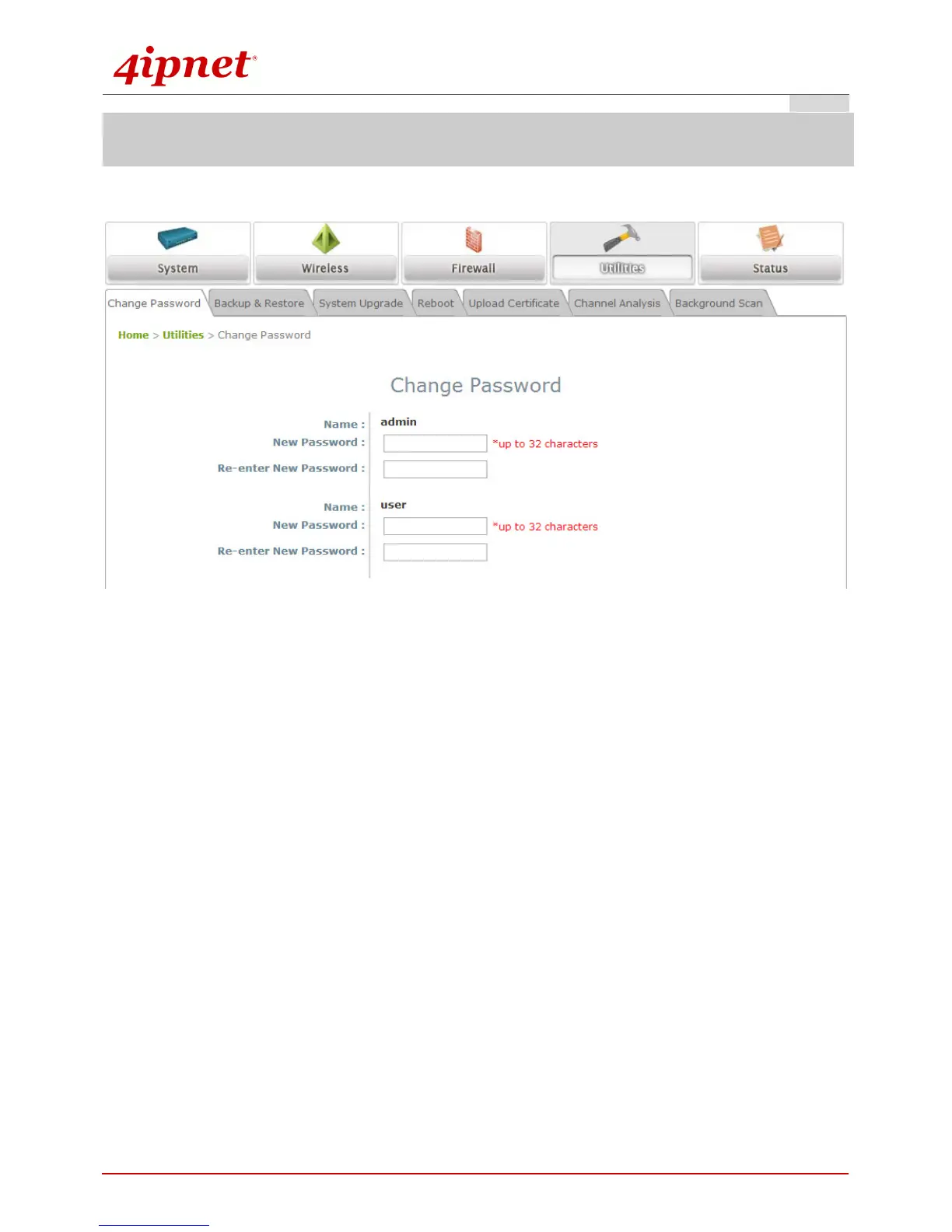
Step 1. Change Administrator’s Password
Change Password Page
Click on the Utilities icon on the main menu, and select the Change Password tab.
Enter the old password and then a new password with a length of up to 32 characters, and retype it in
the Re-enter New Password field.
Click SAVE to save the changes.



 To Next Page