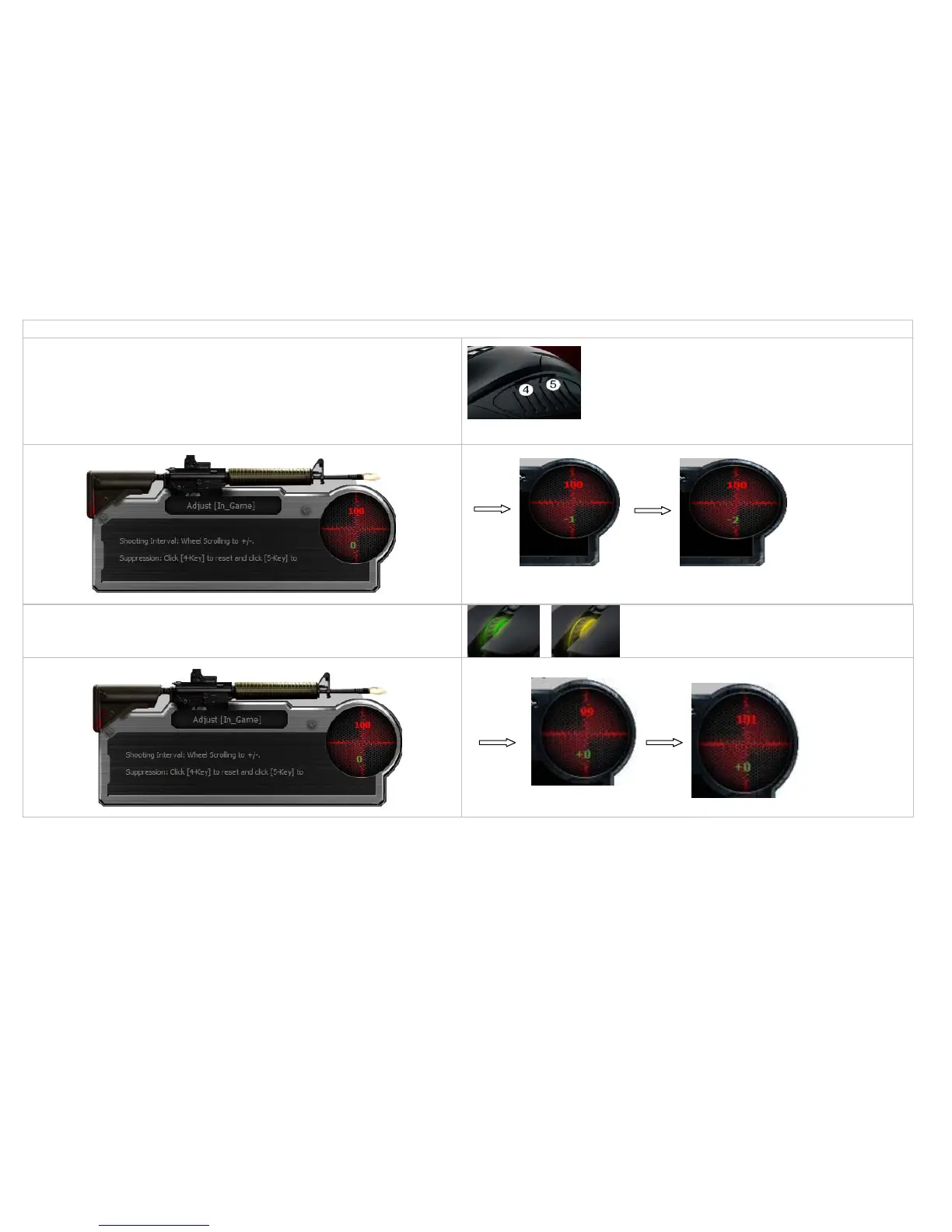
In practical testing [D-In_Game] on some popular games, the [D-In_Game] screen may not show up properly, however, you still can perform the settings with immediate effect.
Adjust [Y offset]:
1. Press mouse 4th button to reset Y to 0 (which is equivalent to without recoil
suppression).
2. Press mouse 5th button to adjust Y offset, one click will subtract 1 pixel (-1).
3. Press “N” or “3” key again to quit the editing mode (the wheel LED will stop
blinking)
Adjust[Shooting interval]:
Roll the wheel one step up will increase 1 ms.
Roll the wheel one step down and it will decrease 1 ms.



 To Next Page