12
4.3. KEY FUNCTIONS
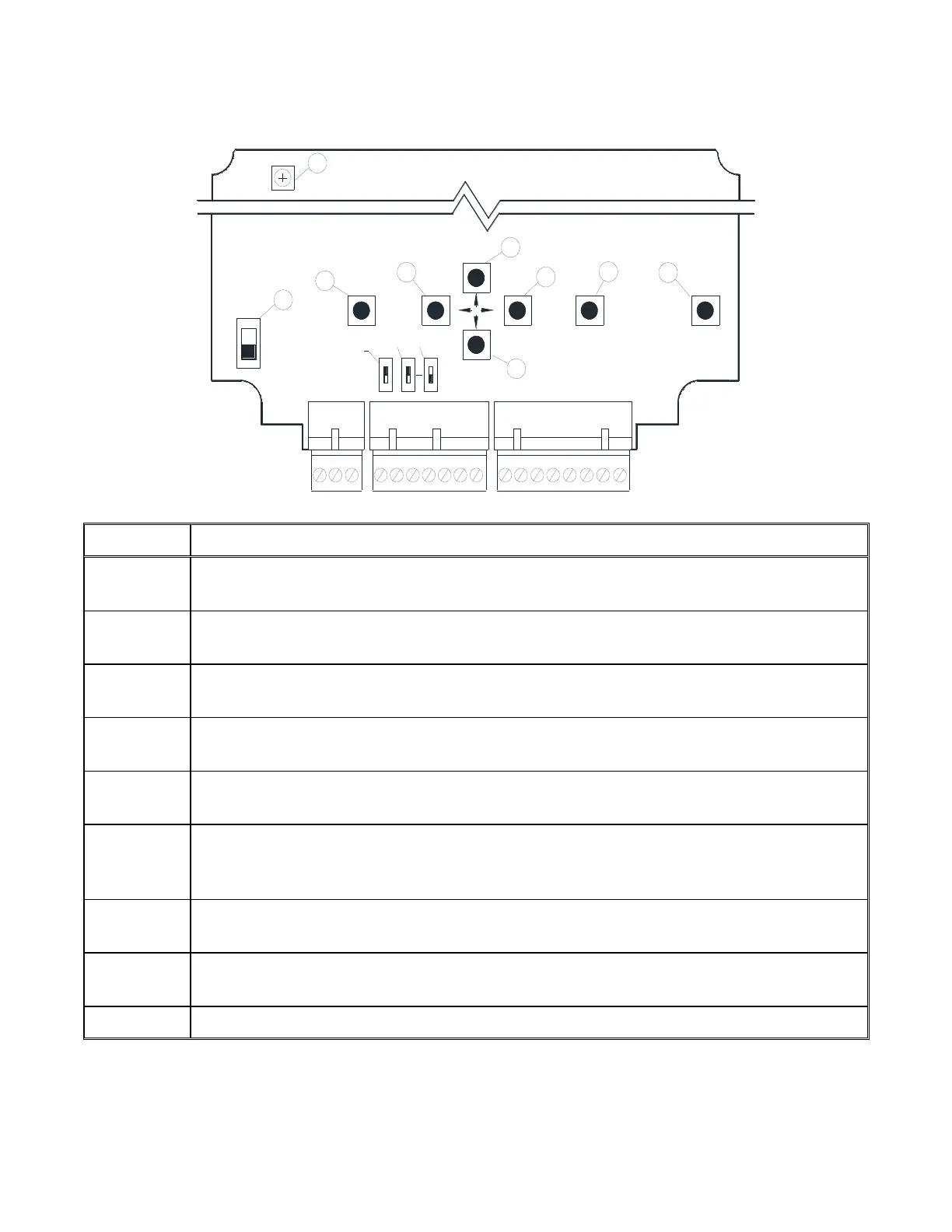
The following figure and description identify the function of each Key.
J1
1 2 3 11 12 13 14 15 16 17 18
4 5
6
7
8
J3 (ALARM OPTION)
J2
ON
OFF
POWER
SWITCH
ENTER
ESC
109
LON
INPUT
TEMP.
mA
V
PROC.
OUTPUT
mA
V
10V
5V
S1
S2 S4
2
1
3
4
5
6
7
8
RP1
9
Enter Key - Allows a user to enter into the Field Menu, enter into a selected menu
item, or store into memory changes made to the program.
Up Key - Allows the user to scroll up in the menu list to a selected item or increase
digits when making value changes.
Right Key - When making changes to user values the Right Key allows the user to
scroll to the correct digit for changes.
Down Key - Allows the user to scroll down in the menu list to a selected item or
decrease digits when making value changes.
Left Key - When making changes to user values the Left Key allows the user to scroll
to the correct digit for changes.
Escape Key - The Escape Key allows the user to back out of the menu to the Active
Display. If a user starts to make a change and decides to cancel the change, the Escape
Key will allow the user to return to the Active Display without making the change.
Power Switch – Allows a user to turn power off to the AAON Signal Processor during
field wiring or modifications to the device.
Lon Switch – Allows a user to send a unique Neuron device ID when connecting to a
LonWorks communication network.
RP1 – Allows a user to adjust the display contrast.



 To Next Page