8
Direct Mirroring for Android Compatible Devices
• Once the Mirroring Menu appears, select the mirroring feature in your smart
device.
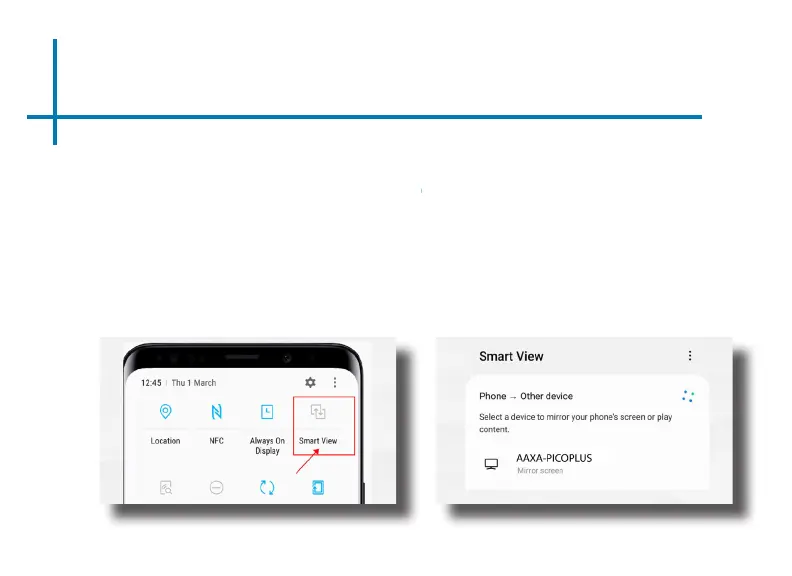
• For Samsung phones this is often the “Smart View” icon. (g. 2.1)
• The Smart View icon can typically be found by swiping down on the settings
menu and selecting the icon; or it can be found through a features search.
• Click on the “Smartview” icon – this will allow your smart device to search for
the LED Pico+. (g. 2.2)
• Select “AAXA-PICOPLUS” as the device. The screen should automatically
begin to mirror upon connection.
g. 2.1 g. 2.2















 To Next Page