14
Video Player Submenu
Playing Videos
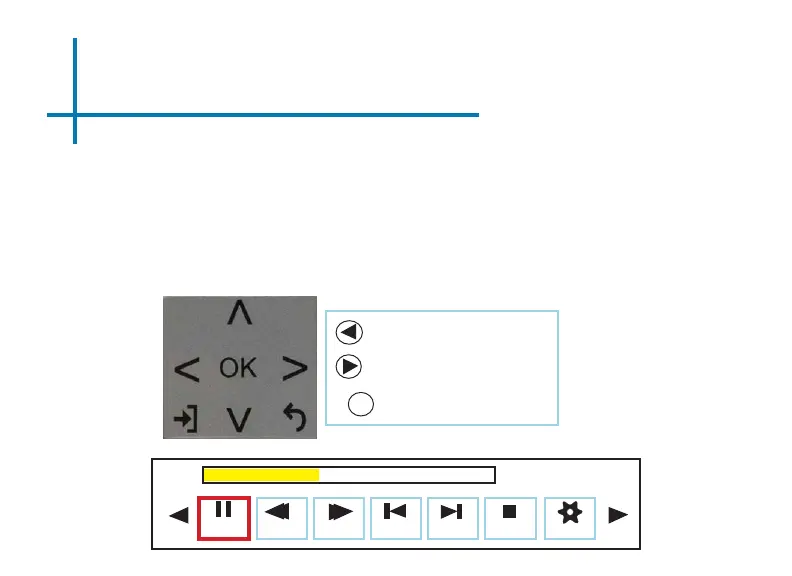
The Video Player Submenu can be accessed by pressing “OK” during video
playback. To exit the Video Player Submenu, press the “Back” button. To navigate
the Playback Menu, use the directional buttons on the navigation pad or remote to
highlight the option you wish to choose ( see g. 3.5) .
• To open/hide the video playback menu, use the “OK” and “Back” buttons on the projector.
Move selection left
Move selection right
Fig. 3.5
Pause
FB
FF
Prev. Next Stop Aspect
00:00:59 / 00:04:20
Conrm selection
OK















 To Next Page