Manual Corrigo Ventilation, revision R Chapter 18 Other functions 107
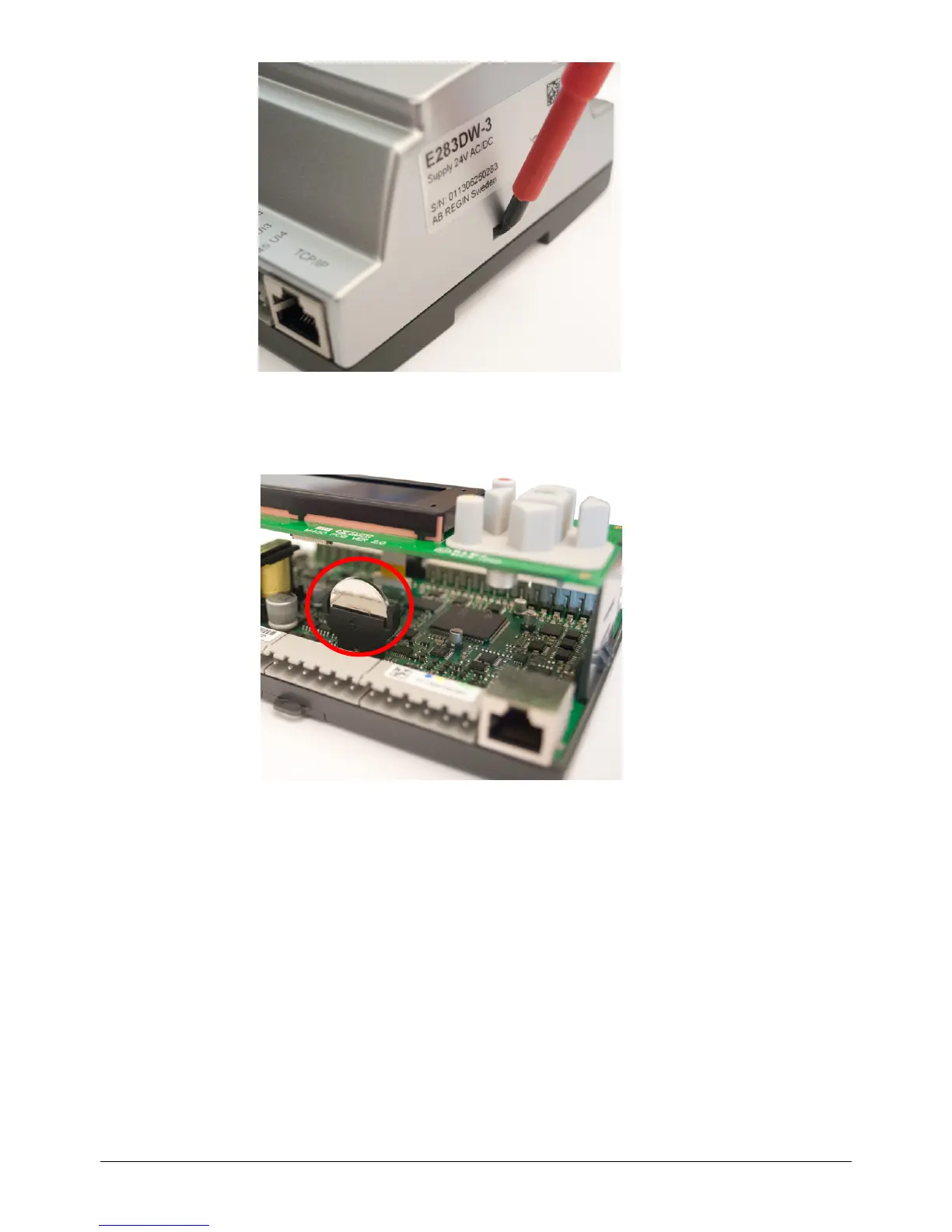
Remove the cover by pressing down the locking torques at the edge of the cover using a small
screwdriver, and at the same time pulling the edges outwards.
Battery location
Grip the battery firmly with your fingers and lift it upwards until it rises from its holder.
Press the new battery firmly down into place. Note: To preserve correct polarity, the battery can
only be inserted the “right way round”!
18.7 Start-up wizard
The start-up wizard is a function that can be activated in "Configuration"/"System". See the section
Activation of start-up wizard.
If the wizard has been activated, the operator will access a number of menus at power-up. These
menus contain certain operation parameters that should be set.
The wizard is useful when the controller is delivered pre-configured together with an air handling
unit. After the controller has been configured, the manufacturer of the air handling unit will activate
the start-up wizard, which will help the operator to set setpoint values, running times etc. without
having to log on.
In the first menu, the language is chosen.


 To Next Page