14. Standby Time: You can set the Standby Time on or off.(delete)
15. PLSN Super Scan:you can set yes or on.
16.Front Panel Light: Set the brightness of the LED.
17. Front Panel Display: Set the LED display channel or clock.
18. Front Panel Scroll Mode: Here you can set on ,Always,Once or No Scroll.
19. Channel List Typ: Here you can set the channel list type wide or simple.
20. Network auto update: Set the SW update by network if automatic or not.
20.Load M3U file mode: Set to load the M3U file fast ,auto or not.(delete)
21.CI Message: Here you can set to show the CI message or not.
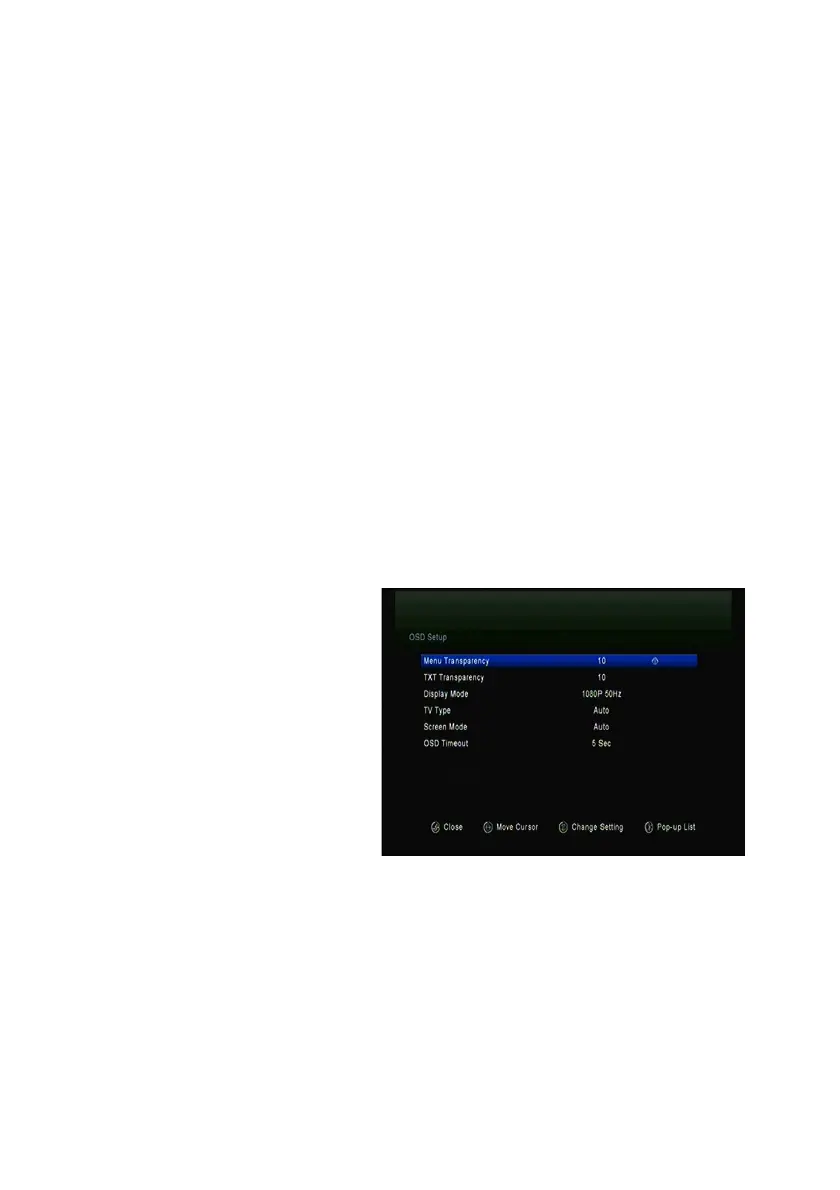
5.2 OSD Setup
Menu->SETTINGS->OSD Setup
1. Menu Transparency: Set the transparency of all menus.
2. TXT Transparency: Set the transparency of teletext.
3. Display Mode: Set the HD
format between 1080p, 1080i,
720p, 576i or 576p.
4. TV Type: Set the TV Type on
PAL/NTSC/Auto state.
5. Screen Mode: Set the display
format according to the screen
ratio. Select TV
screen mode either 4:3 or 16:9
according to the TV type, or
press the MODE button of RCU directly.
6. OSD Timeout: Set the display time of the program information.
5.3 Parental control
Menu-> SETTINGS ->Parental Control
Parental Control
allows you to set limits for each program or change your



 To Next Page