previous password. You can also lock the changes you have made using
Installation Lock
,
Edit Channel Lock
and
System Lock
. And you can
change
Age Rating.
5.4 Times
Menu-> SETTINGS ->Times
5.4.1 Time Settings
Menu-> SETTINGS ->Times->Time Settings
Time Settings
will set the time mode, time zone and summer time.
1.Time Mode
You can switch the Time Mode to Auto or Manual by pressing ◄/►
button. If the Time Mode is Manual you can change the current time and current
date.
2. Time Offset
Set the time zone according to your city.
3. Summer Time
If your region needs summer time to correct the current time please make it
ON
by pressing ◄/► button.
4. Time
You can selete network or
satellite.
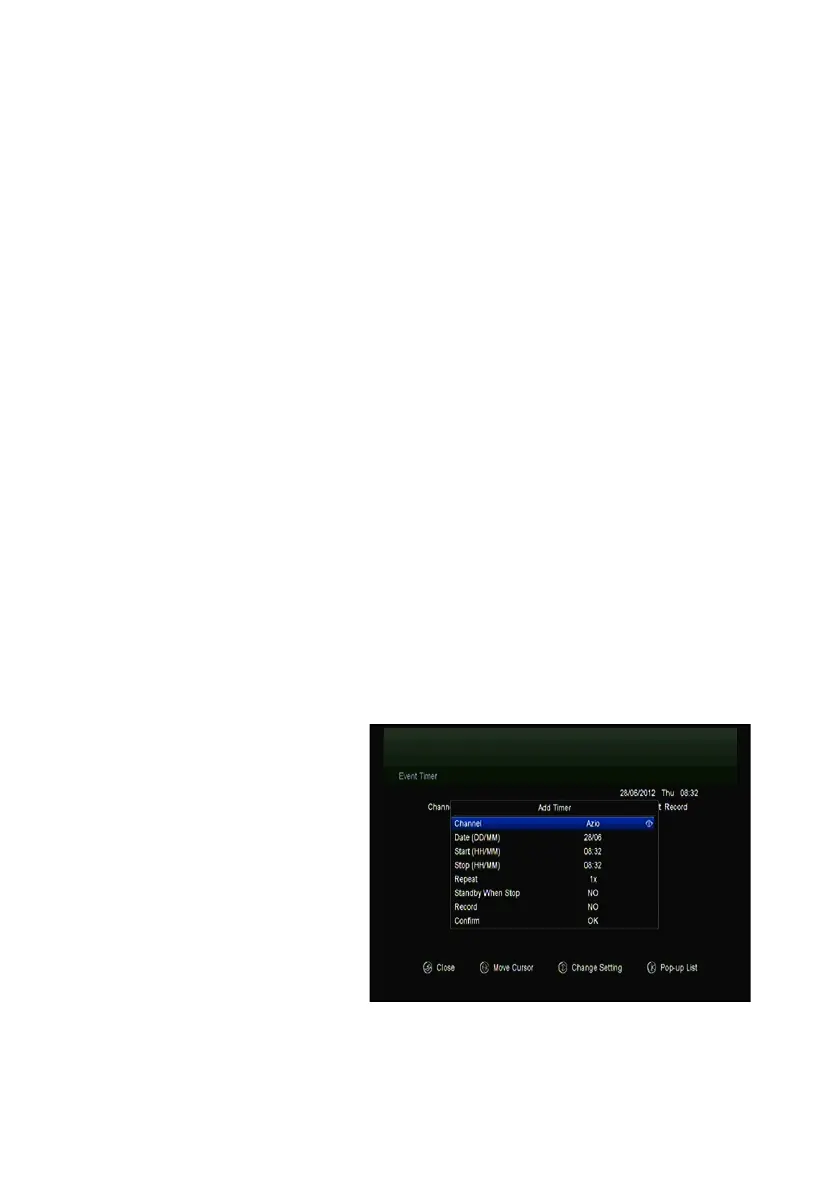
5.4.2 Event Timer
Event Timer
You can set
8 timer events. It will record or
play the program
automatically according to the
timer event list that you set.
1.
Menu-> SETTINGS ->TIMES-> Event Timer
2. Press the GREEN button to setup a timer, and press the OK button to save



 To Next Page