VETSCAN SA USER’S MANUAL v 1.1 SOFTWARE |
14
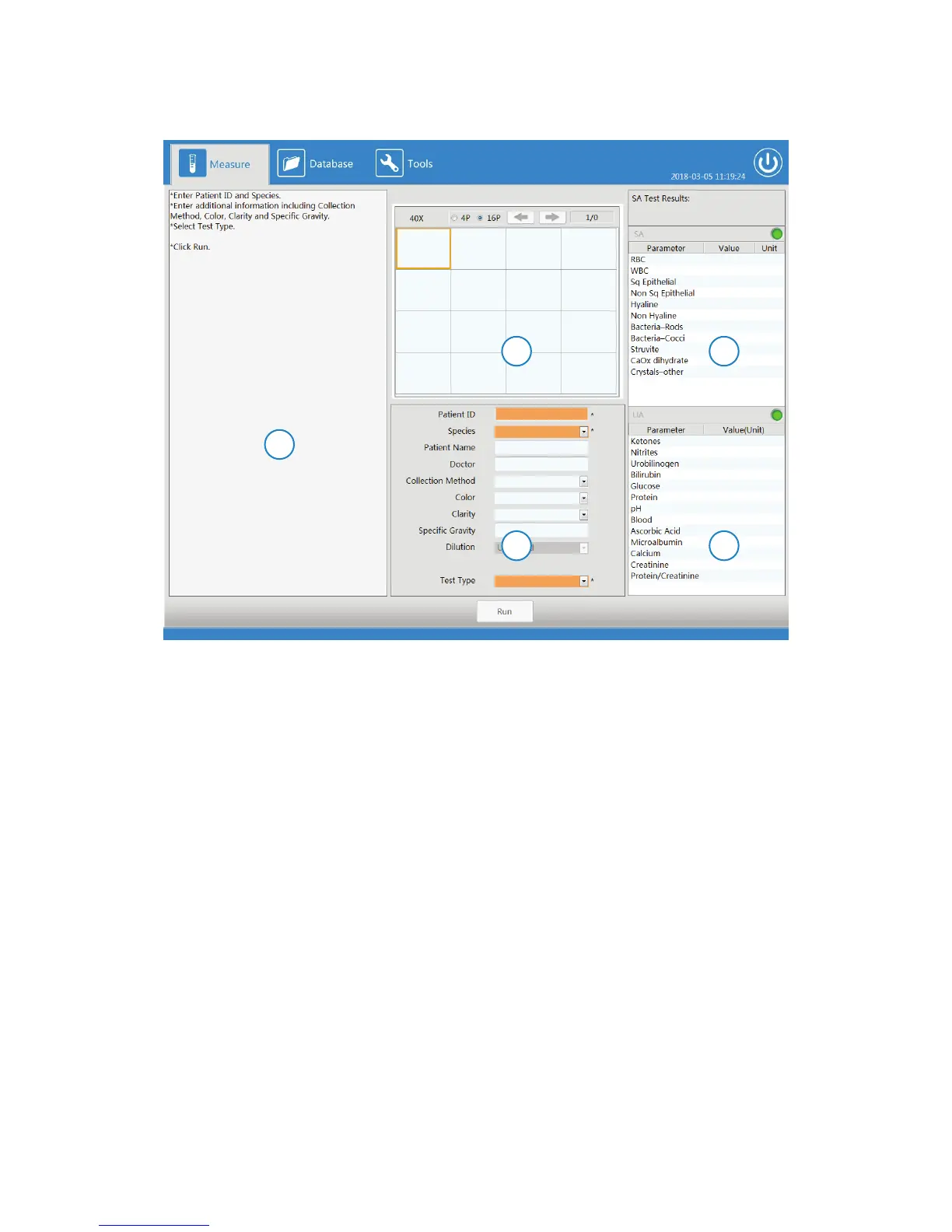
The Measure menu screen is divided into five different panels.
Measure Menu Screen
1. Left Side Panel: guides the user through running a test using images and text.
2. SA Images Panel: images captured at end of sample analysis.
3. Sample Entry Panel: where a user enters in all the inputs related to the sample.
4. SA Results Panel: results classification of particles from the images captured.
5. UA Results Panel: results received from the UA analyzer.
2 4
3 5
1



 To Next Page