20
1VAL050601-MB Rev C
TRUCK:
The truck requires visual inspection of hardware, lubrication and operations during routine maintenance.
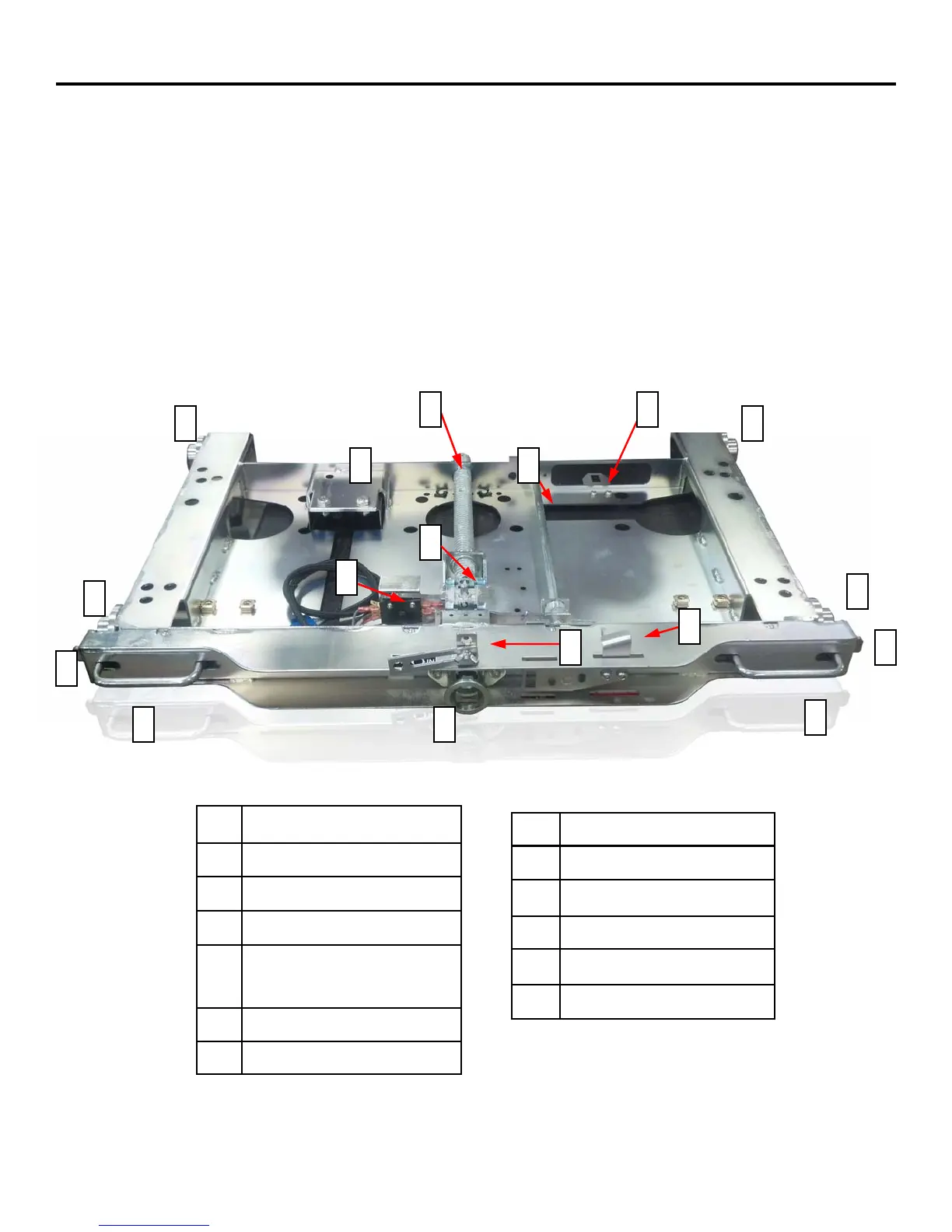
With the breaker outside the cell, verify all visible hardware tightness, including handles (9) and wheels (7). Wheels
should rotate freely by hand movement. Replace or tighten any missing or loose hardware.
With the breaker outside the cell, rotate the racking screw as though racking the breaker to the connect position. This
process will expose surfaces inside the truck that need to be inspected and lubricated. Lubricate the Racking Screw on-
ly. Inspect the Racking Screw (2), Position Release Shaft (3), breaker locking tabs (8), Secondary Locking Tab (1) for
any damage. Return truck to disconnect position. As a precaution, do not operate the breaker outside the cell unless
the truck is in the full disconnect position.
MAINTENANCE
Figure 3: (Truck shown with breaker removed)
1 Secondary Locking Tab
2 Racking Screw
3 Position Release Shaft
4 Grounding Connection
5 Racking Pin Monitor/Close
Blocking Switch
6 Position Release Lever
7 Wheels
8 Cell Locking Tabs
9 Insertion/Removal Handles
10 Collar
11 Racking Lock For Tag-Out
12 N/A
13 Racking Pin
1 2
3 4
5
6
7 7
7
7
8
8
9
9
10
13
11
Provided by Northeast Power Systems, Inc. (NEPSI)


 To Next Page