CI/AWT440–EN Rev. A 11
7 Transmitter keys, operation modes and operator menus
Front panel keys
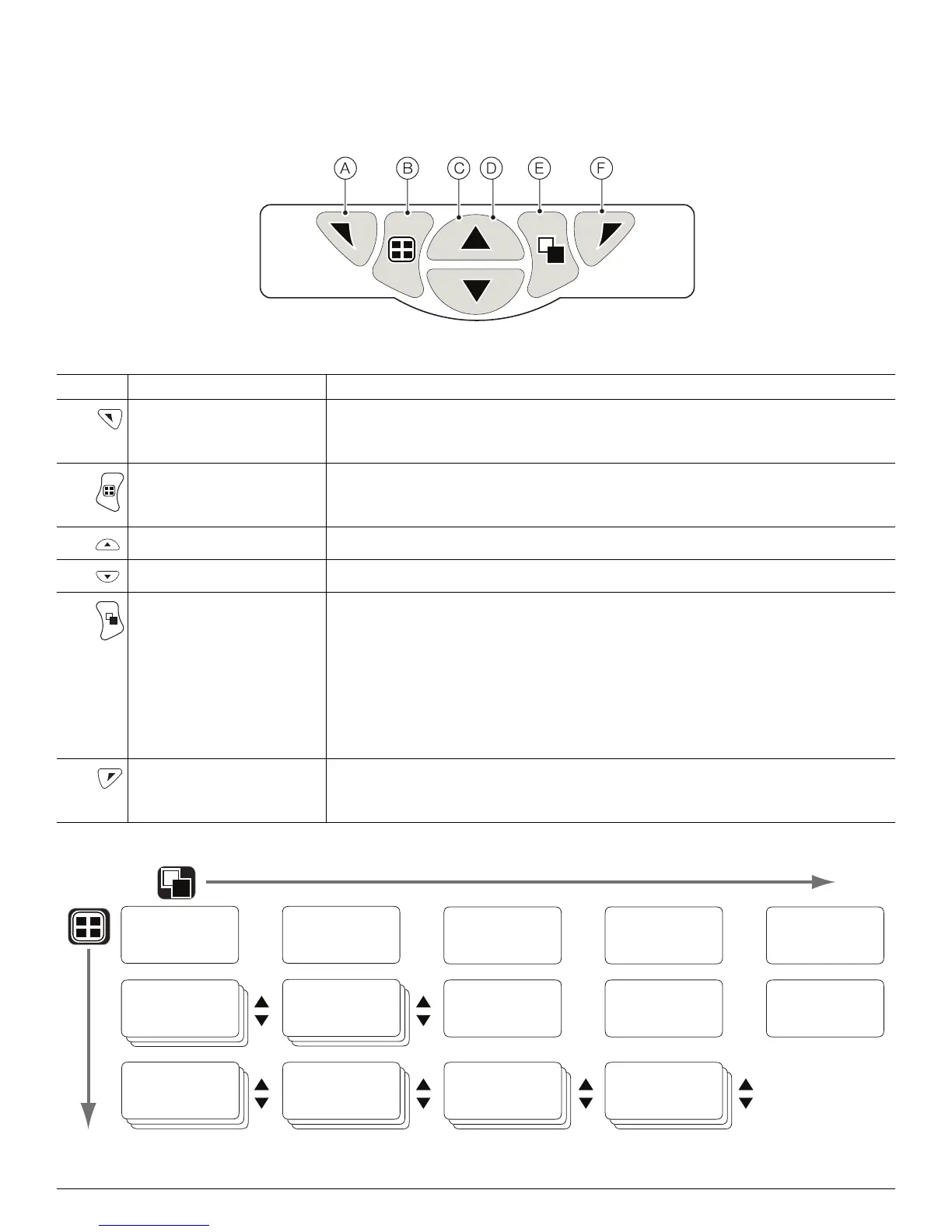
The transmitter is operated using the keys on the front panel. Prompts associated with active keys are displayed on each screen.
Diagnostic messages are detailed on page 15, display icon descriptions are detailed on page 17.
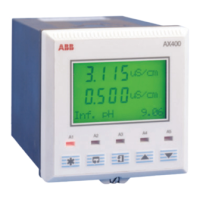
Fig. 6 Front panel keys
Key Function Description
A Navigation key – left
and
Operator menu access key
When any Operating, View or Log page is displayed, opens or closes the Operator menu
and returns to the previous menu level.
B View key Toggles the view between Operator pages, Diagnostic View and Calibration Log screens
– see Fig. 7.
Note. Disabled in Configuration mode.
C Up key
Used to navigate up menu lists, highlight menu items and increase displayed values.
D Down key
Used to navigate down menu lists, highlight menu items and decrease displayed values.
E Group key Toggles between:
— Operator pages (1 to 5) when an Operator page is selected with the View key.
— View screens (Diagnostics, Signals, Alarms, and Outputs) when the Diagnostic
View screen is selected with the View key.
— Log screens (Calibration, Alarm, Audit and Diagnostic) when the Calibration Log
screen is selected with the View key.
See Fig. 7.
Note. Disabled in Configuration mode.
F Navigation key – right
and
Cal shortcut key
At menu level, selects the highlighted menu item, operation button or edits a selection.
When any Operating, View or Log page is displayed, used as a shortcut key to access
the Calibrate level.
Table 1 Key functions
Fig. 7 Menu navigation overview



 To Next Page