12 CI/AWT440–EN Rev. A
Operation modes
The transmitter has 4 modes of operation – all modes are accessed from the Operator menu – see Fig. 8:
— Operating: displays real-time sensor values on Operating Pages.
— View: displays diagnostic messages, alarms, output values, signals (including the flow rate where applicable) and (chart) traces.
— Log: displays recorded diagnostic, calibration and audit events and alarms.
— Configuration: enables the transmitter to be configured.
Operator menus
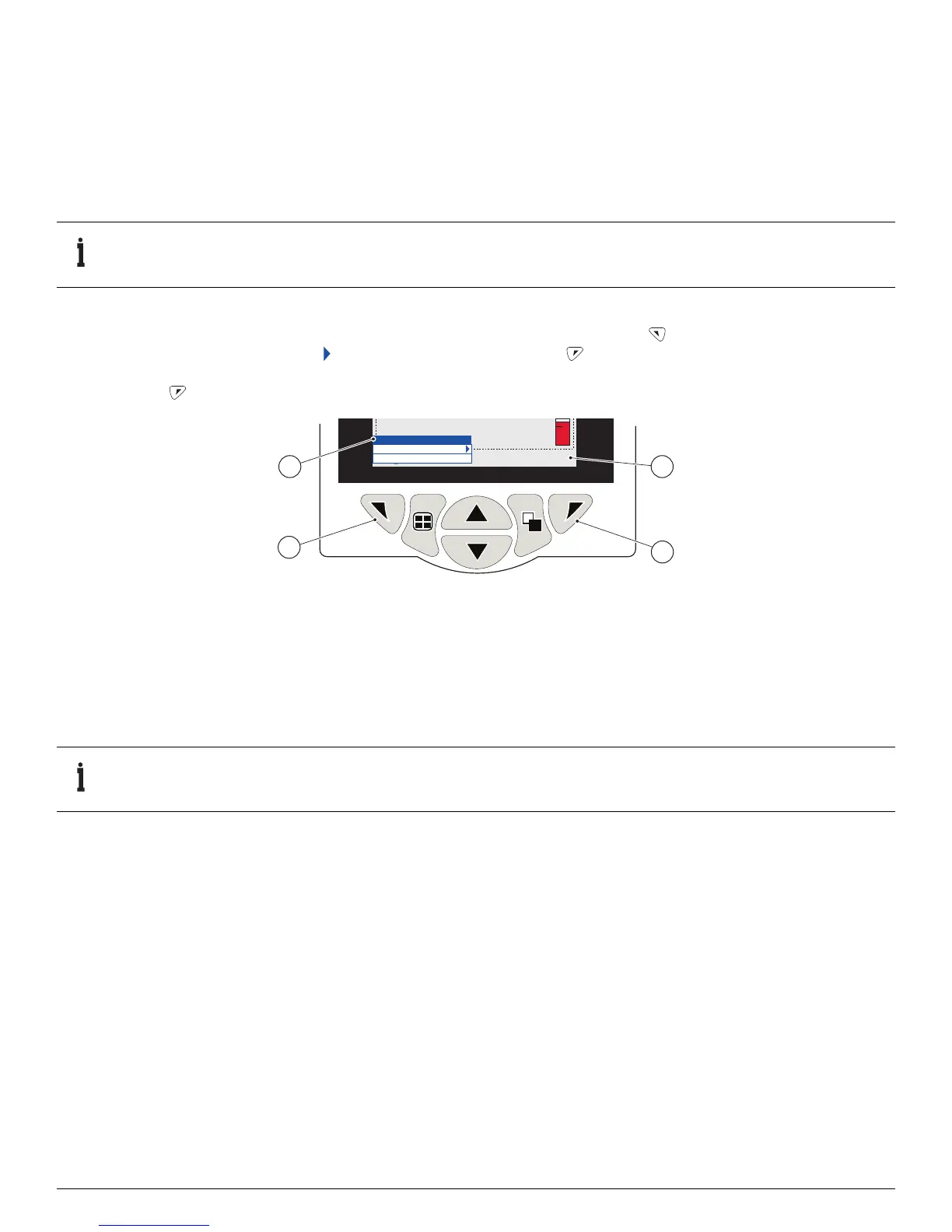
Referring to Fig. 8:
— Operator menus
A are accessed from any Operating, View or Log page by pressing the key B.
— Operator sub-menus (indicated by the arrow) are selected by pressing the key
C.
—The Calibrate page can be opened directly from an Operator Page (bypassing the Configuration level menus) using CAL shortcut
D. Press the key C (below the CAL prompt).
Operator menus comprise:
— Operator Pages: displays the Operator page for each available sensor.
— Data Views: displays enabled data views.
— Logs: displays enabled Log views.
— Alarm Acknowledge: acknowledges the active alarm displayed in the Alarms View.
— Manual Hold: holds (freezes) the current outputs and alarms for the selected sensor(s).
— Manual Clean: initiates a sensor cleaning cycle.
— Ack.Sensor Removed (displayed only if a sensor is disconnected from the transmitter): confirms permanent sensor removal and
resets transmitter configuration settings to factory default for the sensor input.
— Media Card: displays the status of the SD card / USB stick (enabled only if a removable media module is fitted) and enables the
operator to place the media online / offline.
— Autoscroll (enabled on Operator pages only): displays Operator pages sequentially when multiple sensors are fitted.
— Enter Configuration (enabled on all pages): enters Configuration parameters via the Access Level – refer to Section 8, page 13 for
access levels and password security options.
IMPORTANT (NOTE)
Operator menus cannot be accessed directly from the Configuration level.
Fig. 8 Operator menus
IMPORTANT (NOTE)
Active values are still indicated on the display.








 To Next Page