English
- 35 -
User manual DWTL1
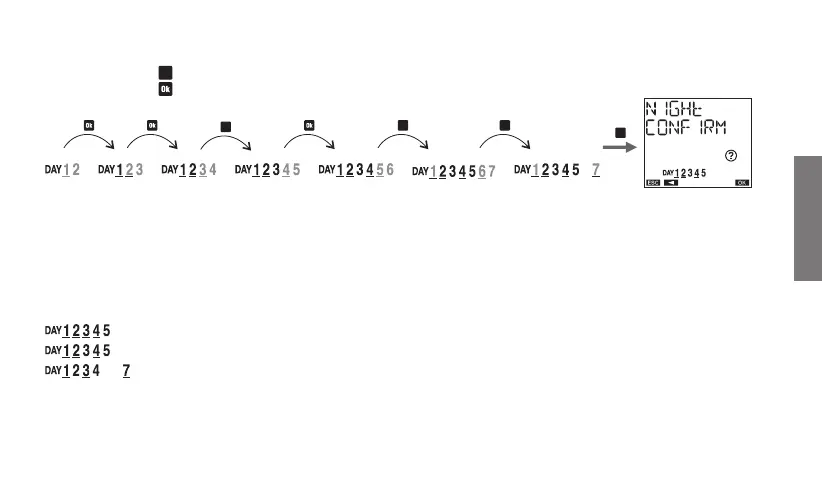
How to select nights
scroll through the nights of the week from the first (1-2) to the last (7-1):
- by pressing the key
C2
key to move to the next night without selecting the current night
- by pressing the key
to select/deselect the current night and move to the next
How to interpret the selection
If the night between the days of A and B is selected, the day A is on and underlined while B is on (not underlined).
Examples of selection:
Selected nights: between day 1 and 2, between day 2 and 3, between day 3 and 4, between day 4 and 5
Selected nights: between day 1 and 2, between day 2 and 3, between day 4 and 5
Selected nights: between day 1 and 2, between day 3 and 4, between day 7 and 1
C2
C2 C2
C2



 To Next Page