EasyManua.ls Logo

ABB DWTL1 - User Manual

ABB DWTL1
60 pages
Print Icon
To Next Page IconTo Next Page
Loading...
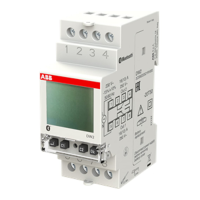
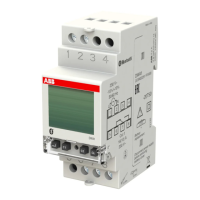
DIGITAL WEEKLY ASTRONOMICAL
TWILIGHT SWITCH WITH PROBE
User Manual
DWTL1
Question and Answer IconNeed help?

Do you have a question about the ABB DWTL1 and is the answer not in the manual?

Summary

Technical Features

Safety Warnings

Dimensions

Wiring Diagrams

Display and Keyboard Description

Display Elements

Describes general indications, time, channel, and day of week displays.

Keyboard Functions

Explains button operations for menu navigation and control.

Initial Operation

Date and Time Settings

Configuration of date format, time zone, and time correction.

Astronomical and Probe Configuration

Setting astronomical coordinates and twilight probe parameters.

Program and Connectivity Settings

Configuration of random/cycle switchings, PIN, and Bluetooth.

Start Page (Main Screen)

Information Messages Display

Explanation of messages shown on the main device screen.

Manual Switching

Channel Switching Operations

Explains temporary ON/OFF switching of the channel.

Channel Locking and Functions

Details on locking channels and activating random/cycle switching.

Settings Menu

Language and Date Configuration

Setting the device language and date format.

Time and DST Settings

Configuring time and automatic daylight saving time changes.

Astronomical and Security Settings

Setting astronomical coordinates and PIN protection.

Switching Function Settings

Configuring random and cycle switching parameters.

Language Setting Menu

Date Setting Menu

Time Setting Menu

Daylight Saving Time (DST) Setting

Automatic Time Change Configuration

Astronomical Coordinates Setting

Location and Astronomical Time Adjustments

Random Switchings Setting

Cycle Switchings Setting

Protection PIN Setting

Program Menu Overview

Program Types

Program Priority Rules

Priority List Examples

Creating a New Program

Creating New Daily Timed Programs

Creating New Weekly Timed Programs

Creating New Holiday Timed Programs

Holiday Program Day Selection

Creating New Astro Night Programs

Night Selection Method

Night Program Options (Part 1)

Night Program Options (Part 2)

Creating New Astro Daily Programs

Creating New Astro Weekly Programs

Creating New Astro Holiday Programs

Astro Holiday Program Day Selection

Checking Stored Programs

Program Check Procedure

Modifying or Deleting Programs

Program Modification;Deletion Steps

Deleting All Programs

Bluetooth Menu

Enable;Disable Bluetooth Interface

Instructions for activating or deactivating the Bluetooth function.

Bluetooth Password Management

Procedure for changing the Bluetooth association password.

Twilight Menu

Intervention Threshold Setting

Adjusting the lux level for twilight detection.

Hysteresis and Switching Delay

Setting hysteresis for stability and delay for switching.

Hour Counter Menu

Resetting the Hour Counter

Procedure to reset the usage hours counter.

Reset Menu

Available Reset Options

Overview of settings, program, and counter reset types.

Hardware Reset Procedure

Steps for performing a hardware reset to restore device state.
Firmware Menu

Error Signals and Messages

Battery Management

Reference Standards

Summary

Technical Features

Safety Warnings

Dimensions

Wiring Diagrams

Display and Keyboard Description

Display Elements

Describes general indications, time, channel, and day of week displays.

Keyboard Functions

Explains button operations for menu navigation and control.

Initial Operation

Date and Time Settings

Configuration of date format, time zone, and time correction.

Astronomical and Probe Configuration

Setting astronomical coordinates and twilight probe parameters.

Program and Connectivity Settings

Configuration of random/cycle switchings, PIN, and Bluetooth.

Start Page (Main Screen)

Information Messages Display

Explanation of messages shown on the main device screen.

Manual Switching

Channel Switching Operations

Explains temporary ON/OFF switching of the channel.

Channel Locking and Functions

Details on locking channels and activating random/cycle switching.

Settings Menu

Language and Date Configuration

Setting the device language and date format.

Time and DST Settings

Configuring time and automatic daylight saving time changes.

Astronomical and Security Settings

Setting astronomical coordinates and PIN protection.

Switching Function Settings

Configuring random and cycle switching parameters.

Language Setting Menu

Date Setting Menu

Time Setting Menu

Daylight Saving Time (DST) Setting

Automatic Time Change Configuration

Astronomical Coordinates Setting

Location and Astronomical Time Adjustments

Random Switchings Setting

Cycle Switchings Setting

Protection PIN Setting

Program Menu Overview

Program Types

Program Priority Rules

Priority List Examples

Creating a New Program

Creating New Daily Timed Programs

Creating New Weekly Timed Programs

Creating New Holiday Timed Programs

Holiday Program Day Selection

Creating New Astro Night Programs

Night Selection Method

Night Program Options (Part 1)

Night Program Options (Part 2)

Creating New Astro Daily Programs

Creating New Astro Weekly Programs

Creating New Astro Holiday Programs

Astro Holiday Program Day Selection

Checking Stored Programs

Program Check Procedure

Modifying or Deleting Programs

Program Modification;Deletion Steps

Deleting All Programs

Bluetooth Menu

Enable;Disable Bluetooth Interface

Instructions for activating or deactivating the Bluetooth function.

Bluetooth Password Management

Procedure for changing the Bluetooth association password.

Twilight Menu

Intervention Threshold Setting

Adjusting the lux level for twilight detection.

Hysteresis and Switching Delay

Setting hysteresis for stability and delay for switching.

Hour Counter Menu

Resetting the Hour Counter

Procedure to reset the usage hours counter.

Reset Menu

Available Reset Options

Overview of settings, program, and counter reset types.

Hardware Reset Procedure

Steps for performing a hardware reset to restore device state.

Firmware Menu

Error Signals and Messages

Battery Management

Reference Standards

ABB DWTL1 Specifications

General IconGeneral
BrandABB
ModelDWTL1
CategoryTimer
LanguageEnglish

Related product manuals