2. Before installation
2.6.4 Installation of USB drivers
The EXCOUNT-II transceiver is fitted with a USB port which requires
installation of special software drivers included on the CD. The Found
New Hardware Wizard should be used to install devices when they
are connected to the PC for the first time as this is the recommended
procedure for reliable device operation.
1. Connect the transceiver to the PC via the data cable. The PC will
automatically detect a new USB device.
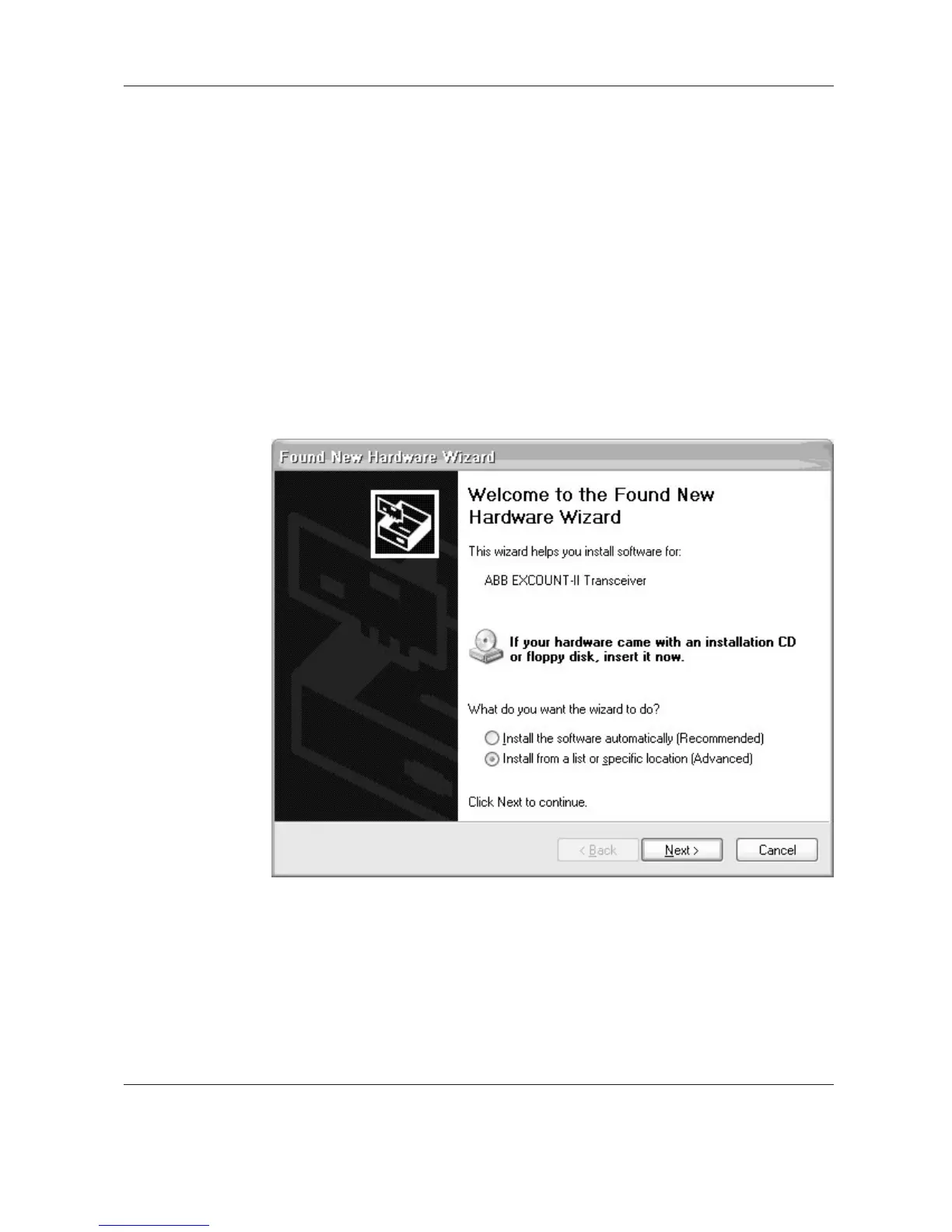
2. The “Found New Hardware Wizard” window appears. A manual
installation of the software drivers is required. Choose “Install from a
list or specific location (Advanced)”. Then click Next.
Figure 2.6.1


 To Next Page