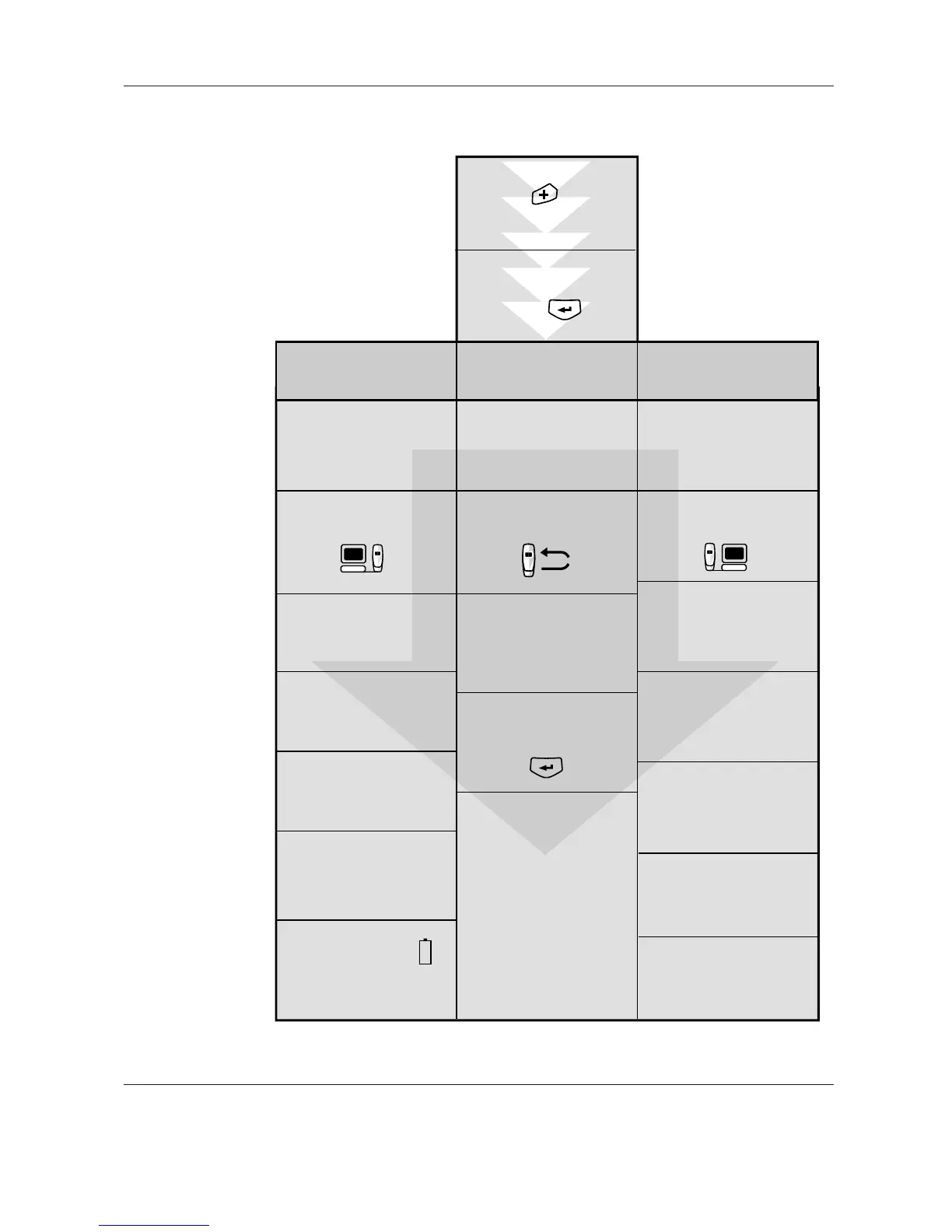
The main menu is
accessed by pressing
enter
Press to turn
on the transceiver
1. Prepare the transceiver
for measurements
See 5.1.1
Set the transceiver to
"Prepare the transceiver
for measurements" mode.
Connect the
transceiver to the PC
via the data cable.
Select which Sensors are to
be read by station, position
and phase.
Select Sensor ID from
the menu in the transceiver
and press enter.
Different types of
measurements can be
performed by following
the instructions in 5.3.
Click "Send list to
transceiver" when ready.
This erases all stored
data in the transceiver.
2. Make measurements
See 5.3
3. Transmit data to the
EXCOUNT-II software
See 5.1.2
Set the transceiver to
"Data transfer from Transceiver
to PC" mode.
Connect the transceiver to
the PC via the data cable
Open the EXCOUNT-II
PC software and select "Transfer
data" followed by
"Receive measured data
from transceiver".
Click "Request data"
when ready.
Click "save" to store the
details in the database.
Before going to the site
check the battery status.
See 5.2.
Then turn off the transceiver
to conserve the battery.
Ensure the sensor to be read
is within range and orientation for
transmission, see section
4.5 to 4.10
Set the transceiver to "Make
measurements" mode.
Open the EXCOUNT-II PC-
software and select "Transfer
data" followed by "Prepare
transceiver for measurement".
Check that the date and time
on the transceiver are
synchronized with the settings
on the PC. See 4.4
Check that the date and time
on the transceiver are
synchronized with the settings
on the PC. See 4.4


 To Next Page