20
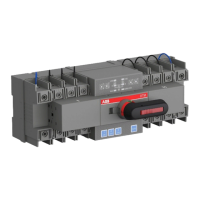
AUTOMATIC TRANSFER SWITCH, OTM_C_21D
The 9-bit dip is used to control the switch for circuit testing, and the mismatch with
the load power supply will result in testing and transfer failure. Therefore, carefully
read this guide and set correct parameters based on the actual situation before using
this product.
Generator can not be used in no line priority. Keep generator setting “0” in this mode.
Table 7. Dip switch
The 9-bit dip switch is used to set the working
modes of transfer switch.
DIP
No.
Function Setting
1, 2 Pole setting 01 10 11 00
2 poles 3 poles 4 poles Invalid setting
3, 4 Mode setting 01 10 11 (Default) 00
No line priority Manual back
switching
Line priority LN1 Invalid setting
5, 6 Voltage setting 01 10 11 00
240VAC/415VAC 230VAC/400VAC 220VAC/380VAC Invalid setting
7 Frequency setting 0 1 (Default)
60Hz 50Hz
8 Generator selection 0 1 (Default)
No Yes
9 Generator stop
delay setting
0 1 (Default)
240s 30s
Figure 15. Dip switch
—
4.4 Dip switch setting


 To Next Page