EasyManua.ls Logo

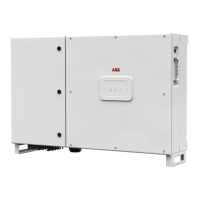
ABB PRO-33.0-TL-OUTD-SX-400 - User Manual

ABB PRO-33.0-TL-OUTD-SX-400
136 pages
Print Icon
To Next Page IconTo Next Page
Loading...
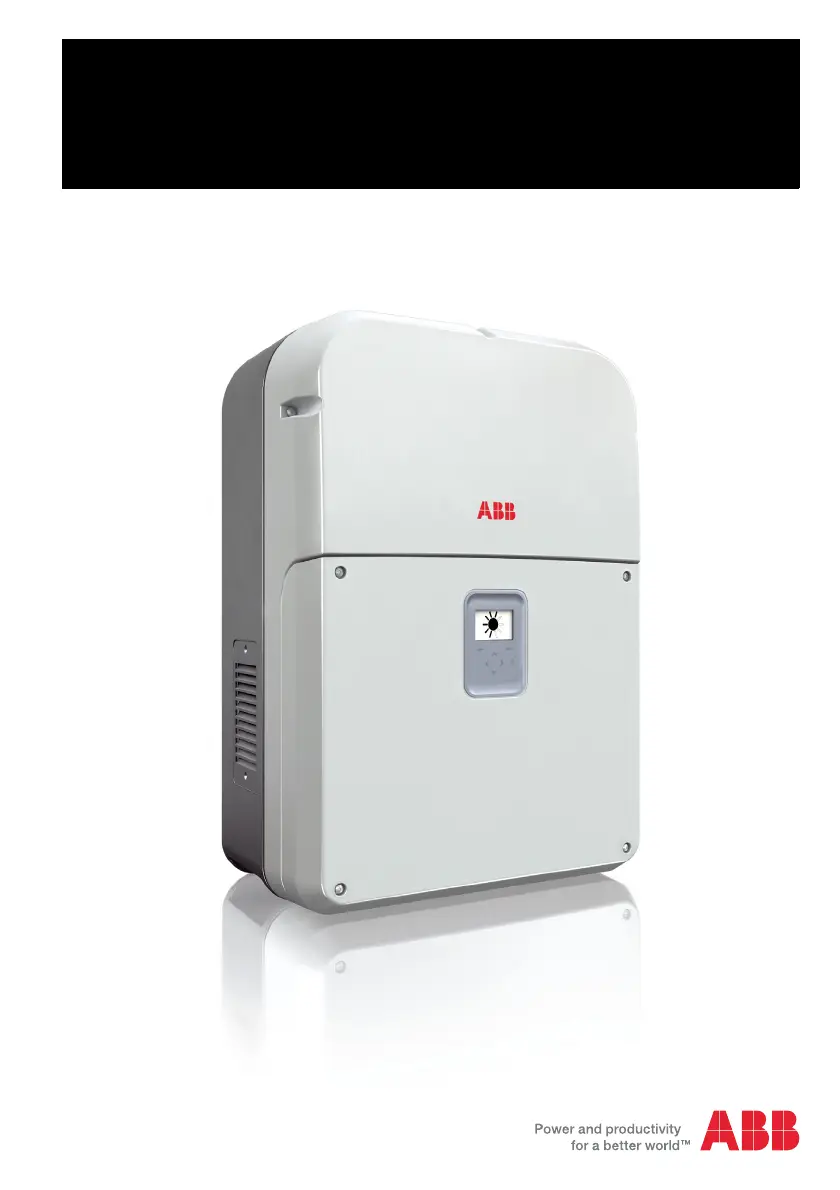
ABB solar inverters
Product manual
PRO-33.0-TL string inverters

Table of Contents

Questions and Answers

  • J
    Justin NelsonSep 7, 2025
    How to resolve Extension AI parameterization error on ABB Inverter?
    • K
      Karina YoungSep 7, 2025
      If the ABB Inverter displays 'Extension AI parameterization' error: 1. Check the correct input signal type. 2. Set the slide switch accordingly. 3. Adjust the software settings to match the positions of the slide switches in the Communications menu. The cause is that the slide switch (current/voltage input) setting on the module does not match the software settings.
  • K
    Kenneth Ayala Jr.Aug 25, 2025
    What to do if ABB PRO-33.0-TL-OUTD-SX-400 Inverter shows Ground current error?
    • P
      paulhernandezAug 26, 2025
      If the ABB Inverter shows a 'Ground current' fault, follow these steps: 1. Power down the inverter. 2. Ensure no people, animals, or objects are in danger or contact with the electrical parts of the PV system. 3. Visually inspect the PV system's cabling for faults or burn marks. 4. If the system appears normal, restart the inverter. If the fault persists, immediately isolate the inverter from all power sources and request a service visit from your system supplier. This fault may indicate a dangerous AC or DC side isolation fault and contact to ground, or leakage current to ground because of human, animal or other contact between electrical parts and ground or because of water or high humidity.
  • C
    Christopher ParkerAug 26, 2025
    What to do if ABB Inverter displays Isolation fault?
    • W
      William AustinAug 26, 2025
      If the ABB Inverter displays 'Isolation' fault: 1. Power down the inverter. 2. Make sure that no people, animals or other objects are in danger or in contact with the electrical parts of the PV system. 3. Visually examine the cabling of the PV system for faults or burn marks. 4. If the system looks normal, restart the inverter. If the same fault occurs again, power down the inverter and contact your system supplier. The cause is low impedance between DC+ or DC- bus of the inverter and the ground.
  • J
    Jessica ChenSep 15, 2025
    What causes Rating ID mismatch on ABB PRO-33.0-TL-OUTD-SX-400 Inverter?
    • B
      briantaylorSep 15, 2025
      Restart the ABB Inverter. The cause is that after a firmware update, the hardware of the inverter does not match the information stored in the memory.
  • B
    brettknoxDec 1, 2025
    What does Reverse string current mean on ABB Inverter?
    • C
      Christine RayDec 1, 2025
      If the ABB Inverter displays a 'Reverse string current' fault: Standard/-S model: Read the aux code from the Events menu -> Active faults. Aux code (255) refers to reverse current in the DC input terminals. Power down the inverter and contact authorized service personnel to make sure that your installation does not have short circuits and connection errors. -SX model: Read the aux code from the Events menu -> Active faults. The aux code refers to affected DC input terminal on the bottom of the inverter. Read the string current values from the Events menu -> String monitoring -> String current. If there are no negative values, reset the fault. If a value shows negative current, the fault is still active: power down the inverter. Make sure that all of the DC connectors are in their correct p...
  • E
    elizabeth51Sep 12, 2025
    What to do if ABB PRO-33.0-TL-OUTD-SX-400 shows External fan 2 run time error?
    • T
      Timothy FergusonSep 12, 2025
      If the ABB Inverter displays 'External fan 2 run time', contact authorized service personnel to replace the external fan. The cause is that the external fan 2 has reached the end of its life.
  • R
    ryanlewisSep 3, 2025
    What causes Backup/restore timeout on ABB PRO-33.0-TL-OUTD-SX-400 Inverter?
    • J
      jessica22Sep 3, 2025
      If the ABB Inverter displays 'Backup/restore timeout', examine the communication, reset the fault and do the operation again. The cause is a temporary communication error between the control or PC tool and the inverter.
  • S
    Samantha NobleSep 3, 2025
    How to fix Ext. I/O communication loss on ABB PRO-33.0-TL-OUTD-SX-400?
    • J
      James DuncanSep 3, 2025
      If the ABB Inverter displays 'Ext. I/O communication loss': 1. Power down the inverter. 2. Make sure that the module is correctly installed in Slot 1. 3. Restart the inverter. If the same fault occurs again, the module may be broken. The cause is that the inverter cannot communicate with the extension I/O module.
  • L
    Lisa Beasley MDSep 22, 2025
    What to do if ABB PRO-33.0-TL-OUTD-SX-400 Inverter shows Licensing fault?
    • A
      Andrew RosalesSep 22, 2025
      Contact ABB to replace the unit. The cause is that a license is required for the inverter to operate and the license is missing.
  • A
    Aaron KellyAug 29, 2025
    What causes Input overcurrent on ABB PRO-33.0-TL-OUTD-SX-400 Inverter?
    • M
      Monica MendozaAug 29, 2025
      If the ABB Inverter displays 'Input overcurrent', restart the inverter. When the inverter returns to normal operation, monitor the inverter for a few days. The cause is that the inverter was not able to limit the input current to the maximum value during a sudden change in operating conditions.

Summary

Safety

Electrical safety

Details essential safety rules and procedures for electrical installation and operation.

Installation requirements

Power cable requirements

Details the specifications and guidelines for selecting and installing power cables.

Electrical installation

Connection procedure

Guides the user through the overall process of connecting the inverter's cables.

Power cable connections

Details the procedures for connecting both AC and DC power cables.

Control cable connections

Explains how to connect communication and control cables.

Start-up

First start up

Guides the initial configuration and setup of the inverter upon first use.

Operation

Maintenance

Troubleshooting

Fault messages

Lists and explains common fault codes, their causes, and solutions.

Warning messages

Lists and explains warning codes, their causes, and recommended actions.

Decommissioning

Technical data

Input side

Presents technical specifications related to the inverter's DC input.

ABB PRO-33.0-TL-OUTD-SX-400 Specifications

General IconGeneral
Max. DC Voltage1100 V
Nominal AC Voltage400 V
TopologyTransformerless
Protection DegreeIP65
Operating Temperature Range-25°C to +60°C
Maximum Output Power33000 VA
Rated (Nominal) AC Power33.0 kW
Max. AC Power33000 VA
Frequency50 Hz / 60 Hz
CoolingForced air
Output TypeThree-phase

Related product manuals