EasyManua.ls Logo

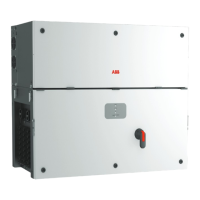
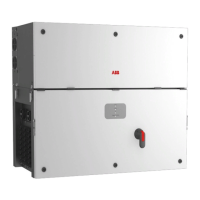
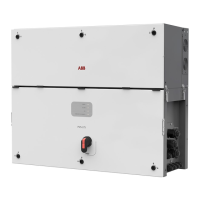
ABB PVS-100 - User Manual

ABB PVS-100
171 pages
Print Icon
To Next Page IconTo Next Page
Loading...
ABB solar inverters
Product manual
PVS-100/120-TL
(100 to 120 kW)

Table of Contents

Questions and Answers

  • R
    Ronald MillerAug 13, 2025
    Why am I having difficulties connecting to the ABB Inverter Web User Interface locally?
    • J
      Jennifer CamposAug 13, 2025
      If you're experiencing intermittent issues connecting to the Web User Interface, it could be due to these reasons: * The inverter may not be powered correctly. Ensure the inverter is powered on to access the Web User Interface. * The wireless connection might be weak or affected by obstacles. Make sure the signal strength is sufficient and that there are no obstructions like metal or concrete walls interfering with the communication.
  • P
    Peter TorresAug 16, 2025
    What to do if ABB PVS-100 identifies a wireless network but cannot connect?
    • M
      Mrs. Gwendolyn AllenAug 16, 2025
      If your ABB Inverter can see a wireless network but fails to connect, here are some potential causes and solutions: * Weak signal: Adjust the position of the wireless antenna, the inverter, or the router to improve signal strength. * Move the router closer to the inverter. * Use a wireless signal repeater to extend the network's reach. * Incompatible network type: The inverter cannot connect to wireless networks that require a username and password for navigation (like public Wi-Fi or hotel networks). Connect to an alternative network.
  • G
    gomezmadelineAug 20, 2025
    Why is my ABB PVS-100 Inverter not transmitting data to Aurora Vision®?
    • R
      Richard JonesAug 20, 2025
      There could be a couple of reasons why your ABB Inverter, despite being correctly configured in Station Mode, isn't transmitting data to Aurora Vision®: * The MAC address registered on the Aurora Vision® platform might not match the actual MAC address of your inverter. Verify the MAC address and correct it if necessary. * The wireless network your inverter is connected to might have a Firewall that's blocking data exchange with the Aurora Vision® platform. In this case, you should contact your network administrator to configure the Firewall to allow data exchange.
  • R
    Renee HoldenAug 25, 2025
    What to do if I cannot access the ABB Inverter Web User Interface using the IP address in Station Mode?
    • T
      Troy JonesAug 25, 2025
      If you can't access the Web User Interface via IP address while the inverter is in Station Mode, here are a few things to try: 1. Access the Web User Interface via “AP Mode” to find the current IP Address in “NETWORK > WLAN”. 2. Use the “Host Name” (http://ABB-XX-XX-XX-XX-XX-XX.local, replacing “X” with the inverter's MAC address hex digits). Note: Android devices may not support this. 3. Check your wireless router's web server for the inverter's new dynamic IP address. 4. If you are on a company network, contact the network administrator to allow the wireless router and device to connect to the local IP address.
  • L
    leonsamuelAug 27, 2025
    How to fix ABB PVS-100 that has not identified the wireless network?
    • M
      Mrs. Emily MorrisAug 28, 2025
      If your ABB Inverter isn't detecting the wireless network, consider the following: * The network might be hidden. The inverter cannot connect to hidden networks, so make sure the wireless network is set to be visible. * The signal strength might be weak. Try repositioning the wireless antenna, the inverter, or the router to improve the signal. * Move the router as close as possible to the inverter. * Install a wireless signal repeater to extend the network and connect the inverter to the repeater.
  • T
    Tammy NewtonAug 31, 2025
    Why is the ABB PVS-100 wireless board not communicating correctly?
    • J
      John RuizAug 31, 2025
      If the wireless board isn't communicating correctly with the inverter, or you can't access the Web User Interface in Access Point Mode, consider these possibilities: * The wireless board might be damaged. Request a service intervention to have it checked. * The inverter's Date/Time settings might be incorrect. Verify and correct the Date/Time settings if needed.
  • S
    Samantha WhiteheadSep 4, 2025
    How to access ABB Inverter Web User Interface if I forgot the password?
    • W
      Walter MckinneySep 4, 2025
      If you've forgotten your ADMIN or USER password, you can reset it by clicking on “Forgot your password”. You'll need to enter the “Product Key” code, which can be found on the “Communication Identification Label”.
  • S
    Scott MckaySep 8, 2025
    Why does my Android device say there's no internet when connecting to the ABB PVS-100's Access Point?
    • H
      harrisrichardSep 8, 2025
      This is a known behavior of Android devices. Android OS always checks for internet connectivity and prompts for confirmation if it's not available. Confirm the connection request on your Android device by clicking “Yes”.

Summary

Introduction and General Information

Operator and Maintenance Personnel Skills;Prerequisites

Outlines the necessary qualifications and skills for personnel handling the equipment.

Symbols and Signs

Explains various symbols and icons used in the manual for safety and information.

Field of Use, General Conditions

Specifies the intended use, limits, and prohibited uses of the equipment.

Characteristics

Identification of the Equipment and Manufacturer

Details how to identify the equipment and its manufacturer via labels.

Models and Range of Equipment

Lists available inverter models and their configurations.

Characteristics and Technical Data

Presents detailed technical specifications for the inverters.

Power Limitation (Power Derating)

Explains reasons for automatic power reduction and derating.

Safety Devices

Describes safety mechanisms like Anti-Islanding and surge arresters.

Safety and Accident Prevention

Safety Information and Instructions

Provides essential safety information and instructions for handling.

Thermal and Electrical Hazard

Warns about thermal and electrical dangers during operation.

Clothing and Protection of Personnel

Details required personal protective equipment (PPE).

Lifting and Transport

Transport and Handling

Outlines precautions for transporting and handling the equipment.

Types of Lifting

Demonstrates different methods for lifting the inverter.

Installation

Installation Site and Position

Recommends optimal locations and positions for installation.

Distances

Specifies required clearance distances around the inverter.

Grid Output Connection (AC side)

Details the AC side connection to the grid.

Input Connection to PV Generator (DC side)

Details the procedure for connecting the PV generator (DC side).

Instruments

Description of the LED Function

Explains the meaning and behavior of the inverter's LEDs.

User Interface

Outlines the different user interface options available.

Operation

Commissioning

Outlines the process and methods for commissioning the inverter.

Commissioning Via Web UI - Wireless connection

Explains wireless commissioning via the Web User Interface.

Power, Alarm, GFI LEDs behaviour

Summarizes the behavior of Power, Alarm, and GFI LEDs.

Inverter Switch-off

Outlines safety precautions and procedures for switching off the inverter.

Maintenance

Routine Maintenance

Lists routine maintenance operations to preserve inverter operation.

Troubleshooting

Provides troubleshooting steps for common issues.

Alarm Messages of the Inverter

Lists and explains inverter alarms, their causes, and solutions.

Replacing DC String Fuses

Provides instructions for replacing DC string fuses.

Attachments

Port and Network Services Used by the Inverter

Lists network ports and services used by the inverter for communication.

Inverter Network Configuration

Explains the network configuration requirements for inverter operation.

ABB PVS-100 Specifications

General IconGeneral
Rated AC power output100 kW
AC Voltage400 V
TopologyTransformerless
Cooling MethodForced Air
Operating temperature range-25°C to +60°C (derating above 45°C)
CoolingForced air
Frequency50/60 Hz

Related product manuals