EasyManua.ls Logo

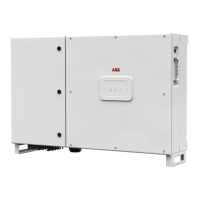
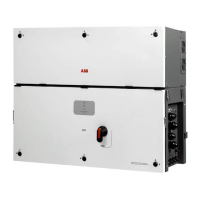
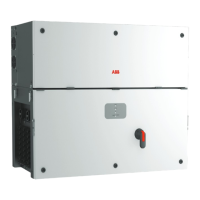
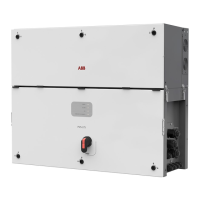
ABB PVS-50-TL-SX2 - User Manual

ABB PVS-50-TL-SX2
172 pages
Print Icon
To Next Page IconTo Next Page
Loading...
ABB solar inverters
Product manual
PVS-50-TL / PVS-60-TL
(from 50 to 60kW)

Table of Contents

Questions and Answers

  • J
    John KramerAug 9, 2025
    What to do if my ABB PVS-50-TL-SX2 is able to identify a wireless network but is unable to connect to it?
    • J
      James MaddenAug 9, 2025
      Several factors can cause this. The signal between the inverter and the wireless router might be too weak. Try the following: * Modify the position of the wireless antenna, the inverter, or the router. * Ensure the inverter isn't near obstacles that could affect communication, such as metal cages or walls, reinforced concrete walls, or electromagnetic fields. * Move the router closer to the inverter. * Install a wireless signal repeater to extend the network and connect the inverter to the repeater. Also, if the wireless network requires a username and password for navigation (like a public network), the inverter cannot connect to it. Use an alternative wireless network in this case.
  • A
    Andrea MartinAug 15, 2025
    What to do if my ABB PVS-50-TL-SX2 has not identified the wireless network to which connection is required?
    • S
      sarah62Aug 16, 2025
      This issue can occur for several reasons. One reason is that the wireless network is set to be hidden. The Inverter cannot connect to a hidden network. Set the wireless network to be visible, then identify and connect the Inverter to the wireless network as normal. Another reason could be a weak signal between the inverter and the wireless router. To resolve this, modify the position of the wireless antenna, the inverter, or the router. Also, make sure that the inverter has not been installed near obstacles which could affect the communication with the wireless router, and move the router as close as possible to the inverter or install a wireless signal repeater.
  • J
    Jeffery MorenoAug 22, 2025
    How to access the internal webserver of ABB Inverter if I forgot the password?
    • B
      Beth WalkerAug 22, 2025
      If you've forgotten your ADMIN or USER password, you can reset it by clicking on “Forgot your password”. The passwords can be reset after entering the “Product Key” code found on the “Wireless Identification Label”.
  • L
    Linda CollinsAug 27, 2025
    Why is my ABB Inverter having alternating difficulties in the local connection to the internal webserver?
    • C
      Christopher WhiteAug 27, 2025
      This could be due to a few reasons. First, the inverter might not be correctly powered. Access to the internal webserver is only possible when the inverter has power. Second, the wireless connection signal between your device and the router or the Inverter may not be strong enough or could be affected by obstacles. Ensure the signal is sufficiently strong and free from interference from metal cages or walls, reinforced concrete walls, or strong electromagnetic fields.
  • J
    jmcbrideSep 2, 2025
    How to fix if the wireless board of ABB PVS-50-TL-SX2 does not communicate correctly with the inverter?
    • K
      kyle20Sep 2, 2025
      There are a couple of things to check. First, the wireless board of the inverter could be damaged. In this case, request a service intervention to check that the inverter wireless board is working correctly. Second, wrong Inverter Date/Time settings can cause this issue. Check if Date/Time has correctly set on the inverter and correct it if necessary.

Summary

Characteristics

Characteristics and Technical Data

Provides detailed technical specifications, input/output parameters, and safety ratings.

Safety Devices

Describes various safety mechanisms like anti-islanding, fuses, and surge arresters.

Safety and Accident Prevention

Safety Information and Instructions

Emphasizes the importance of following safety guidelines and understanding manual content.

Thermal and Electrical Hazard

Warns about potential risks from hot parts and high voltage, advising precautions.

Installation

Grid Output Connection (AC Side)

Explains how to connect the inverter to the three-phase grid system safely and correctly.

Operations Preliminary to the Connection of the PV Generator

Outlines essential checks before connecting the PV generator to the inverter.

Independent or Parallel Input Channels Configuration

Explains how to configure the inverter's input channels for independent or parallel MPPT operation.

Input Connection to PV Generator (DC Side)

Guides on connecting the PV generator to the inverter's DC inputs, emphasizing safety.

Instruments

Operation

Commissioning

Outlines the process and methods for initial setup and configuration of the inverter.

Commissioning via Installer for Solar Inverters mobile APP

Details using the mobile app for simplified inverter setup and parameter configuration.

Inverter Switch-off

Provides a detailed procedure for safely turning off the inverter before maintenance.

Switch-off Procedure

Step-by-step instructions for safely shutting down the inverter and its components.

Maintenance

Troubleshooting

Provides guidance on identifying and resolving common problems with the inverter.

ABB PVS-50-TL-SX2 Specifications

General IconGeneral
BrandABB
ModelPVS-50-TL-SX2
CategoryInverter
LanguageEnglish

Related product manuals