EasyManua.ls Logo

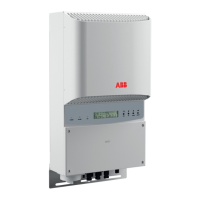
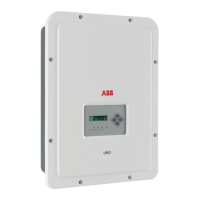
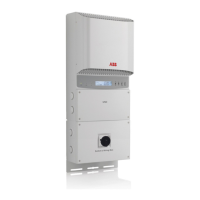
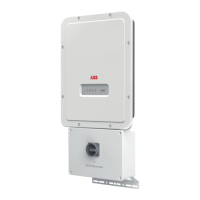
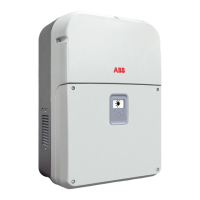
ABB PRO-33.0-TL Series - User Manual

ABB PRO-33.0-TL Series
136 pages
Print Icon
To Next Page IconTo Next Page
Loading...
ABB solar inverters
Product manual
PRO-33.0-TL string inverters

Table of Contents

Questions and Answers

  • S
    Stacy SteeleSep 7, 2025
    How to resolve Extension AI parameterization error on ABB Inverter?
    • B
      Brian GrahamSep 7, 2025
      If the ABB Inverter displays 'Extension AI parameterization' error: 1. Check the correct input signal type. 2. Set the slide switch accordingly. 3. Adjust the software settings to match the positions of the slide switches in the Communications menu. The cause is that the slide switch (current/voltage input) setting on the module does not match the software settings.
  • R
    Ryan LawsonAug 25, 2025
    What to do if ABB PRO-33.0-TL shows Ground current error?
    • T
      Thomas EllisAug 26, 2025
      If the ABB Inverter shows a 'Ground current' fault, follow these steps: 1. Power down the inverter. 2. Ensure no people, animals, or objects are in danger or contact with the electrical parts of the PV system. 3. Visually inspect the PV system's cabling for faults or burn marks. 4. If the system appears normal, restart the inverter. If the fault persists, immediately isolate the inverter from all power sources and request a service visit from your system supplier. This fault may indicate a dangerous AC or DC side isolation fault and contact to ground, or leakage current to ground because of human, animal or other contact between electrical parts and ground or because of water or high humidity.
  • S
    srussellAug 26, 2025
    What to do if ABB PRO-33.0-TL Inverter displays Isolation fault?
    • R
      Richard PatelAug 26, 2025
      If the ABB Inverter displays 'Isolation' fault: 1. Power down the inverter. 2. Make sure that no people, animals or other objects are in danger or in contact with the electrical parts of the PV system. 3. Visually examine the cabling of the PV system for faults or burn marks. 4. If the system looks normal, restart the inverter. If the same fault occurs again, power down the inverter and contact your system supplier. The cause is low impedance between DC+ or DC- bus of the inverter and the ground.
  • A
    antoniocrossSep 15, 2025
    What causes Rating ID mismatch on ABB Inverter?
    • Q
      qbrownSep 15, 2025
      Restart the ABB Inverter. The cause is that after a firmware update, the hardware of the inverter does not match the information stored in the memory.
  • D
    destiny25Dec 1, 2025
    What does Reverse string current mean on ABB PRO-33.0-TL Inverter?
    • A
      Austin JohnsonDec 1, 2025
      If the ABB Inverter displays a 'Reverse string current' fault: Standard/-S model: Read the aux code from the Events menu -> Active faults. Aux code (255) refers to reverse current in the DC input terminals. Power down the inverter and contact authorized service personnel to make sure that your installation does not have short circuits and connection errors. -SX model: Read the aux code from the Events menu -> Active faults. The aux code refers to affected DC input terminal on the bottom of the inverter. Read the string current values from the Events menu -> String monitoring -> String current. If there are no negative values, reset the fault. If a value shows negative current, the fault is still active: power down the inverter. Make sure that all of the DC connectors are in their correct p...
  • J
    Jacob WolfeSep 12, 2025
    What to do if ABB Inverter shows Internal fan run time error?
    • J
      Jennifer GarciaSep 12, 2025
      If the ABB Inverter displays 'Internal fan run time', contact authorized service personnel to replace the internal fan. The cause is that the internal fan has reached the end of its life.
  • S
    Stacy RoweSep 3, 2025
    What causes Backup/restore timeout on ABB PRO-33.0-TL?
    • A
      andersonvictoriaSep 3, 2025
      If the ABB Inverter displays 'Backup/restore timeout', examine the communication, reset the fault and do the operation again. The cause is a temporary communication error between the control or PC tool and the inverter.
  • L
    Lisa JohnsonSep 3, 2025
    How to fix Ext. I/O communication loss on ABB PRO-33.0-TL?
    • T
      Troy NolanSep 3, 2025
      If the ABB Inverter displays 'Ext. I/O communication loss': 1. Power down the inverter. 2. Make sure that the module is correctly installed in Slot 1. 3. Restart the inverter. If the same fault occurs again, the module may be broken. The cause is that the inverter cannot communicate with the extension I/O module.
  • S
    Stephanie OrtizSep 22, 2025
    What to do if ABB PRO-33.0-TL shows Licensing fault?
    • A
      Andrew MooreSep 22, 2025
      Contact ABB to replace the unit. The cause is that a license is required for the inverter to operate and the license is missing.
  • B
    Brent BentonAug 29, 2025
    What causes Input overcurrent on ABB PRO-33.0-TL?
    • D
      Dr. Christopher Tucker MDAug 29, 2025
      If the ABB Inverter displays 'Input overcurrent', restart the inverter. When the inverter returns to normal operation, monitor the inverter for a few days. The cause is that the inverter was not able to limit the input current to the maximum value during a sudden change in operating conditions.

Summary

Safety

Use of warnings and symbols

Explains warning symbols and their meanings for safety.

General safety

Provides essential safety instructions to prevent injury or death.

Electrical safety

Details crucial safety rules for electrical installation and operation.

Safe start-up and operation

Outlines procedures for safe initial operation of the inverter.

Installation requirements

Photovoltaic array and inverter compatibility

Ensures proper matching of PV arrays with the inverter for optimal performance.

Mechanical installation

Mechanical installation procedure

Step-by-step guide for physically installing the inverter.

Electrical installation

Installation checklist

Mechanical installation

Checklist items for ensuring correct mechanical installation.

Electrical installation

Checklist items for verifying correct electrical installation.

Start-up

First start up

Detailed steps for the initial startup and configuration of the inverter.

Operation

Maintenance

Troubleshooting

Fault messages

Lists and explains fault codes, their causes, and recommended actions.

Warning messages

Lists and explains warning messages, their causes, and recommended actions.

Technical data

ABB PRO-33.0-TL Series Specifications

General IconGeneral
ModelPRO-33.0-TL
TypeString Inverter
Max. DC Voltage1000 V
AC Voltage400 V
Frequency50/60 Hz
TopologyTransformerless
Number of MPPT2
MPPT Voltage Range200 - 800 V
CoolingForced Air
Protection DegreeIP65
Operating Temperature Range-25 to +60 °C
Max. DC Power33.0 kW
Max. AC Power33000 W

Related product manuals