17
The procedure for entering a submenu or a set-
ting mode, the configuration of the module and
the use of the TEST mode are described in de-
tail in "General characteristics of D type relay
modules". Below a short guide:
Desired step or function Push-button Action
One step forward in main menu or submenu STEP Press for more than 0.5 s
Rapid browse forward in main menu STEP Keep depressed
One step backward in main menu or submenu STEP Press less than 0.5 s
Entering a submenu from the main menu PROGRAM Press for 1 s (activated when
the button is released)
Entering or quitting a setting mode PROGRAM Press for 5 s
Incrementing a value in the setting mode STEP
Moving the cursor in the setting mode PROGRAM Press for 1 s
Storing a setting value in the setting mode STEP & PROGRAM Press simultaneously
Resetting of memorized values STEP & PROGRAM
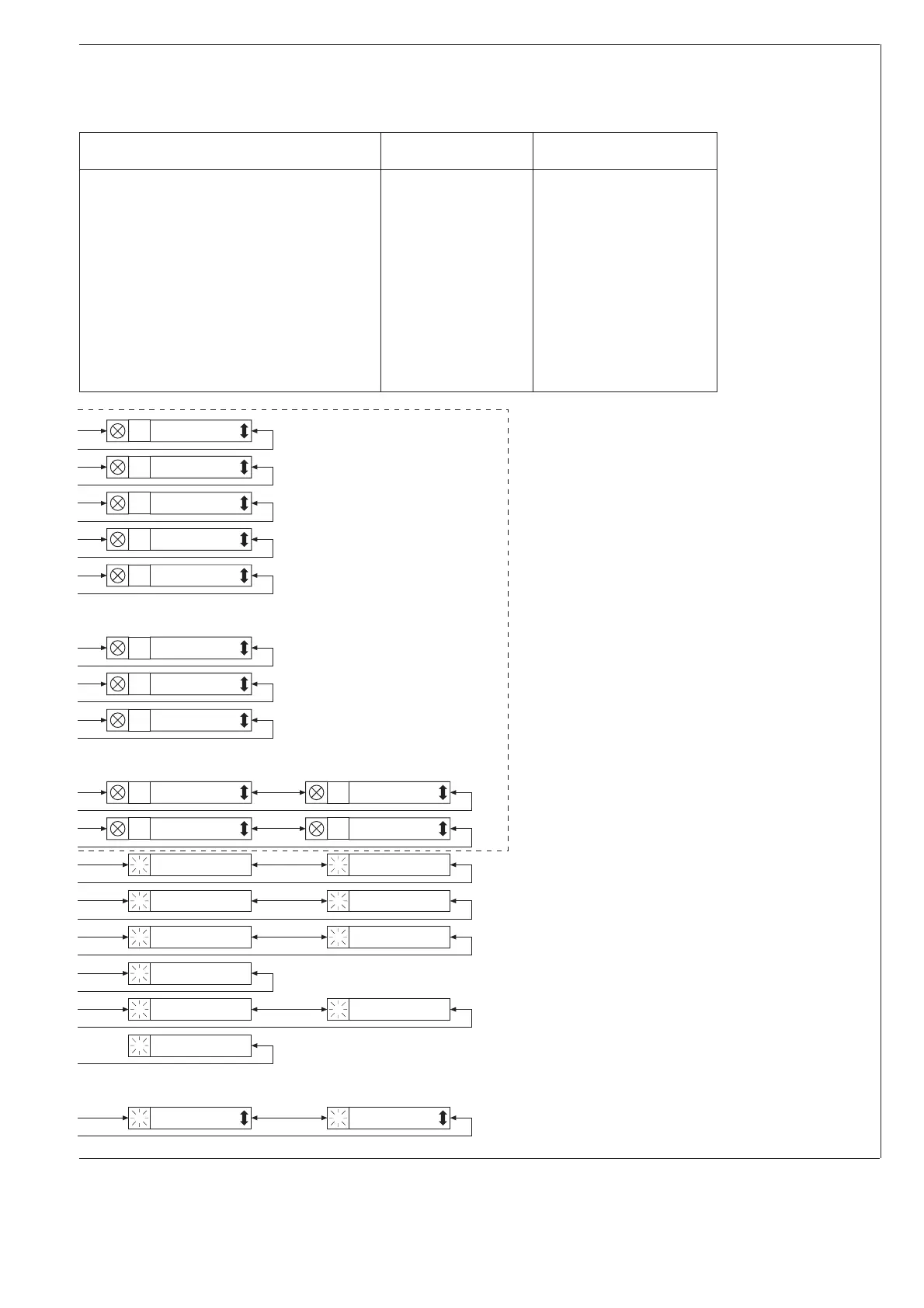
Protection stage 1
operation delay t
1
'
3
Protection stage 2
operation delay t
2
'
3
Protection stage 3
operation delay t
3
'
3
Protection stage 4
operation delay t
4
'
3
Protection stage 4
setting |df/dt|
3
Setting of relay
switchgroup SGF4
4
Setting of relay
switchgroup SGF7
7
Setting of relay
switchgroup SGB4
4
Setting of relay
switchgroup SGR4
4
Setting of relay
switchgroup SGR8
8
Setting of relay
switchgroup SGR5
5
Setting of relay
switchgroup SGR9
9
Event (n-3) value of voltage U
3
Event (n-4) value of voltage U
4
Event (n-3) value of frequency f
3
Event (n-4) value of frequency f
4
Event (n-3) value of |df/dt|
3
Event (n-4) value of |df/dt|
4
Maximum detected value
of |df/dt|
3
Number of stage that
caused the event (n-3)
3
Number of stage that
caused the event (n-4)
4
Stage 4 starting counter
3
Password for altering settings
3
Selection of main vs
second setting
4


 To Next Page