EasyManua.ls Logo

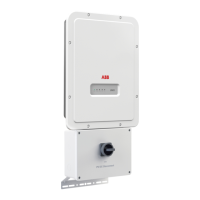
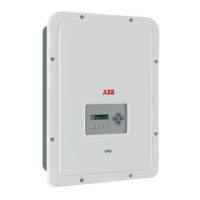
ABB UNO-DM-6.0-TL-PLUS - User Manual

ABB UNO-DM-6.0-TL-PLUS
177 pages
Print Icon
To Next Page IconTo Next Page
Loading...
ABB solar inverters
Product Manual
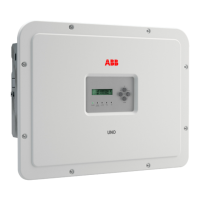
UNO-DM-6.0-TL-PLUS
(6.0 kW)

Table of Contents

Other manuals for ABB UNO-DM-6.0-TL-PLUS

Questions and Answers

  • H
    Haley HarrisAug 14, 2025
    Why am I having trouble connecting to the ABB UNO-DM-6.0-TL-PLUS webserver?
    • A
      Amy MayAug 15, 2025
      If you're experiencing alternating difficulties in the local connection to the internal webserver of your ABB Inverter, here’s what might be happening: * The inverter might not be correctly powered. Access to the internal webserver is only possible when the inverter is correctly powered. * The wireless connection signal may not be strong enough or could be disrupted by obstacles. Ensure a sufficiently strong signal and remove any obstacles like metal cages or reinforced concrete walls.
  • M
    Melissa SullivanAug 18, 2025
    How to reset password on ABB Inverter internal webserver?
    • P
      Peter FloresAug 18, 2025
      If you cannot access the internal webserver of your ABB Inverter because you have forgotten the ADMIN or USER password, reset the passwords by clicking on “Forgot your password”. The passwords can be reset after entering the “Product Key” code, which is located on the “Wireless Identifci ation Label”.
  • M
    Mark RodriguezAug 21, 2025
    Why hasn't my ABB Inverter identified the wireless network?
    • S
      Stephen CampbellAug 21, 2025
      If your ABB Inverter has not identified the wireless network, it might be because: * The wireless network is set to be hidden. The Inverter cannot connect to hidden networks. Set the network to be visible, then connect the Inverter as normal. * The signal between the inverter and wireless router is too weak. Try modifying the position of the wireless antenna, the inverter, or the router. Also, ensure that the inverter is not near obstacles that could affect communication, and move the router closer to the inverter or install a wireless signal repeater.
  • M
    Michelle GeorgeAug 25, 2025
    What to do if ABB Inverter identifies wireless network but cannot connect?
    • M
      Maureen MillerAug 26, 2025
      If your ABB Inverter is able to identify a wireless network but is unable to connect to it, it could be due to the following reasons: * The signal between the inverter and the wireless router is too weak. Try modifying the position of the wireless antenna, the inverter, or the router. Also, make sure that the inverter has not been installed near obstacles that could affect the communication with the wireless router, move the router closer to the inverter or install a wireless signal repeater. * The wireless network requires a username and password for navigation. The inverter cannot connect to these types of networks. Connect the inverter to an alternative wireless network.
  • C
    chunglindsayAug 28, 2025
    Why is my ABB UNO-DM-6.0-TL-PLUS Inverter not transmitting data to Aurora Vision®?
    • Y
      ymorrisAug 28, 2025
      If your ABB Inverter has been configured correctly in 'Station Mode' and works on the local network, but no data is transmitted to Aurora Vision®, it could be due to two reasons: 1. The MAC address used to register the inverter on the Aurora Vision® platform is incorrect. Ensure the registered MAC address matches the one associated with the inverter and modify it if necessary. 2. The wireless network is protected by a Firewall. In this case, contact your network administrator to configure the Firewall to allow data exchange between the Inverter and the Aurora Vision® platform.
  • G
    georgecraigSep 3, 2025
    What to do if ABB UNO-DM-6.0-TL-PLUS wireless board doesn't communicate correctly?
    • J
      James LeeSep 3, 2025
      If the wireless board of your ABB inverter doesn't communicate correctly with the inverter, or you can’t access the internal webserver in 'Access Point Mode', this could be caused by: * A damaged wireless board. Request a service intervention to check the wireless board. * Incorrect Date/Time settings. Check and correct the Date/Time settings on the inverter.
  • M
    Mallory BeckerSep 7, 2025
    Why does my Android device say there's no internet when connecting to the ABB UNO-DM-6.0-TL-PLUS Inverter?
    • J
      Juan CampbellSep 7, 2025
      If you're using an Android device and receive a notification about a missing internet connection when connecting to the Access Point wireless network created by the ABB inverter, confirm the connection request in the notification by clicking “Yes.” This is a known behavior of Android devices.
  • R
    ryanrowlandSep 10, 2025
    How to view PDF Auto-test report on ABB UNO-DM-6.0-TL-PLUS with iOS?
    • M
      Michael WilliamsSep 12, 2025
      To view the Pdf Auto-test report on your iOS device for ABB Inverter, allow popup opening in the browser settings. You will receive a notification to enable popups when trying to view the report.
  • T
    tfreemanDec 1, 2025
    How to access ABB Inverter webserver in 'Station Mode – DHCP'?
    • R
      rachel22Dec 1, 2025
      If you cannot access the Internal webserver of your ABB Inverter using the IP address when the inverter is operating in 'Station Mode – DHCP', it may be due to the following causes: * An incorrect dynamic IP address is being used, or the IP address has been modified by the wireless router. To resolve this: 1. Access the Internal Webserver via “AP Mode” and check the current IP Address in “NETWORK > WLAN”. 2. Access the Internal Webserver using the “Host Name”. 3. Access the inverter display menu WLAN Logger>Info>View IP to obtain the IP Address. 4. Access the pages of the wireless router web server to which the inverter is connected and read the new dynamic IP address assigned to the Inverter. * The wireless router or device doesn’t allow the connection to local IP...

Summary

Introduction and General Information

Equipment Characteristics and Usage

Covers intended use, limitations, models, and technical data.

Safety Devices

Describes the safety devices integrated into the inverter.

Characteristics

Technical Specifications and Performance

Includes technical data, dimensions, efficiency, and derating.

Safety Features

Describes the safety devices integrated into the inverter.

Safety and Accident Prevention

General Safety Information and Instructions

Provides essential safety guidelines for equipment operation.

Lifting and Transport

Installation

PV Generator and Grid Connections

Covers preliminary checks, channel config, DC/AC connections, grounding.

Instruments

Keyboard and LED Panel Description

Explains the inverter's keyboard layout and LED indicators.

Operation

Inverter Commissioning

Covers both webserver and display commissioning.

Maintenance

Troubleshooting Common Issues

Guides for resolving common problems.

Inverter Alarm and Power Limitation Messages

Explains error codes and power messages.

Attachments

ABB UNO-DM-6.0-TL-PLUS Specifications

General IconGeneral
ModelUNO-DM-6.0-TL-PLUS
Rated Power6000 W
Nominal AC Power6000 W
TopologyTransformerless
Number of MPPTs2
CoolingNatural convection
Protection DegreeIP65
Operating Temperature Range-25 °C to +60 °C
Nominal AC Voltage230 V

Related product manuals