EasyManua.ls Logo

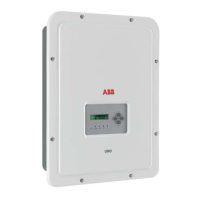
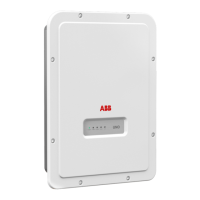
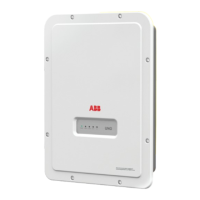
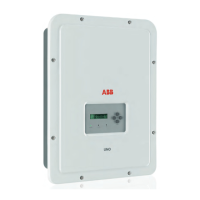
ABB UNO-DM-TL-PLUS-US - User Manual

ABB UNO-DM-TL-PLUS-US
155 pages
Print Icon
To Next Page IconTo Next Page
Loading...
ABB solar inverters
Product Manual
UNO-DM-3.3/3.8/4.6/5.0-TL-PLUS-US
(from 3.3 to 5.0 kW)

Table of Contents

Questions and Answers

  • K
    Kara SimonAug 16, 2025
    What to do if ABB UNO-DM-TL-PLUS-US Inverter doesn't connect to a wireless network?
    • B
      Brian DukeAug 16, 2025
      The signal between the inverter and the wireless router may be too weak, so try modifying the position of the wireless antenna, the inverter, or the router. Also, the inverter cannot connect to wireless networks requiring a username and password for navigation, such as public or hotel networks. Connect the inverter to an alternative wireless network.
  • C
    Christopher NunezAug 19, 2025
    How to reset the password on my ABB UNO-DM-TL-PLUS-US Inverter?
    • J
      Jason RiveraAug 19, 2025
      If you've forgotten your ADMIN or USER password, reset it by clicking on “Forgot your password”. You can reset the passwords after entering the “Product Key” code found on the “Wireless Identification Label”.
  • L
    lisa75Aug 22, 2025
    What to do if ABB UNO-DM-TL-PLUS-US has been configured correctly but no data is transmitted to Aurora Vision®?
    • G
      Gloria PowellAug 22, 2025
      First, ensure the MAC address registered on the Aurora Vision® platform matches the one associated with your inverter; modify it if necessary. Also, the wireless network could be protected by a Firewall. In this case, contact your network administrator to configure the Firewall to allow remote data exchange between the inverter and the Aurora Vision® platform.
  • C
    Casey ReyesAug 26, 2025
    How to access the ABB UNO-DM-TL-PLUS-US Inverter internal webserver in 'Station Mode – DHCP' if the IP address was lost?
    • J
      Joseph MiddletonAug 26, 2025
      Access the Internal Webserver using the “Host Name” that could be obtained writing this url http://ABB-XX-XX-XX-XX-XX-XX.local replacing the “X” with the hex digits of the wireless MAC address of the inverter (it can be found on the “Wireless Identification Label” placed on the side of the inverter or applied during the commissioning phase to the quick installation guide on cover page). The DNS or multicast service must be enabled on router.
  • R
    Rachel WilliamsAug 28, 2025
    What to do if I cannot access the internal webserver of ABB Inverter?
    • M
      Mr. Adam Torres IIIAug 28, 2025
      Ensure the inverter is correctly powered. Access to the internal webserver is only possible when the inverter has power. Also, ensure the wireless connection signal between your device and the router or inverter is strong and free from obstructions like metal cages, reinforced concrete walls, or strong electromagnetic fields.
  • D
    David JohnsonAug 31, 2025
    What to do if the ABB Inverter does not identify the wireless network?
    • W
      Wayne FloresAug 31, 2025
      If the wireless network is hidden, the inverter cannot connect to it. Set the wireless network to visible, then identify and connect the inverter as normal. Also, the signal between the inverter and the wireless router may be too weak, so try modifying the position of the wireless antenna, the inverter, or the router.
  • J
    jessicamartinezSep 3, 2025
    What to do if ABB UNO-DM-TL-PLUS-US Inverter was configured in “Station Mode” during the wizard commissioning phase, but it is no longer connected in “AP Mode”?
    • M
      Mario MaciasSep 3, 2025
      If the browser was accidentally closed during the wizard commissioning phase, access the Internal Webserver using the “Host Name”. You can obtain it by writing this url http://ABB-XX-XX-XX-XX-XX-XX.local, replacing the “X” with the hex digits of the wireless MAC address of the inverter (found on the “Wireless Identification Label” on the side of the inverter or on the quick installation guide). Ensure the DNS or multicast service is enabled on your router.
  • M
    Michelle RodriguezSep 6, 2025
    What to do if ABB UNO-DM-TL-PLUS-US wireless board doesn't communicate correctly?
    • S
      stacycamposSep 6, 2025
      The wireless board of the inverter could be damaged. Request a service intervention to check that the inverter wireless board is working correctly. Also, check if Date/Time has correctly set on the inverter; correct it if necessary.
  • T
    Thomas RomeroSep 9, 2025
    Why does my Android device say there's no internet when connecting to the ABB Inverter's Access Point?
    • L
      Laura KochSep 9, 2025
      This is a known behavior of Android devices. Android OS always checks for internet connections and asks for confirmation if it’s not present. Confirm the connection request in the notification by clicking “Yes”.
  • K
    Kyle HerreraSep 12, 2025
    What to do if I can't view the Pdf Autotest report on my ABB UNO-DM-TL-PLUS-US using an iOS device?
    • C
      Christy ThompsonSep 12, 2025
      Allow popup opening in the browser settings of the Ios devices (A notification will advise you to enable popup when trying to view the pdf autotest report).

Summary

Introduction and General Information

Warranty and Conditions of Sale

Details warranty requirements and conditions for maintaining inverter warranty.

Scope and Target Audience

Defines the manual's scope and intended audience for clarity.

Operating and Maintenance Safety

Outlines essential safety for operating and maintaining the inverter.

Symbols and Signs

Explains the meaning of various symbols and signs used in the manual.

Intended Use

Describes the specific purpose and application of the inverter.

Limitations in Intended Use

Specifies the constraints and boundaries of the inverter's intended use.

Improper or Prohibited Use

Lists actions that are forbidden or could lead to improper use of the inverter.

Characteristics

Models and Range of Equipment

Details the different inverter models and their output power ratings.

Identification of Equipment and Manufacturer

Explains how to identify the inverter model and its manufacturer.

Technical Data

Provides detailed technical specifications for the inverter models.

Torques

Specifies required torque values for installation and maintenance.

Bracket Dimensions

Shows the dimensions of the wall mounting bracket.

Efficiency Curves

Graphs illustrating the inverter's efficiency at different output levels.

Power Limitation (Power Derating)

Explains how the inverter limits power output under certain conditions.

Power Reduction due to Environmental Conditions

Details how ambient temperature affects power output.

Power Reduction due to Input Voltage

Illustrates power reduction based on input DC voltage levels.

Photovoltaic Generator Characteristics

Describes the components and configuration of a PV generator.

Strings and Arrays

Explains PV string and array configurations for system design.

Inverter Description

Provides an overview of the inverter's function and conversion process.

Multiple-Inverter System

Discusses the use and configuration of multiple inverters in a system.

Notes on System Sizing

Offers guidance on factors for sizing a photovoltaic system.

Inverter Block Diagram

Illustrates the internal structure and stages of the inverter.

PV Plant Block Diagram

Shows the overall connection of the inverter within a PV plant.

Operating Diagram

Illustrates the inverter's connection and communication flow.

Default Inverter Functionality and Components

Describes the standard features and components of the inverter.

Functionalities with Accessory Board

Lists additional features enabled by optional accessory boards.

Safety Devices

Details the integrated safety mechanisms of the inverter.

Safety and Accident Prevention

General Safety Information

General safety guidelines and instructions for users.

Signs and Labels

Explains the importance and meaning of safety labels on the equipment.

Environmental Conditions and Risks

Addresses risks associated with environmental factors during operation.

Thermal and Electrical Hazards

Highlights specific risks related to heat and electrical components.

Clothing and Personnel Protection

Specifies required personal protective equipment (PPE) for safety.

Residual Risks

Lists remaining risks and suggestions for prevention.

Lifting and Transport

Transport and Handling

Provides guidelines for safe transport and handling of the inverter.

Lifting Procedures

Instructions and precautions for safely lifting the inverter.

Unpacking and Incoming Inspection

Steps for unpacking and inspecting the inverter upon arrival.

Storage Guidelines

Recommendations for storing the inverter before installation.

Weights Information

Specifies the weight of the inverter for lifting purposes.

Packing List

Lists all components included in the inverter package.

Installation

Installation Warnings

Crucial warnings and precautions before starting installation.

Installation Site and Position

Guidelines for selecting an optimal and safe installation location.

Installation in High Humidity

Specific considerations for installing in humid environments.

Wireless Signal Checks

Assesses environmental factors affecting wireless signal strength.

Wireless Signal Power Recommendations

Tips for improving wireless signal quality and range.

Wall Mounting Procedure

Detailed steps for securely mounting the inverter on a wall.

Opening the Front Cover

Procedure for safely accessing the inverter's internal compartments.

Installation Planning

Key considerations for planning the inverter installation.

AC Overcurrent Protection

Requirements for AC output overcurrent protection.

Grid Output Connection Type (AC Side)

Explains AC grid connection types and wiring schemes.

Sizing Ground Cables

Guidance on selecting appropriate ground cable sizes.

Sizing AC Cables

Instructions for sizing AC output conductors based on ratings.

Clamps Terminal Use

Demonstrates the correct procedure for using spring clamp terminals.

PV Generator Connection Preliminaries

Pre-connection steps for the PV generator.

Channel Configuration Examples

Illustrates different PV input channel configuration scenarios.

Independent Channel Configuration

Details the factory default independent configuration of input channels.

Parallel Channel Configuration

Explains how to configure the input channels in parallel mode.

Polarity and Leakage Checks

Procedures for checking string polarity and PV leakage.

DC Side Electrical Connection

Steps for connecting the PV generator to the inverter's DC side.

MPPT Configuration

How to connect PV arrays in independent or parallel MPPT modes.

AC Side Grid Output Connection

Guidelines for making AC grid output connections.

AC Terminal Block Connection

Procedure for connecting conductors to the AC terminal block.

Grid Standard Setting

How to select the appropriate country grid standard.

Rapid Shutdown (RSD) Connection

Instructions for connecting a Rapid Shutdown device.

Communication and Control Signal Connections

Connecting signal cables to accessory boards.

Accessory Board Terminal Descriptions

Details terminal blocks on accessory boards.

RS485 Line Connection

Steps for connecting the RS485 communication line.

Remote Control Connection

How to establish remote control connections for the inverter.

Demand Response Mode 0

Configuring Demand Response Mode 0 as per AS/NZS 4777.

Configurable Relay Connections

Connecting external devices via the configurable relay.

Closing the Front Cover

Final steps to close the inverter covers after installation.

Instruments

Keyboard and LED Panel Description

Explains the function of the inverter's keyboard and LED indicators.

Operation

Introduction and Operation Warnings

Essential warnings and information before operating the inverter.

Monitoring and Data Transmission

How the inverter monitors operations and transmits data.

User Interface and Tolerances

Overview of UI elements and measurement tolerances.

Commissioning Procedures

Step-by-step guides for commissioning via webserver and display.

LED Status Indicators Behavior

Describes the meaning of different LED status combinations.

Specifications on LEDs

Details on how LEDs indicate operational status or faults.

Internal Webserver Access

Overview and instructions for accessing the inverter's webserver.

Webserver Menu Structure

Outlines the organization and sections of the webserver interface.

Main and Setup Menu Sections

Covers the MAIN and SETUP sections of the webserver.

Event Logs and User Management

View event logs and manage user accounts.

Network and Communication Settings

Settings for communication interfaces like RS485 and WLAN.

WLAN Status and Modes

View WLAN status and switch between connection modes.

Tool Functions Overview

Access to various tools for configuration and management.

Display Menu Settings

Settings for adjusting display parameters like backlight and contrast.

WLAN Logger Menu

Configuration and information for the wireless communication board.

Maintenance

Introduction and Maintenance Warnings

Essential warnings and procedures for inverter maintenance.

Routine Maintenance Procedures

Recommended routine maintenance tasks for optimal efficiency.

Troubleshooting Issues

General guidance for identifying and resolving inverter issues.

Inverter Alarm Codes

Lists and explains inverter error and warning codes.

Power Limitation Messages

Explains messages related to output power limitations.

Dismantling and Password Calculation

Instructions for dismantling and obtaining service passwords.

Grid Standard Variation and Ground Leakage

Procedures for grid standard resets and ground leakage verification.

Insulation Resistance Measurement

How to measure PV generator insulation resistance.

Storage, Dismantling, and Disposal

Guidelines for storing, dismantling, and disposing of the inverter.

Attachments

Network Services and Ports

Details network ports and services required for inverter communication.

Network Configuration Details

Information needed for inverter network setup (IP, Gateway, DNS).

Further Information and Contact

Provides resources for additional information on ABB solar products and contact details.

ABB UNO-DM-TL-PLUS-US Specifications

General IconGeneral
ModelUNO-DM-TL-PLUS-US
Max DC Input Voltage600 V
Frequency60 Hz
Number of MPP Trackers2
CoolingNatural convection
Protection DegreeIP65
AC Voltage208 V / 240 V
Output Voltage208 V / 240 V
Operating Temperature Range-25°C to +60°C

Related product manuals