3
4
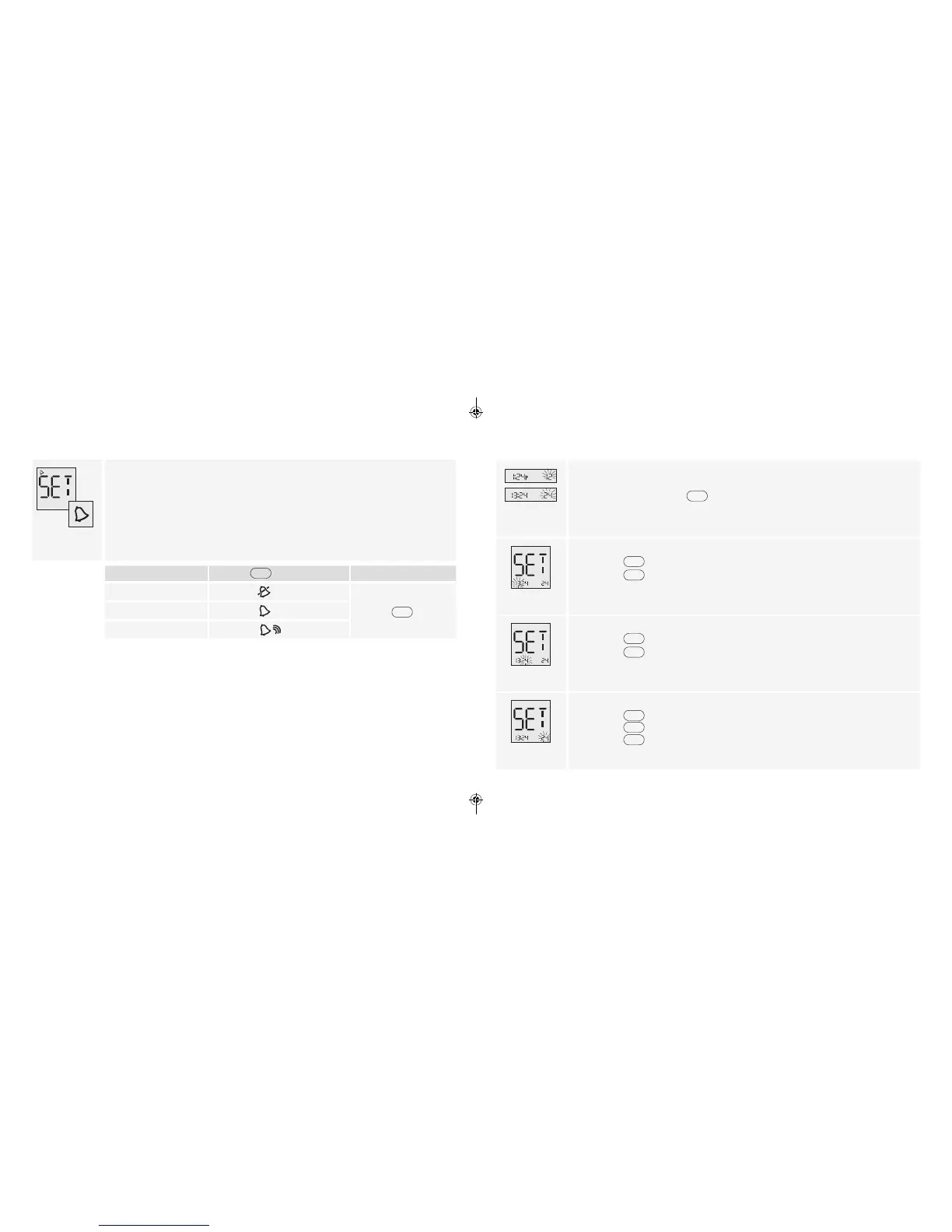
Set Sound Volume
With the sound volume on, your meter will beep when:
• The test strip is full of blood
• The test result appears on the display
• An error occurs
You may also choose to silence your meter.
3. Set sound volume
If you prefer:
Press
until you see:
Then
No sound
• Press
to save
A low beep
A louder beep
Set Time
Time Format
Note: Your meter can display either the 12-hour (1:24P) or the 24-hour (13:24)
time formats. If you prefer the 12-hour format, there is no “A” for AM. If setting a
PM time, continue to press
until you see the “P” displayed for PM.
Hour
4. Set hour
• Press
to display correct hour
• Press
to save
Minutes
5. Set minutes
• Press
to display correct minutes
• Press
to save
Time Format
6. Set time format
• Press
to accept time format or
• Press
to save
www.AbbottDiabetesCare.com
ART22311-101_rev-B.indd 3-4 8/28/14 11:30 AM















 To Next Page