i
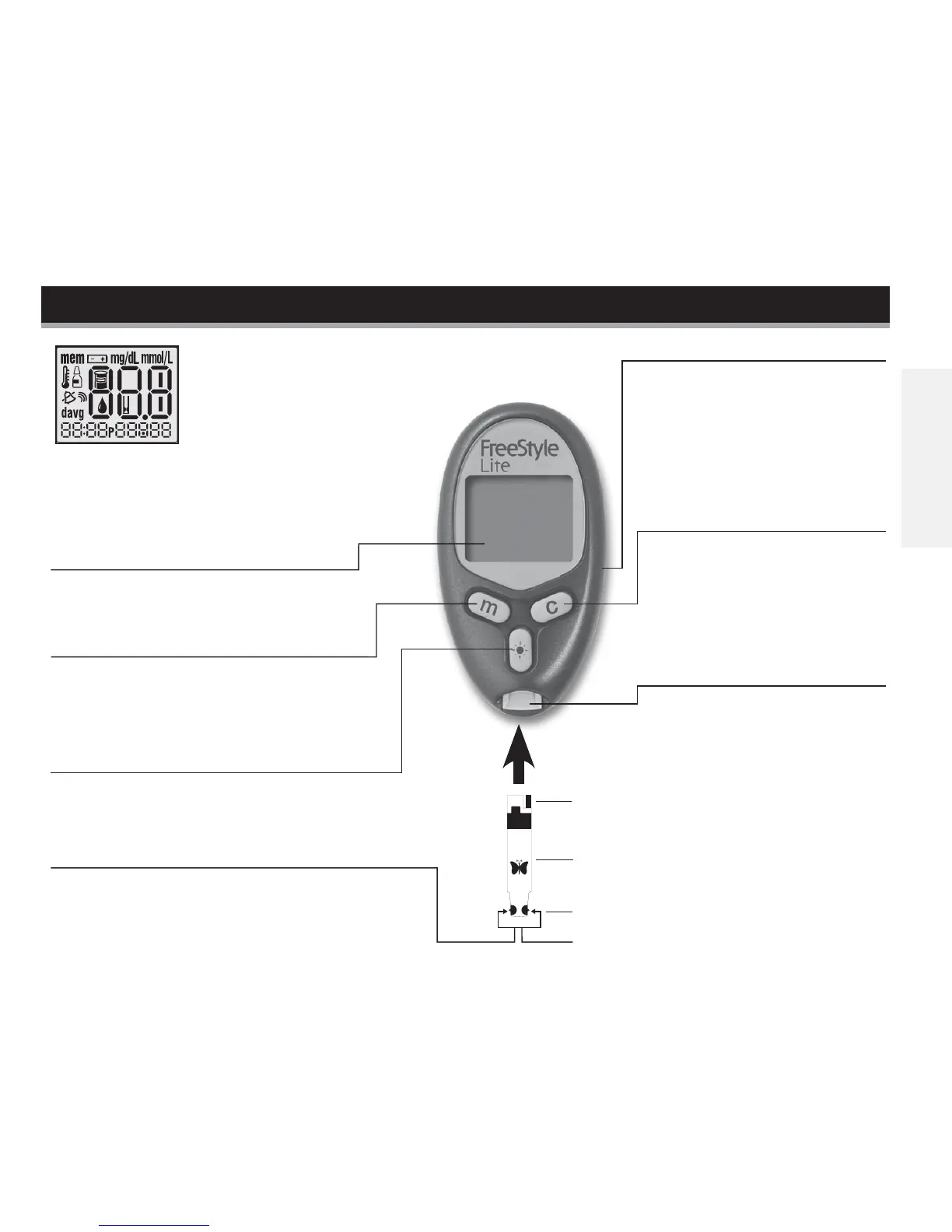
Sample Areas (dark-colored half-circles on test strip)
Apply blood or control solution to one sample area
only. Insert strip into the meter printed side up (see
image to the right).
c (Configure) Button
• Marks a control solution test
• Scrolls forward
• Displays clock
• Silences a reminder alarm
Bottom
FreeStyle Lite test strip
Sample area
Top
Data Port
Downloads test results. Requires
a compatible data management
system. For more information,
please go to our website or
contact Customer Care.
Display Screen
Displays your test results and other
important information.
m (Mode) Button
• Moves to different mode settings
• Scrolls backward
• Silences a reminder alarm
Light Button
Controls the display backlight and test
strip port light.
The FreeStyle Lite Meter and How It Works
Test Strip Port
Insert the Top end of a new
FreeStyle Lite test strip here.
The meter powers on when
you insert the test strip.
System Check Screen
This display always appears when the meter
is turned on. You should check that your
meter matches the example exactly
every time your meter turns on. Do
not use the meter if the display
check screen does not exactly match the example.
If the screen does not match, the meter may show
an incorrect result. Please contact Customer Care.
English














 To Next Page