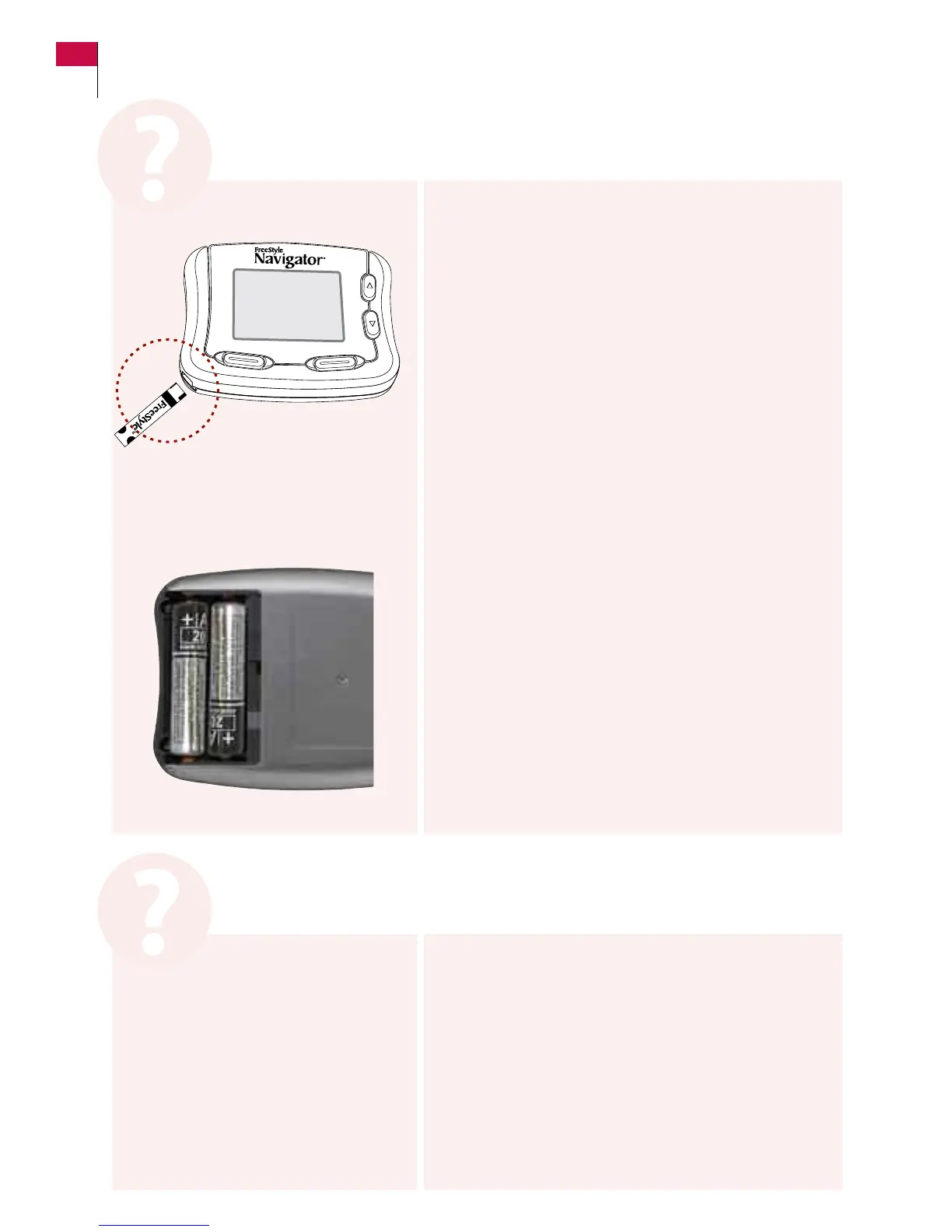
a. Was the test strip inserted correctly (the “FreeStyle” side
was up as you inserted the end with the dark rectangle)?
If YES, go to Step c.
If NO, repeat the test with a new strip taking care that
the “FreeStyle” side is up as you insert the end with the
dark rectangle until it stops.
b. Did this solve your problem?
If YES, stop.
If NO, continue with Step c.
c. Are the batteries installed correctly?
If YES, go to Step d.
If NO, Install the batteries correctly and reset time
and date.
d. e batteries may be dead, replace existing batteries
and reset time and date.
e. Repeat the test with a new test strip.
If this did not resolve your problem call Customer Care.
Note: Whenever batteries are removed and replaced or
re-installed in the receiver, you will have to reconnect
the transmitter and receiver and insert a new sensor.
The receiver will not turn on.
Note: Ensure that you apply your sample when the
Apply Sample message appears on the display.
a. Repeat the test using a LARGER sample on a new
test strip.
b. If this did not resolve your problem call Customer Care.
The Blood Glucose test won’t start after you apply a sample.
Customer Care: 1-866-597-5520
102 Section 10
Respond to Alarms, Errors, and Problems















 To Next Page