OVER
Steps Do This
7. Set, review, or change the
Data Loss alarms.
Important: If you turn o your Data Loss alarms, you must
also turn o your Low Glucose, High Glucose, Projected Low
and Projected High alarms.
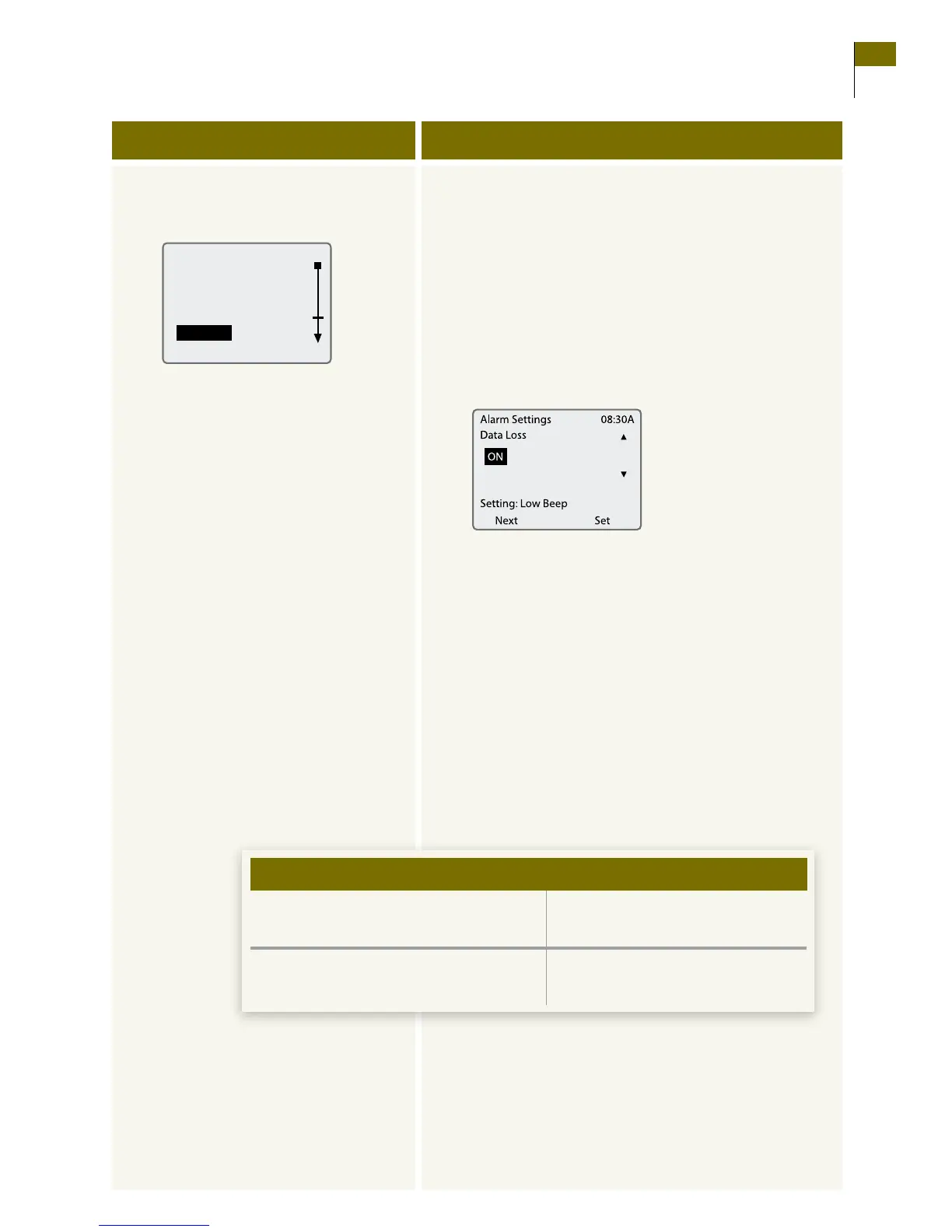
a. Select Data Loss from the Alarms menu.
•UsetheUP/DOWNArrowbuttonstohighlightData
Loss.
•PresstheRIGHT Option button to select Data Loss.
b. Review or change your settings.
•PresstheLEFT Option button (Next) to move
from one eld to the next.
•UsetheUP/DOWNArrowbuttonstochange
the setting in any eld.
•PresstheRIGHT Option button (Set) to accept the
settings and return to the Alarms menu.
Note: e receiver will respond with a brief sample
of the alarm you selected.
c. Decide what to do next.
Decide what settings you want:
• Alarmonoro.
• Alarmtype(Setting).
– Low, medium, or high beep.
– Short, medium, or long
vibration.
•Youaresetting,reviewing,orchanging
all alarms.
Continue to the next step.
•Youarenishedsetting,reviewing,and
changing alarms.
Go to Step 11.
If en
Section 8 75
Set, Review, or Change the Alarm Settings















 To Next Page