9
1
2
3
4
5
6
7
8
Pima™ ANALYSER USER GUIDE
13
Charging the Pima Analyser
Your Pima Analyser is supplied with a parally charged baery secured within
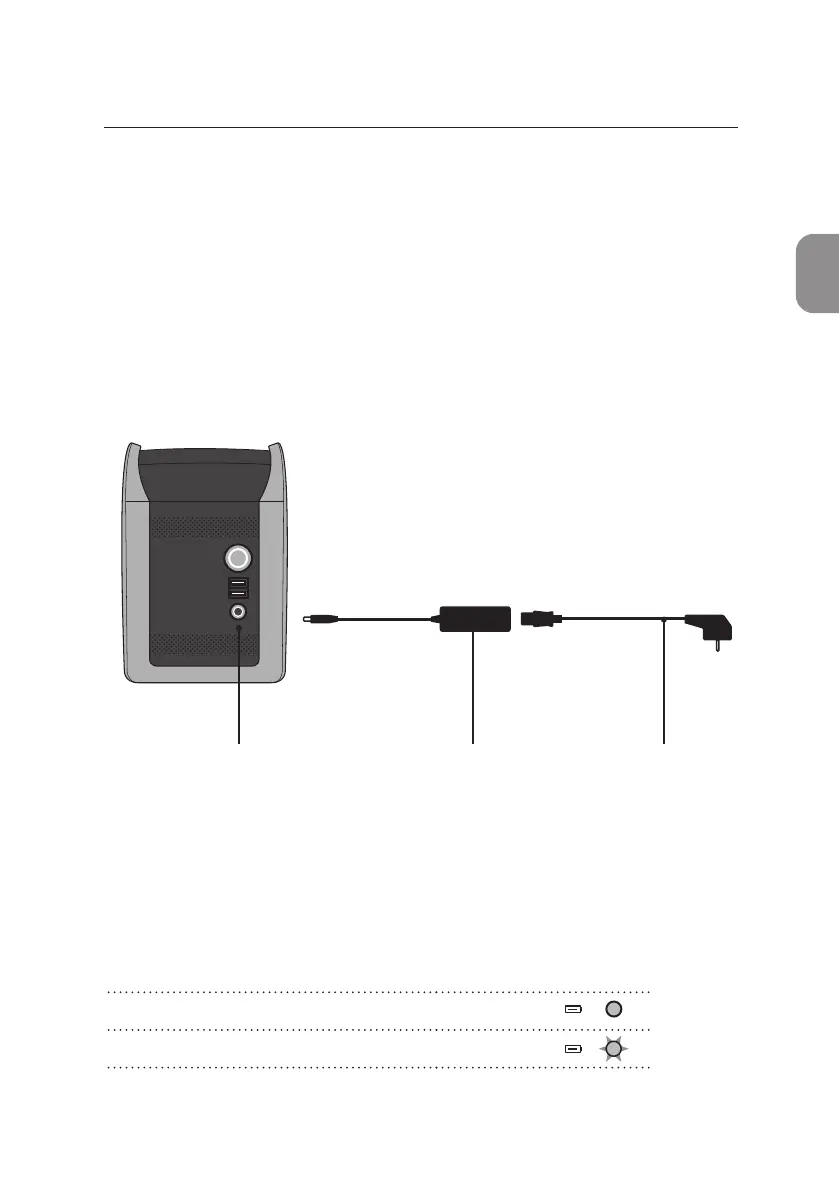
the analyzer. To charge the analyzer baery connect the Pima Analyser to
mains A/C power as follows:
Charging Status Light
Upon connecng to mains A/C power the yellow charging status light located
on the front of the Pima Analyser will be illuminated, indicang the charge
state of the analyzer baery.
• Insert the A/C power cable into the power transformer.
• Connect the power transformer to the power connector port located at the
back of the Pima Analyser.
• Connect the power cable to the corresponding A/C power socket.
Power connector Power transformer A/C power cable
Pima Analyser baery fully charged Solid
Pima Analyser baery charging Flashing



 To Next Page