9
1
2
3
4
5
6
7
8
Pima™ ANALYSER USER GUIDE
17
Inserng the Pima Test Cartridge
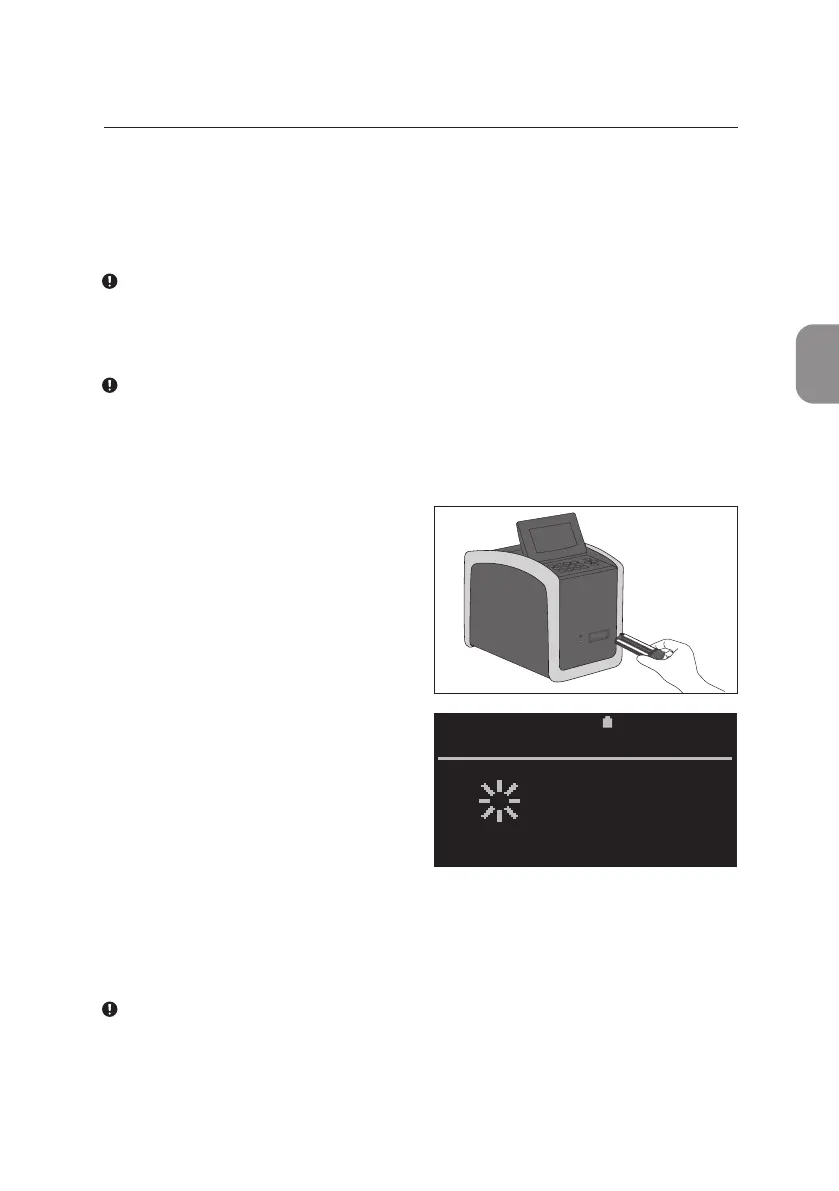
Insert cartridge into the Pima Analyser in the direcon indicated by the arrow
on the cartridge.
The Pima Analyser is designed to be used in combinaon with the Pima
test cartridge only. No other cartridges, test strips or devices should be
inserted into the Pima Analyser.
Do not discard the cartridge pouch unl the Pima Analyser has
successfully started the analysis. In case of a barcode error, the informaon
printed on the cartridge pouch can be used to enter the barcode manually
(refer to p. 40 for Barcode Error message).
• Upon inserng the Pima test
cartridge a sensor in the Pima
Analyser recognizes that a
cartridge has been inserted and
automacally starts the analysis
process by fully drawing the
cartridge into the Pima Analyser
and closing the cartridge slot door.
• The display screen changes briey
to «Reading cartridge» at this
moment.
• Once the Pima Analyser has accepted the cartridge it will prompt the
operator to enter both the Operator and Sample ID.
During data entry the test analysis connues in the background.
While it is not necessary to enter Operator and Sample ID before starng
the analysis, the Pima Analyser will NOT display a result unl both
Operator and Sample ID have been entered.
2020-11-01 11:05
ANALYSIS
Reading
cartridge



 To Next Page