9
1
2
3
4
5
6
7
8
26 5 MAIN MENU: RESULTS
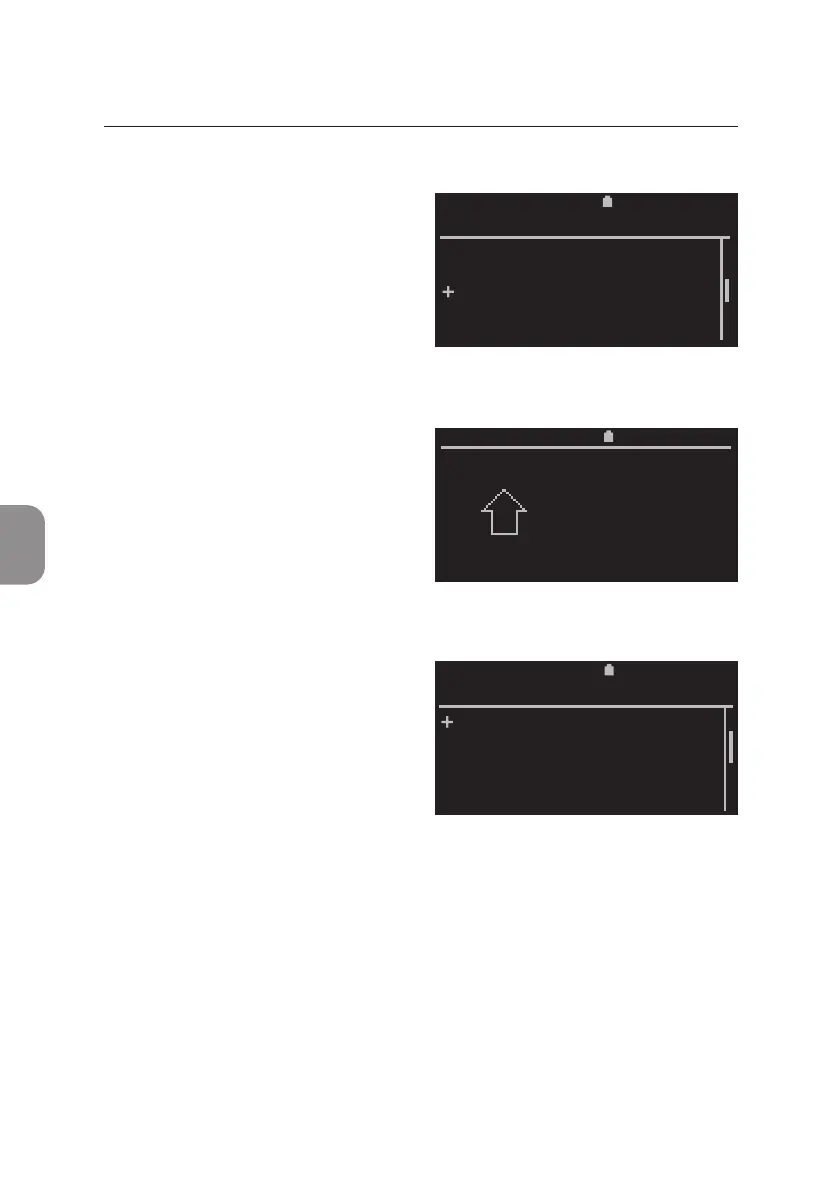
Export Results from Archive
• To export results select «Export»
from the «Results» window and
conrm with 〈.
• The Pima Analyser prompts
the operator to insert a storage
medium into one of the two USB
ports on the back of the analyzer.
• The storage medium is recognized
by the Pima Analyser and
displayed. This may take up to one
minute. Use ⌱ and ⌲ to select a
storage medium and conrm
with 〈.
• In case the USB storage medium is not recognized, please refer to p. 42
for Export Error message. In case a mobile modem is used, please refer to
“Connecvity Pack IV – Annex to Pima Analyser User Guide UG-PIMA-01”.
2020-11-01 11:30
View
Print
Export
Export and Delete
Delete
RESULTS
2020-11-01 11:30
Insert
storage
medium
2020-11-01 11:30
Storage device 2 GB
Mobile Modem
LAN Adaptor
SELECT STORAGE



 To Next Page