9
1
2
3
4
5
6
7
8
28
Export and Delete Results from Archive
• To export and delete results at
the same me, select «Export and
Delete» from the «Results» window
and conrm with 〈.
Select results of interest in the same
way as described in the previous
secon for result export.
Aer export, the operator will be prompted to conrm deleon of results.
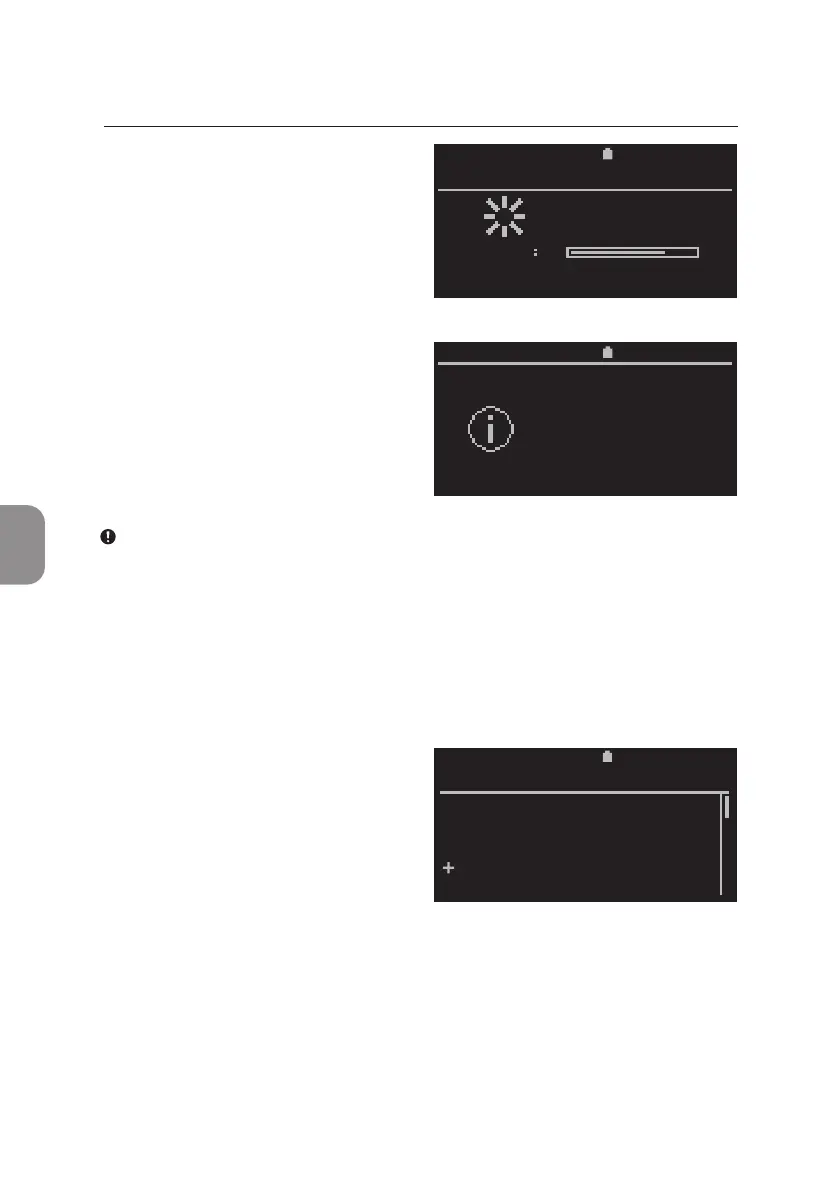
• The exporng status is indicated
by a progress bar. Exporng can be
aborted at any me this window is
shown on the screen.
• Successful export is indicated
by this message. Remove storage
medium or press 〈 or ⌨
to connue.
2020-11-01 11:30
Exporting
results
EXPORT RESULTS
TOTAL
11:302020-11-01
Remove
storage
medium
2020-11-01 11:30
View
Print
Export
Export and Delete
Delete
RESULTS
Note: The storage medium does not need to be removed to connue,
however, removal is recommended, especially when the Pima Analyser is
operated on the integrated baery.
5 MAIN MENU: RESULTS



 To Next Page