9
1
2
3
4
5
6
7
8
Pima™ ANALYSER USER GUIDE
29
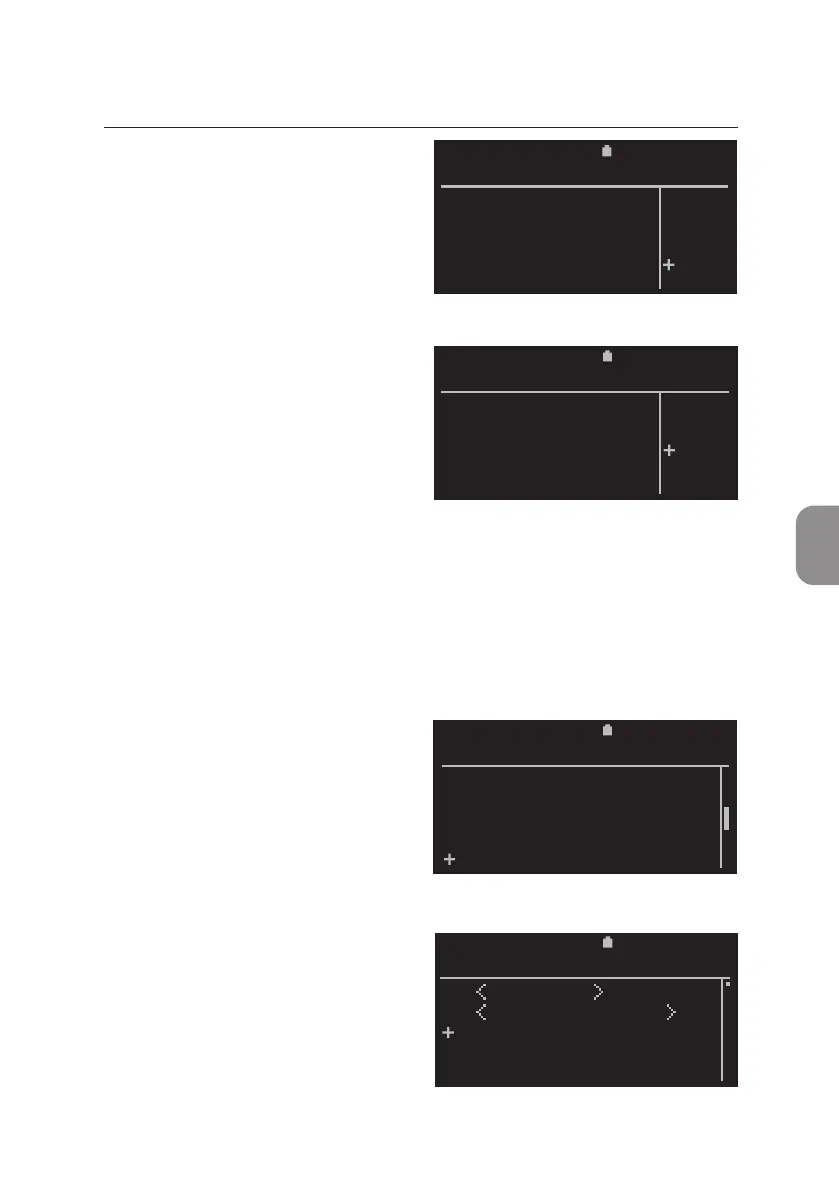
• The «Delete» window appears and
«NO» is selected by default.
Press either 〈 or ⌨ to exit this
window and return to the «Export
Results» window.
• Select «YES» and conrm with 〈
and selected results are deleted
from the Pima Analyser archive
aer their export onto the
storage medium. All other results
remain in the archive.
The process status is indicated by
a progress bar.
Aer successful compleon, the display automacally returns to the «Results»
window.
Delete Results from Archive
• To delete results select «Delete»
from the «Results» window and
conrm with 〈.
• The «Delete Results» window
with all archived Sample IDs is
displayed by Test ID in reverse
chronological order. Select results
to be deleted as described in the
secon for result export.
2020-11-01 11:30
View
Print
Export
Export and Delete
Delete
RESULTS
2020-11-01 11:30
Do you want to
delete 35
exported
results ?
DELETE
YES
NO
2020-11-01 11:30
Do you want to
delete 35
exported
results ?
DELETE
YES
NO
11:302020-11-01
Delete All
Delete Selected
36 67352
35 55687
34 48951
DELETE RESULTS



 To Next Page