9
1
2
3
4
5
6
7
8
40
Archive Error
If the storage capacity of the
archive is reached, the screen will
display the «Archive full» window.
No further analyses can be
performed by the Pima Analyser
unl data has been downloaded
and the archive emped.
9 ERROR WARNINGS & MESSAGES
9 ERROR WARNINGS & MESSAGES
Even if the storage capacity is reached, all menu funcons are sll acve.
Barcode Errors
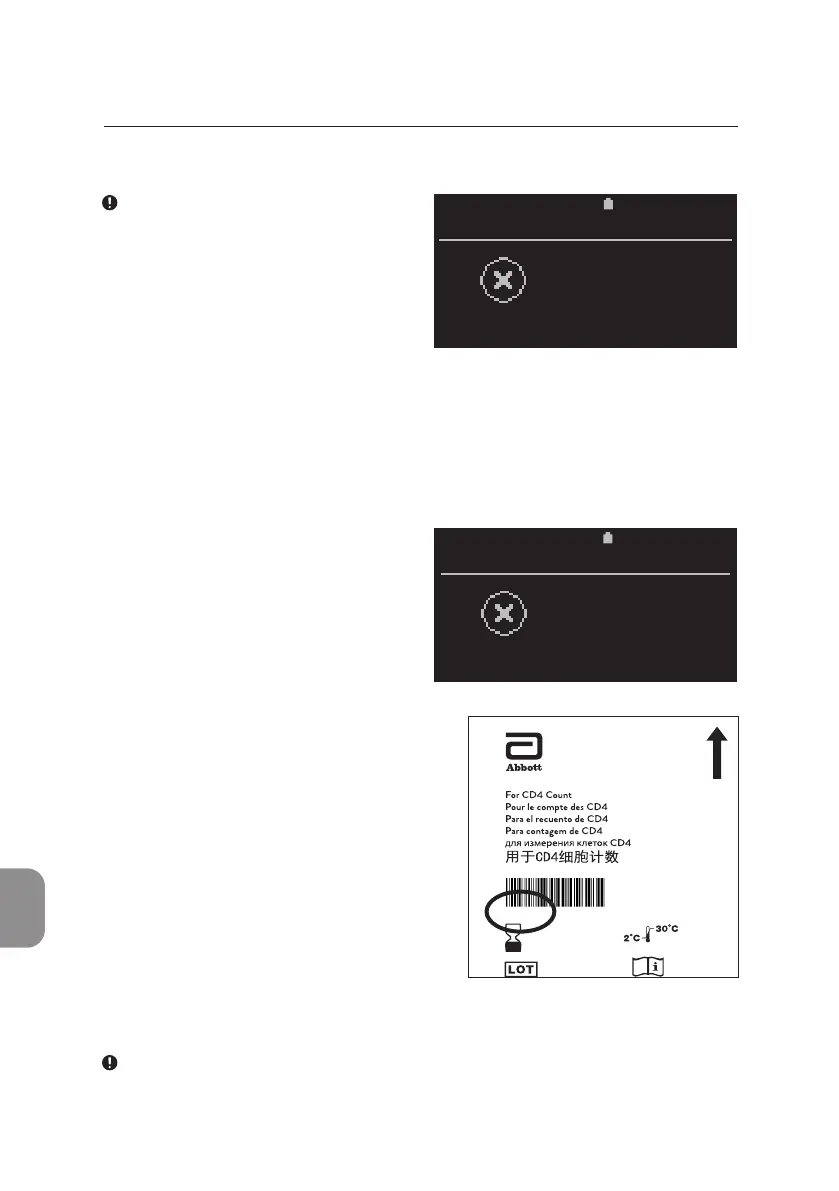
In the unlikely event that the Pima
Analyser has dicules reading the
cartridge barcode, the «Barcode
error» window appears.
• Press 〈 or ⌨ and enter the
number printed below the barcode
on the cartridge pouch (circled in
image). Press 〈 to conrm
and connue. The barcodes
(and their respecve numbers)
carry important cartridge specic
informaon and may dier from
cartridge to cartridge.
2020-11-01 11:05
FAILURE
Archive full
2020-11-01 11:05
FAILURE
Barcode
error
Pima
™
CD4
Abbott Rapid Diagnostics Jena GmbH
Orlaweg 1
D-07743 Jena, Germany
www.abbott.com/poct
260100001
02735
2020-11
1
open here — ouvrir ici — abrir aquí — abrir aqui
— открывается здесь—
1404318858
322498
FL260100001-04
• Press ⌨ instead of entering a barcode and the «Abort Analysis» window
opens.
Check cartridge barcode for damage or marks.



 To Next Page