Hardware Setup 2-19
For more information on how to configure the function mode for SATA1 and SATA2, please refer to the
item “Serial ATA 1 Mode” and “Serial ATA 2 Mode” in the BIOS menu of “OnChip IDE Device”.
NOTE: The Serial ATA controller only supports Ultra DMA/ATA100 or higher hard drive. Do not use
hard drives under this specification, or it won’t work.
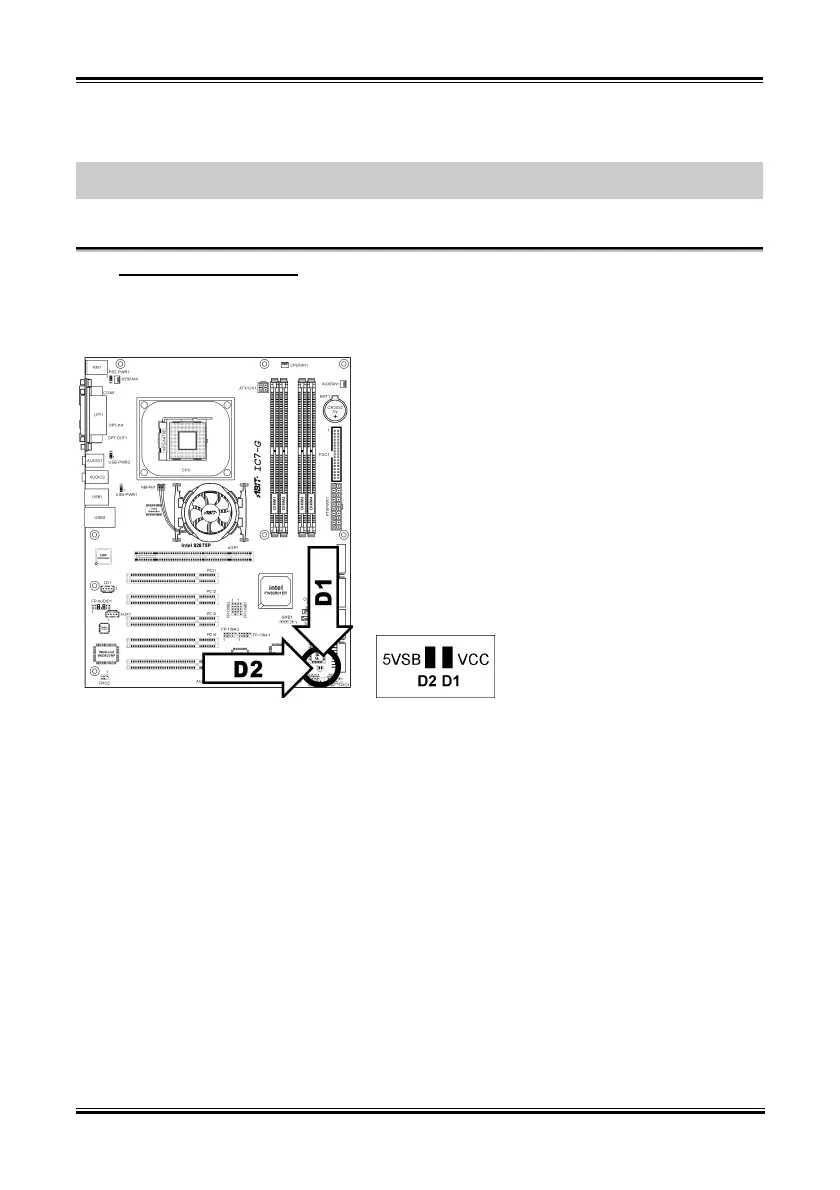
Status Indicators [D1, D2]
(16).
• D1 (VCC): This LED lights up when the system power is on.
• D2 (5VSB): This LED lights up when the power supply is connected with power source.
User’s Manual


 To Next Page