3-24 Chapter 3
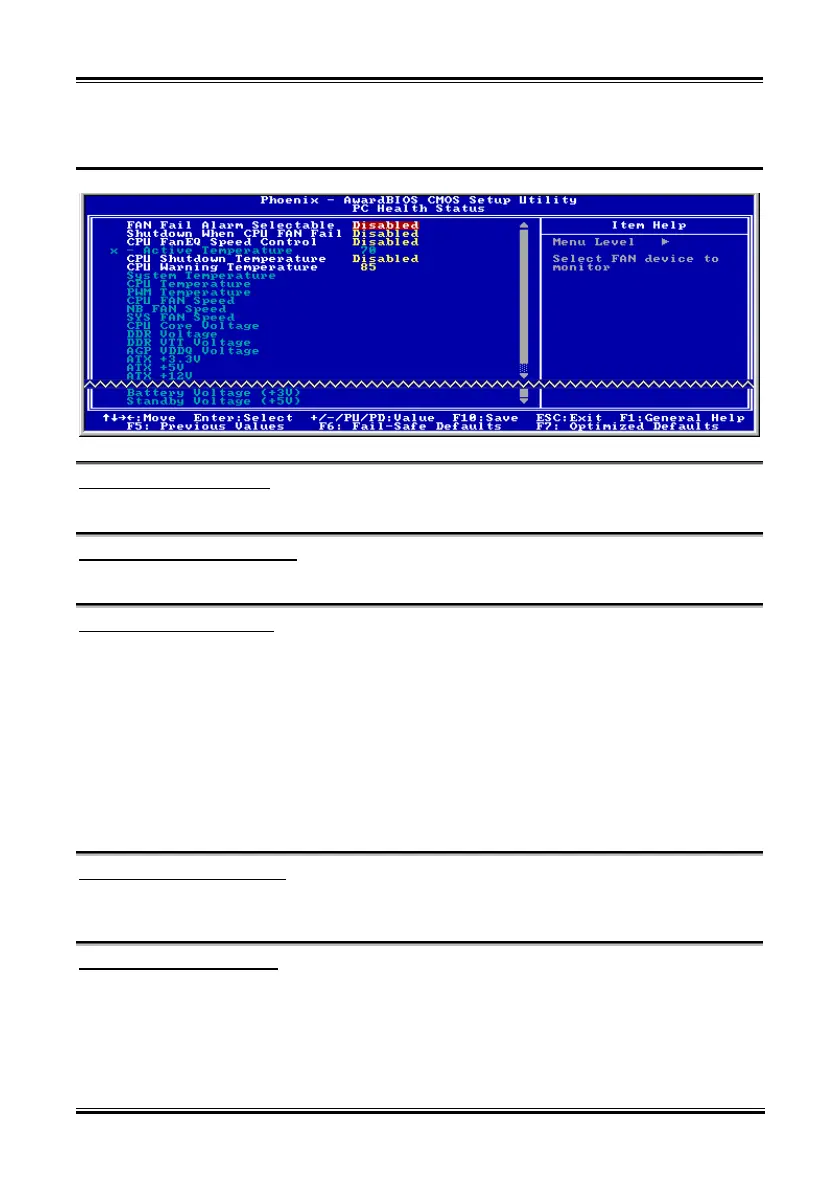
3-8. PC Health Status
FAN Fail Alarm Selectable:
This item selects the fan that will be monitored for malfunction.
Shutdown When CPU Fan Fail:
When set to [Enabled], the system will be shut down if the CPU fan is not running.
CPU FanEQ Speed Control:
This item allows you to control the CPU fan speed down to a specific percentage.
When set to a specific percentage, the CPU fan speed will run at the percentage you set in this item if the
temperature limit set in the item “Active Temperature” is not exceeded.
The CPU fan speed will run at 100% regardless of what the percentage you set in this item if the
temperature limit set in the item “Active Temperature” is exceeded.
Active Temperature:
This item sets the temperature limit that would activate the function of “CPU FanEQ Speed Control”
option.
CPU Shutdown Temperature:
This item sets the temperature that would shutdown the system automatically in order to prevent system
overheats.
CPU Warning Temperature:
This item selects the CPU’s warning temperature limit. Once the system has detected that the CPU’s
temperature exceeded the limit, warning beeps will sound.
IC7-G



 To Next Page