Driver & Utility
IP35/IP35-E 3-3
3.4 Audio Driver
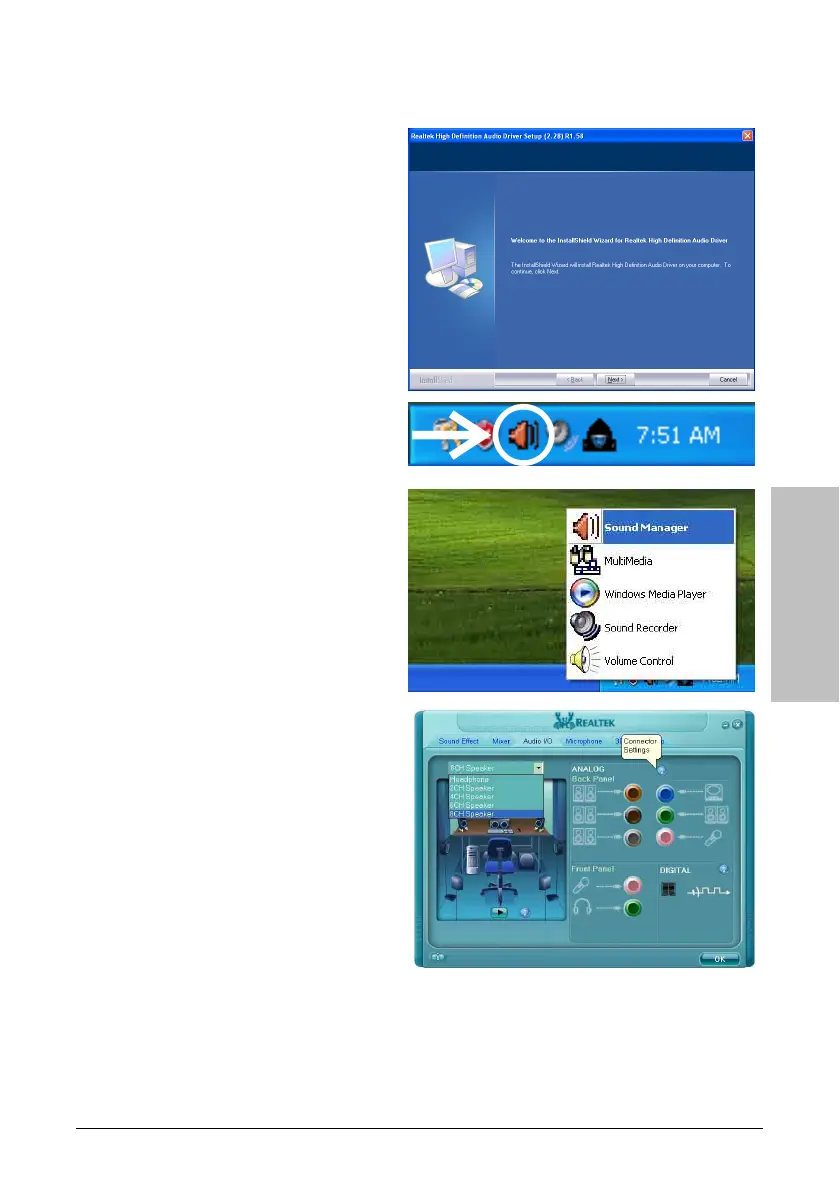
To install this program:
1. Click on the [Drivers] tab in the
installation menu screen.
2. Click the [Audio Driver] item. The
installation screen appears.
3. Follow the prompts on the screen to
complete installation.
4. After restarting the system, right-click
the Sound Manager icon located at the
desktop shortcut. Click item “Sound
Manager”. The Realtek HD Audio
Manager appears.
5. Click the [Audio I/O] tab.
6. Click the pull down menu to select the
channel configuration.
7. Click [OK] button to apply the Audio
I/O settings and exit.



 To Next Page