Hardware Setup 2-7
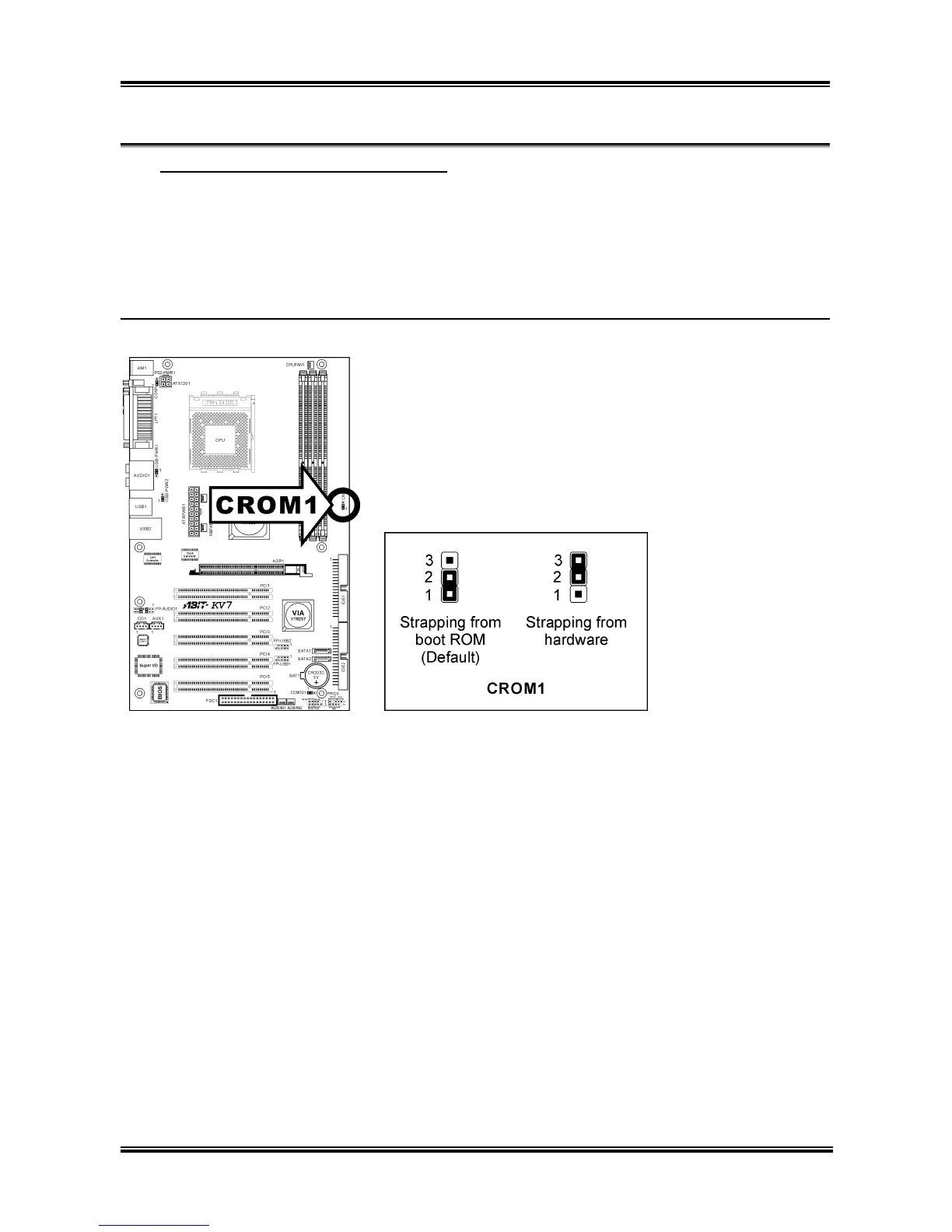
S2K Mode Select Header (For KV7 only) (4).
This header uses a jumper to select the S2K mode.
Short pin-2 and pin-3 for “Strapping from Hardware” to allow the CPU hardware controls the timing of
S2K bus for a better system flexibility.
The default setting is pin-1 and pin-2 shorted for “Strapping from boot ROM” to allow the internal boot
ROM controls the timing of S2K bus.
KV7:
User’s Manual



 To Next Page