BIOS Setup 3-9
Report No FDD For OS:
When set to [Enabled], this item allows you to run some older operating system without floppy disk drive.
Leave this item to its default setting.
Delay IDE Initial (Secs):
This item allows the BIOS to support some old or special IDE devices by prolonging this delay time. A
larger value will give more delay time to the device for which to initialize and to prepare for activation.
Disable Unuse DIMM/PCI Clk:
This option disables the clock of DIMM/PCI slot that is not in use.
[Yes]: The system automatically detect the unused DIMM and PCI slots, and stop sending clock signal to
these unused PCI slots.
[No]: The system always send clock signal to all PCI slots.
NOTE: Set this option to [No] setting if there are adapters that cannot be automatically detected by the
system and will cause malfunction.
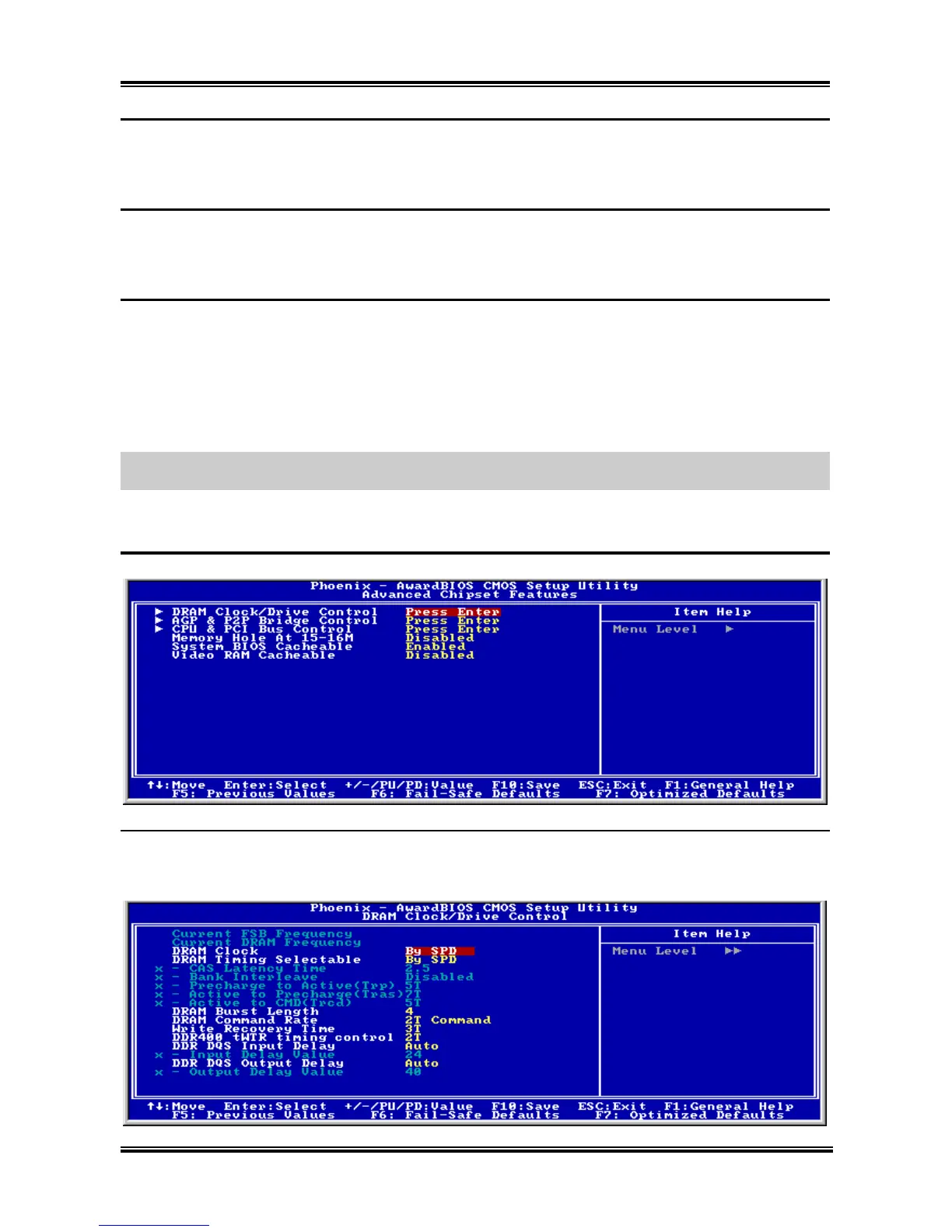
3-4. Advanced Chipset Features
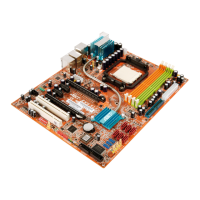
DRAM Clock/Drive Control:
Click <Enter> key to enter its submenu:
User’s Manual



 To Next Page