3-16 Chapter 3
USB Mouse Support Via:
This item allows you to select [BIOS] for using USB mouse in DOS environment, or [OS] in OS
environment.
USB 2.0 Controller:
This option enables or disables the USB 2.0 controller.
Back to Integrated Peripherals Setup Menu:
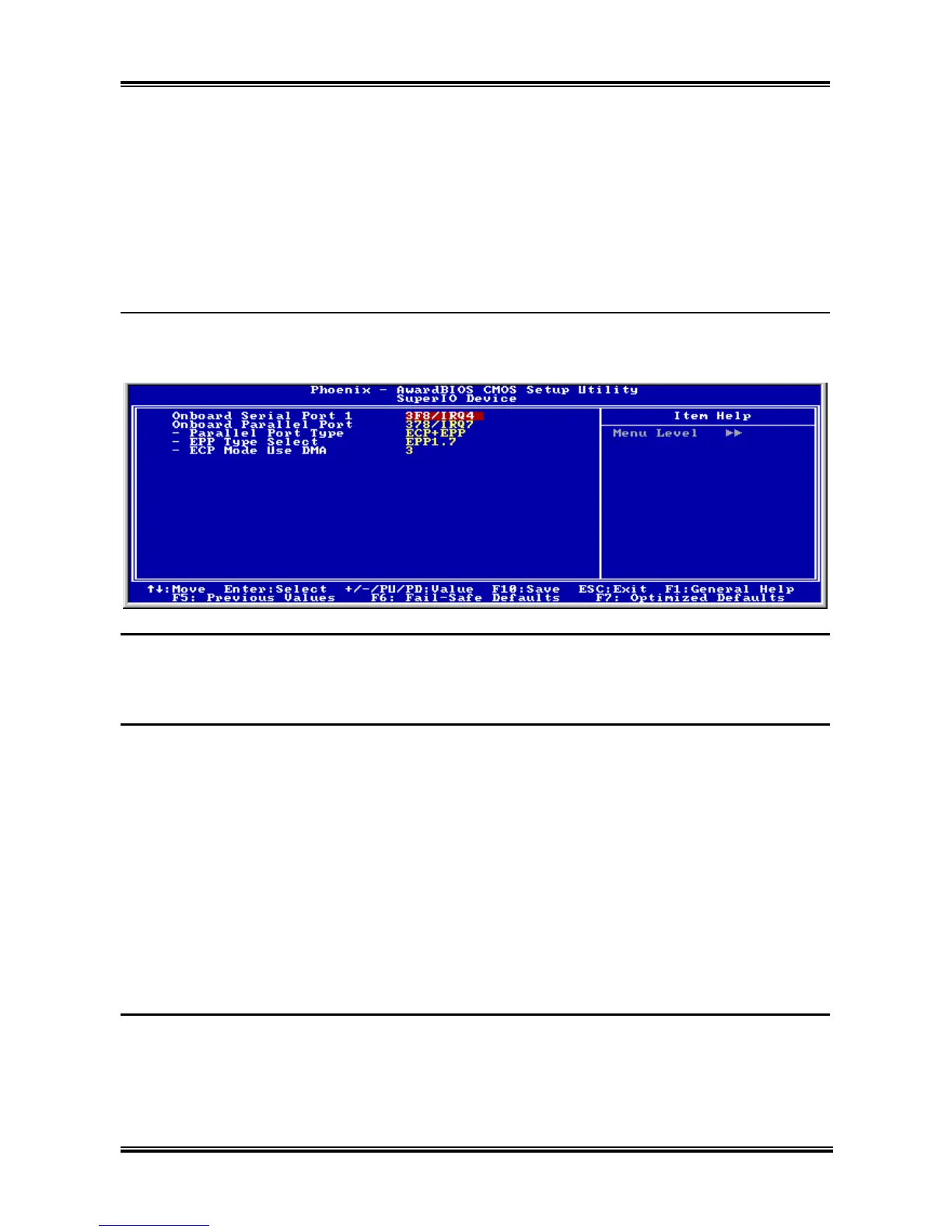
SuperIO Device:
Click <Enter> key to enter its submenu:
Onboard Serial Port 1:
This is used to specify the I/O address and IRQ of Serial Port 1. Six options are available: Disabled
3F8/IRQ4 2F8/IRQ3 3E8/IRQ4 2E8/IRQ3 AUTO. The default setting is 3F8/IRQ4.
Onboard Parallel Port:
Sets the I/O address and IRQ of the onboard parallel port. Four options are available: Disable
378/IRQ7 278/IRQ5 3BC/IRQ7. Default setting is 378/IRQ7.
Parallel Port Mode: Four options are available: SPP EPP ECP ECP+EPP. The default setting
is ECP+EPP mode.
EPP Mode Select: Two options are available: EPP1.7 EPP1.9. The default setting is EPP 1.7. When
the mode selected for the parallel port mode is EPP, the two EPP version options are available.
ECP Mode Use DMA: Two options are available: 1 3. The default setting is 3. When the mode
selected for the parallel port mode is ECP, the DMA channel selected can be Channel 1 or Channel 3.
Back to Integrated Peripherals Setup Menu:
Init Display First:
This item selects to initialize AGP or PCI Slot first when the system boots.
[AGP]: When the system boots, it will first initialize AGP.
[PCI Slot]: When the system boots, it will first initialize PCI.
KV7 Series



 To Next Page