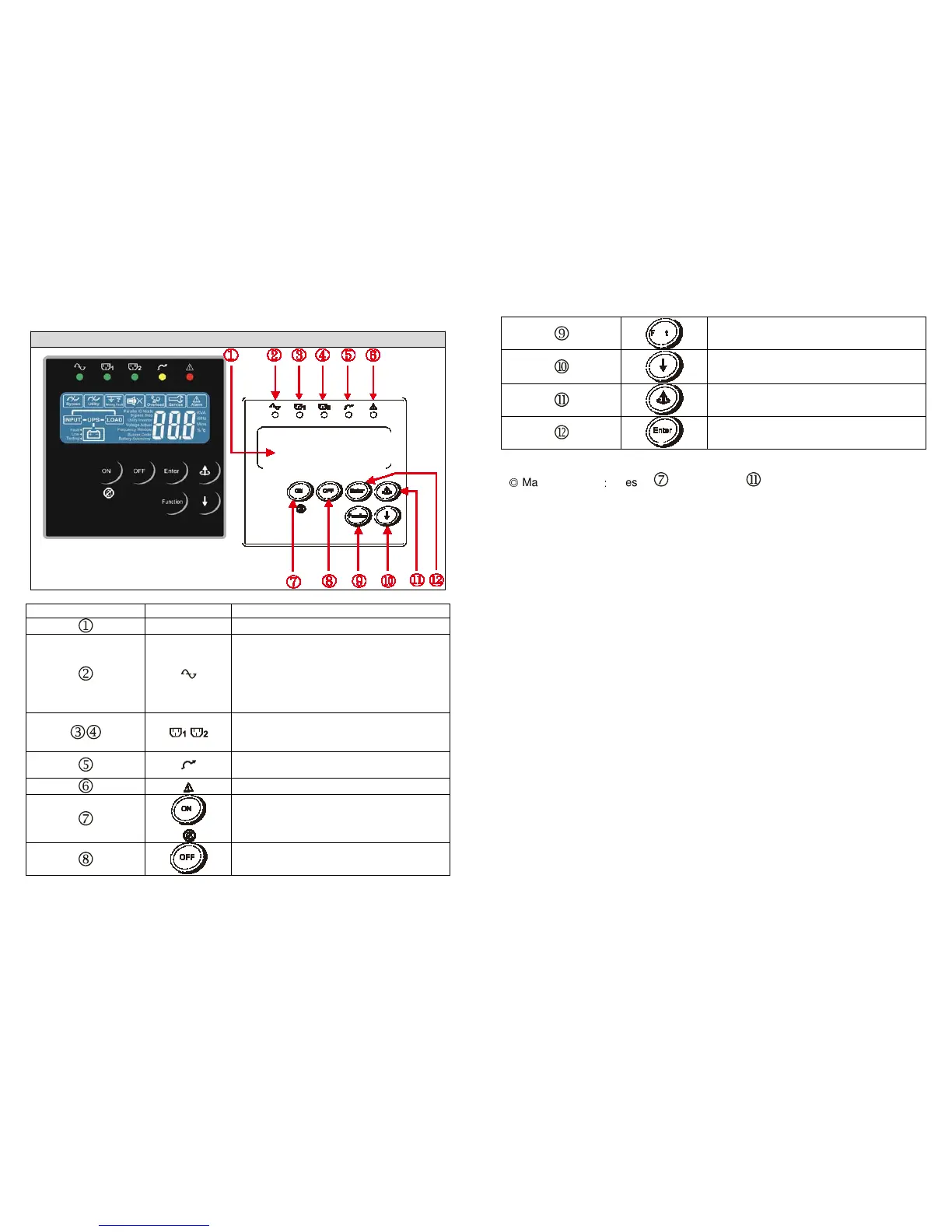
To re-confirm the change of UPS Setting
◎
Manual Bypass
:
Press " ON-KEY” and " Up-KEY" key simultaneously
for approx. 3 seconds to transfer from "Inverter to Bypass" ( the bypass led
continuously “blink“ and the buzzer will beep intermediately or "Bypass to
Inverter", when the UPS is on Line Mode and the Bypass Voltage Window is
Normal.
Item Sign Description
LCD Display
Green LED steadily lights up to indicate
that the Utility input voltage is within the
window (160Vac~288Vac); the LED
flashes flickeringly to indicate that the
Utility input voltage is within the
acceptable window (120Vac~159Vac).
Green LED lights up to indicate there is
an output available at the
Programmable
Outlet 1 & Programmable Outlet 2.








 To Next Page