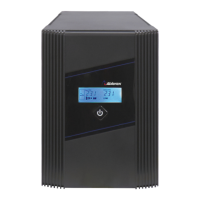
1, 2, and 3 kVA
Intelligent True On-Line UPS
For Corporate and IT Users
User Manual
1
Table of Contents
1.
Safety and Storage Instructions ............................................................ 2
1.1. Safety .................................................................................................... 2
1.2. Storage.................................................................................................. 4
2. Product Introduction .............................................................................. 5
2.1. General Characteristics......................................................................... 5
2.2. Special Features ................................................................................... 6
3. UPS Functional Descriptions................................................................. 7
3.1. Front Panel Display............................................................................... 7
3.2. Rear Panel ............................................................................................ 9
3.3. Operating Modes and System Voltage Configurations........................ 10
3.4. Communication Port Explanation ........................................................ 11
4. Installation and Operation ................................................................... 13
4.1. Unpacking ........................................................................................... 13
4.2. Selecting Installation Position.............................................................. 13
4.3. Operation ............................................................................................ 14
5. UPS Operation Under Various Conditions .......................................... 16
5.1. UPS System Block Diagram................................................................ 16
5.2. When Utility is Normal......................................................................... 17
5.3. When Utility is Abnormal or Absent..................................................... 18
5.4. Overload Condition.............................................................................. 19
5.5. Inverter Failure .................................................................................... 20
5.6. Overheating......................................................................................... 20
5.7. Inverter Current or Voltage Out of Tolerance ...................................... 20
6. Maintenance Guide ............................................................................. 21
6.1. Troubleshooting................................................................................... 21
6.2. Error Codes and Their Meanings ........................................................ 24
6.3. Maintenance........................................................................................ 24
7. Communication Software .................................................................... 25
7.1. Hardware Setup .................................................................................. 25
7.2. Software Installation............................................................................ 25
8. Optional Communication Cards .......................................................... 26
8.1. R2E (second RS-232) card ................................................................. 26
8.2. USE (USB) card .................................................................................. 26
8.3. DCE (Dry Contact) card ...................................................................... 27
8.4. SNMP Cards ....................................................................................... 28
9. Specifications ...................................................................................... 30



 To Next Page
 General