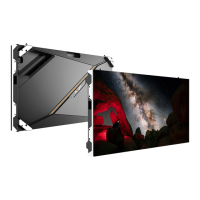
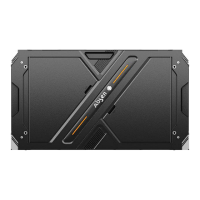
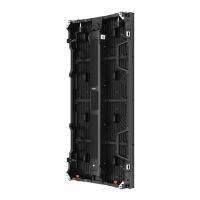
The Absen KL Series is a line of indoor fixed installation LED display products designed for high-definition and high-refresh-rate visual applications. These displays are characterized by their lightweight and thin design, making them suitable for various indoor environments such as government and enterprise settings, hotels, retail spaces, and commercial real estate. The product's aesthetic appeal, excellent display performance, and flexible installation methods aim to meet diverse customer requirements.
Function Description:
The Absen KL Series functions as a commercial display product, primarily used for presenting visual content in indoor environments. Its core function is to provide a high-quality visual experience with features like high contrast ratio and high refresh rate, ensuring clear and vibrant imagery. The displays are built with LED Driver Chips that feature PWM Constant Current Output, contributing to their high performance and smart dynamic energy-saving capabilities. This technology helps eliminate unused power consumption, making the displays more energy-efficient. The fan-less, silent design of the cabinet further contributes to energy savings and ensures quiet operation, which is beneficial in environments where noise levels are a concern. The KL Series supports both full front and rear installation, offering flexibility in how the display can be integrated into different spaces. This adaptability makes it a versatile solution for various indoor display needs.
Usage Features:
The KL Series boasts several features that enhance its usability and adaptability in various indoor settings.
- Lightweight and Thin Design: Each single cabinet weighs only 7.8 kg and has a thickness of 60 mm. This makes the displays easier to handle during installation and less obtrusive in terms of physical footprint.
- High-Precision Cabinet Construction: The cabinets are made of die-cast aluminum alloy, ensuring high precision and good flatness. This construction also makes them resistant to deformation, contributing to the display's longevity and consistent appearance.
- Flexible Installation Methods: The product supports multiple installation methods, including stacking, wall mounting, and rigging. This flexibility allows the KL Series to be adapted to different architectural and spatial requirements, providing solutions for various indoor display scenarios.
- Full Front and Rear Installation Support: The ability to install the display from both the front and rear offers significant advantages, particularly in spaces where rear access might be limited or challenging. This feature simplifies the installation process and expands the range of possible mounting locations.
- High Contrast Ratio and Refresh Rate: These features ensure that the displayed content is sharp, clear, and smooth, even with fast-moving images. This is crucial for applications requiring high visual fidelity, such as advertising, informational displays, and entertainment.
- Energy Efficiency: The integration of LED Driver Chips with PWM Constant Current Output and Smart Dynamic Energy Saving technology helps reduce power consumption. The fan-less design also contributes to energy savings by eliminating the power draw associated with cooling fans.
- Silent Operation: The fan-less design ensures that the display operates silently, making it ideal for environments where quietness is important, such as conference rooms, museums, or retail stores.
- Multi-Installation Compatibility: The KL Series is compatible with various installation methods, allowing for flexible deployment in diverse indoor environments. This adaptability ensures that the display can meet specific project requirements and aesthetic preferences.
Maintenance Features:
The Absen KL Series is designed with ease of maintenance in mind, supporting both front and rear maintenance to minimize downtime and simplify servicing.
- Full Front and Rear Maintenance Support: This is a key feature that allows technicians to access and service components from either the front or the rear of the display. This flexibility is particularly valuable in fixed installations where rear access might be restricted.
- Magnetic Attraction Module Design: The modules adopt a magnetic attraction design, which facilitates full front maintenance. This design allows for quick and easy removal and reinstallation of individual modules, reducing the time and effort required for repairs or replacements.
- Front Maintenance Tool: A dedicated front maintenance tool is provided to assist in taking out modules from the front. This specialized tool ensures that modules can be safely and efficiently removed without causing damage to the display.
- Receiving Card and Power Front Maintenance: After taking out a module, a screwdriver can be used to perform maintenance on the receiving card and power supply from the front. This direct access streamlines the troubleshooting and repair process for these critical components.
- Rear Maintenance for Modules, Power Supply, and Receiving Card: For rear maintenance, the back cover of the cabinet can be removed. Once the back cover is off, the magnetic attraction modules can be taken out from the opening for servicing. Additionally, the power supply and receiving card can be maintained after opening their respective rear covers with a screwdriver. This comprehensive access ensures that all major components are easily reachable for maintenance.
- Pre-Installation Module Removal: For front mounting of the backing strip, the two rows of modules at the top and bottom of the panel can be removed in advance. This preparation simplifies the installation process by providing clear access for securing the backing strip.
- Back Strip Mounting: The back strip can be installed to the panel using matching screws. Front mounting through the front mounting hole on the back strip is possible, but requires removing the module and the back cover corresponding to the installation position beforehand. This structured approach ensures secure mounting while allowing for component access.
- Electrical Safety Checks: Before powering on the entire screen, it is crucial to carefully check the power supply and signal lines for correct connections. Technicians must verify the "L" line, "N" line, and "PE" line on the AC power input port of each cabinet to ensure there are no short circuits, using a multimeter for verification. This preventative measure is vital for operational safety and preventing equipment damage.
- Power Line Connection Instructions: Guidelines are provided for calculating the number of cabinets and plug types that the power supply can carry based on maximum power consumption. Users are advised to confirm the input AC voltage of the cabinet and consult manufacturers for accurate matching if needed.
- Signal Line Wiring: For signal line wiring, it is necessary to calculate the resolution ratio based on the pixel points of each cabinet. A critical note is that the maximum belt load of a single net port should not exceed 65W pixel points, and the overall belt load must not exceed the sending box's limit. This ensures optimal signal integrity and display performance.
- Troubleshooting Short Circuits: After wiring the cabinets, a multimeter should be used to measure for short circuits at the AC input (L/N/PE) and DC output (VCC/GND) of the power supply. If a short circuit is detected, a careful circuit check is required before electrifying the cabinet. This step emphasizes safety and proper electrical setup.

 Need help?
 General

 To Next Page