EasyManua.ls Logo

Absen A Series - User Manual

Default Icon
24 pages
Print Icon
To Next Page IconTo Next Page
Loading...
A series user manual

Questions and Answers

Absen A Series Specifications

General IconGeneral
SeriesA Series
Contrast Ratio5000:1
Lifespan100, 000 hours
Pixel Pitch1.2mm, 1.5mm, 1.9mm, 2.5mm, 2.9mm, 3.9mm, 4.8mm, 5.9mm
Refresh Rate3840Hz
Cabinet MaterialAluminum
Module MaintenanceFront and rear maintenance
ApplicationIndoor
Viewing Angle160° (Horizontal) / 140° (Vertical)
Cabinet Size500mm x 500mm or 500mm x 1000mm (depending on model)
Power ConsumptionVaries by size and configuration

Summary

Safety Information

Beware of Electric Shock

Ensures proper grounding and safe handling of electrical components to prevent shock.

Beware of Fire

Measures to prevent fire, including circuit breaker use and proper ventilation.

Beware of Injury

Guidelines for preventing physical harm, such as wearing protective gear and ensuring structural stability.

Eye Protection

Instructions to avoid direct screen viewing without protection to prevent eye damage.

Product Introduction

Overview of A Series Products

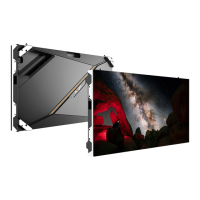
Introduces the A series products for the outdoor advertising market, highlighting stability and performance.

Main Features

Details key features like brightness, structure, heat dissipation, waterproofing, and maintenance.

Product Specifications

Provides detailed technical specifications for various A series models, including pixel pitch, size, and operating parameters.

Module and Cabinet Dimensions

Illustrates the physical dimensions of modules and different cabinet configurations.

Product Components

Diagrammatically shows the key components of the LED display unit.

Product Installation

Installation Environment

Specifies environmental conditions for installation, including humidity, temperature, and location suitability.

Types of Installation

Presents six different installation methods for outdoor LED displays, such as fixed and wall mounting.

Preparation for Installation

Details checks for the steel structure and preparation steps before cabinet installation.

Installation Tools and Accessories

Lists essential tools and accessories required for the installation process.

Installation Steps

Provides a step-by-step guide for cabinet installation, covering both rear and front methods.

Front Installation Procedure

Details the specific steps and considerations for performing front installation of the LED display.

Cables Connection

Power Cable Connection

Details how to connect power cables, including load capacity and connection procedures.

Network Cable Connection

Explains network cable connection, including load capacity and wiring design.

Screen Power-On and Verification

Procedure for powering on the screen and verifying its display effect with appropriate content.

Software Operation Guidance

Refers users to the software manual for instructions on operating the display system.

Product Maintenance

Front Maintenance

Covers front maintenance procedures, including tools and step-by-step guides for modules and components.

Rear Maintenance

Details rear maintenance procedures for modules, receiving cards, Hub Cards, and power supplies.

General Maintenance Instructions

Provides guidance on seeking professional help for complex failures or when unsure about part replacement.

Common Faults and Troubleshooting

Modules are Black

Troubleshooting steps for when some modules of the LED display appear black.

Entire Screen is Black

Solutions for issues where the entire LED screen remains black.

Pixelated or Blurred Screen

Steps to resolve pixelation or blurring issues affecting the entire LED screen.

Color Difference Between Modules

Troubleshooting guide for color inconsistencies observed between different LED modules.

Content Synchronization Issues

Addresses problems where all panels display the same content, indicating a potential sync error.

Control System Detection Failures

Troubleshooting steps for when no control system is detected or recognized by the display.

Multi-function Card Issues

Solutions for scenarios where the multi-function card is not detected or functioning correctly.

Playback Cannot Fill Screen

Troubleshooting steps for when content cannot be played back to fill the entire screen.

Related product manuals