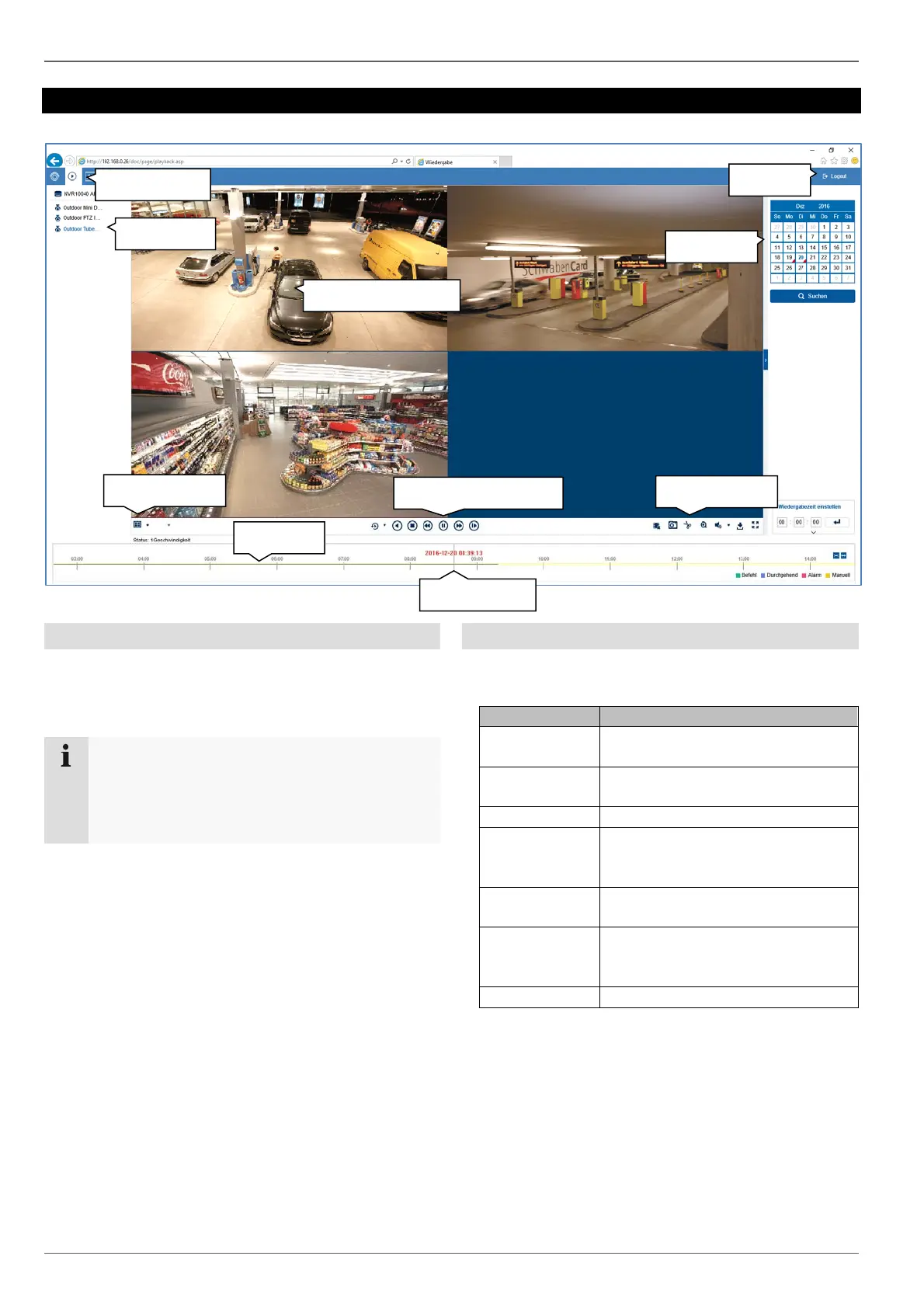
Playback view
18
Playback view
General information on playback
Playback allows recorded video data from cameras on
the recorder to be played. The data is played in the
quality at which it was recorded as configured in the
camera settings.
Note
Adjust the camera quality settings in the menu
under "Settings Audio & video" accordingly.
Generally the "main stream" of the camera on the
recorder is recorded.
Double-clicking an image displays the selected camera
image in full screen or switches back to the original view.
Playback function areas
The playback view is divided into the following function
areas:
Parameter Description
Menu bar Global display of the configuration
and control menus
Archive list Select from the recorded cameras
for playback on the web interface
View bar Configure multi-view options
Time bar Display the recorded data in the
time stream and select the
playback time (time tracker)
Playback
controls
Control playback for the selected
camera archive
Action bar Control camera commands and
carry out actions for the selected
camera (red frame)
Calendar Select the playback date
Playback stream
View bar
Time bar
Action bar
Calendar
Archive list
Time tracker
Logout
Menu bar
Playback controls



 To Next Page