Select the audio output of the recorder for two-way
audio control via the web interface.
This function is only available if a microphone and
speaker are connected to your PC while you have
the live cast open.
1 = RCA audio output 1
2 = RCA audio output 2
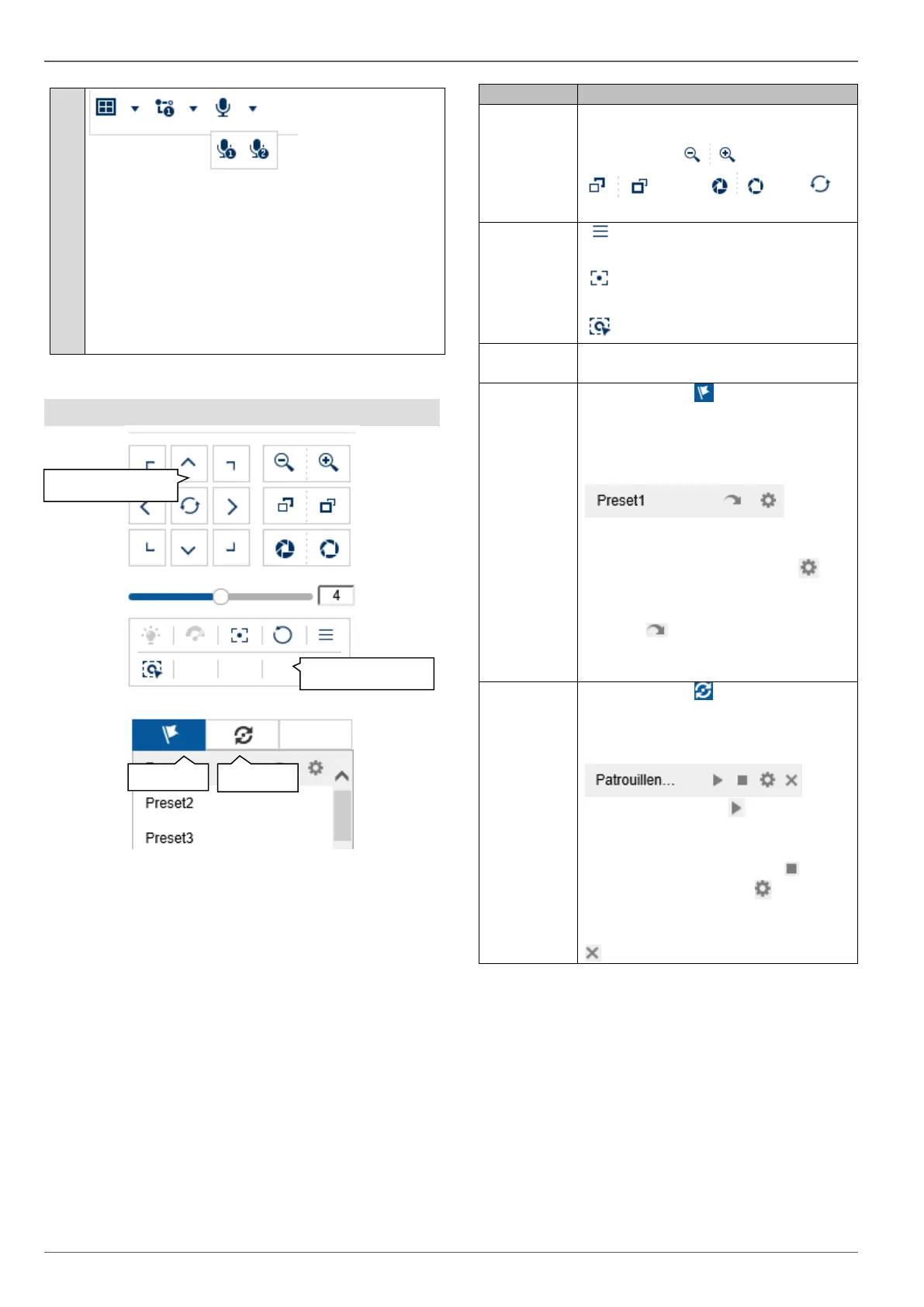
PTZ control menu
The actions of all buttons in the PTZ control menu, plus
presets/patrols, are always applied to the camera cur-
rently selected (red frame). Depending on the camera
model, not all functions may be available.
Move the camera in the desired direc-
tion using the buttons. Manually ad-
just the zoom , focus
and iris . The
button activates the horizontal scan.
Open the camera menu (if availa-
ble)
3D zoom (zoom in/out to a drawn
screen)
Centring mode
Speed at which the cameras are man-
ually moved to positions
Navigate to tab to carry out preset
positions. Up to 256 present positions
can be accessed/stored from here
(depending on the camera model).
a) Move the camera to the desired po-
sition.
b) Select a list entry and press .
The current camera position is as-
signed to the selected preset.
c) Press to access a stored pre-
set. The camera then moves to the
previously stored position.
Navigate to tab to carry out pa-
trols. Up to four patrols can be ac-
cessed/stored from here.
a) Start a patrol with . The patrol re-
mains active until another PTZ com-
mand is sent to the camera or the pa-
trol is stopped manually with .
b) Program a patrol with . Enter the
preset positions, speed and hold time.
c) Delete the content of a patrol with



 To Next Page