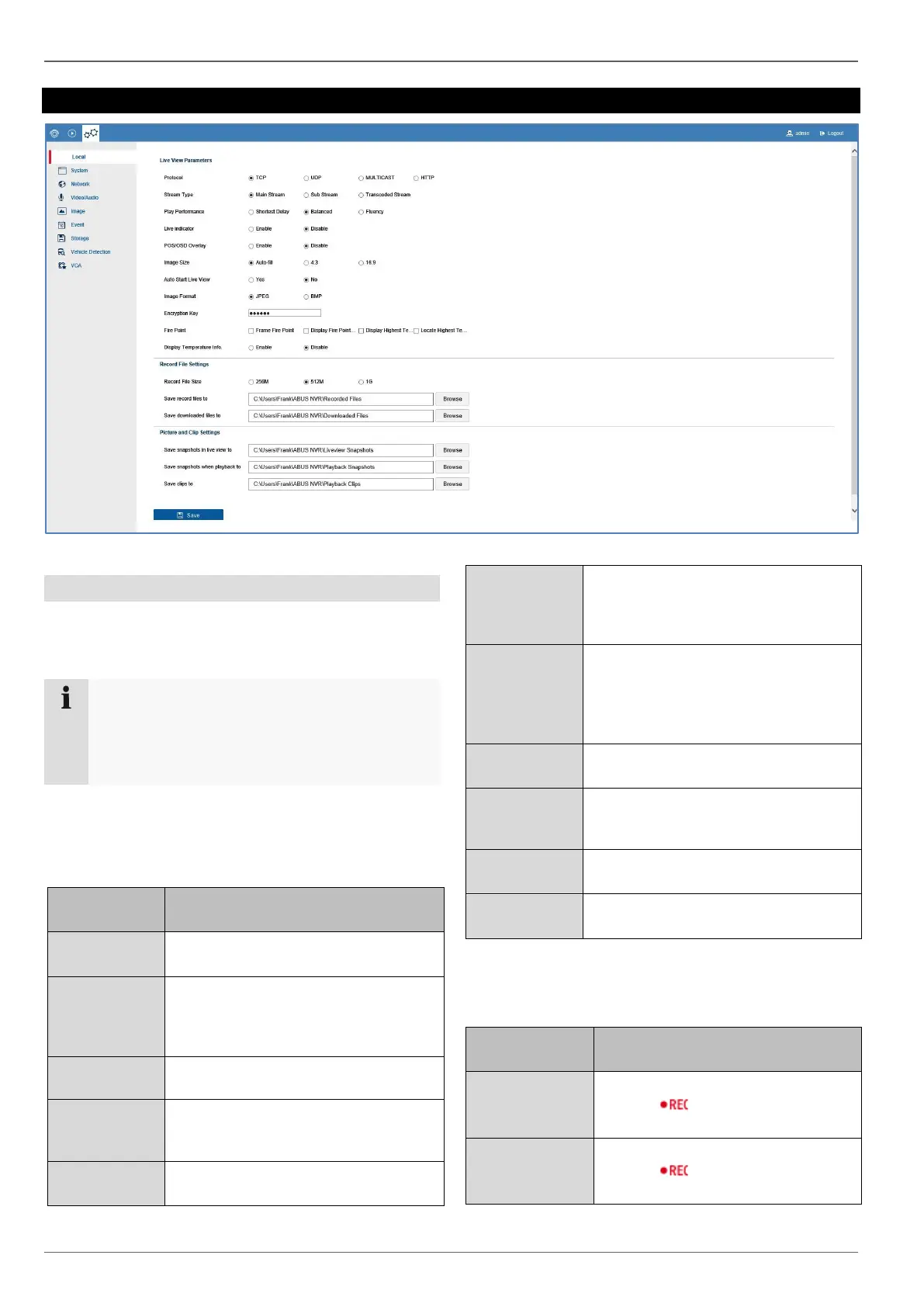
Setting: Local
22
Setting: Local
General information on local settings
You can configure the local settings for the browser plug-
in on your PC in this menu.
Note
The settings provided under "Local" are defined
separately for each PC user. If you access the
web interface from multiple PC systems, the set-
tings must be defined here for each PC user.
Select the transfer protocol. TCP of-
fers the fastest transfer.
Define the preset for live stream con-
figuration here. The preset is always
used as the default setting for live im-
age display.
Define the play performance. Auto is
the recommended setting.
Activates/deactivates the display of
visual VCA rules in the live image and
playback.
The setting can force a specific image
format for the live cast. Fixed formats
(4:3/16:9) may generate horizontal or
vertical edges in the image depending
on the signal source and on how the
live cast display is split (2x2, 3x3, etc.)
When existing live cast, the current
display (image panel distribution and
positioning of the cameras) is saved.
When live cast is opened again, the
saved display is restored.
Export format for snapshots
Here you can type in your verification
code which is used for the video
stream encryption (ABUS Link Station)
Here you can choose between several
optiones for Fire Point
Display Tem-
perature Info
Aktivates/Deaktivates Temperature
Info
Maximum file size for recordings
Action:
Path for storing recordings
Action:



 To Next Page