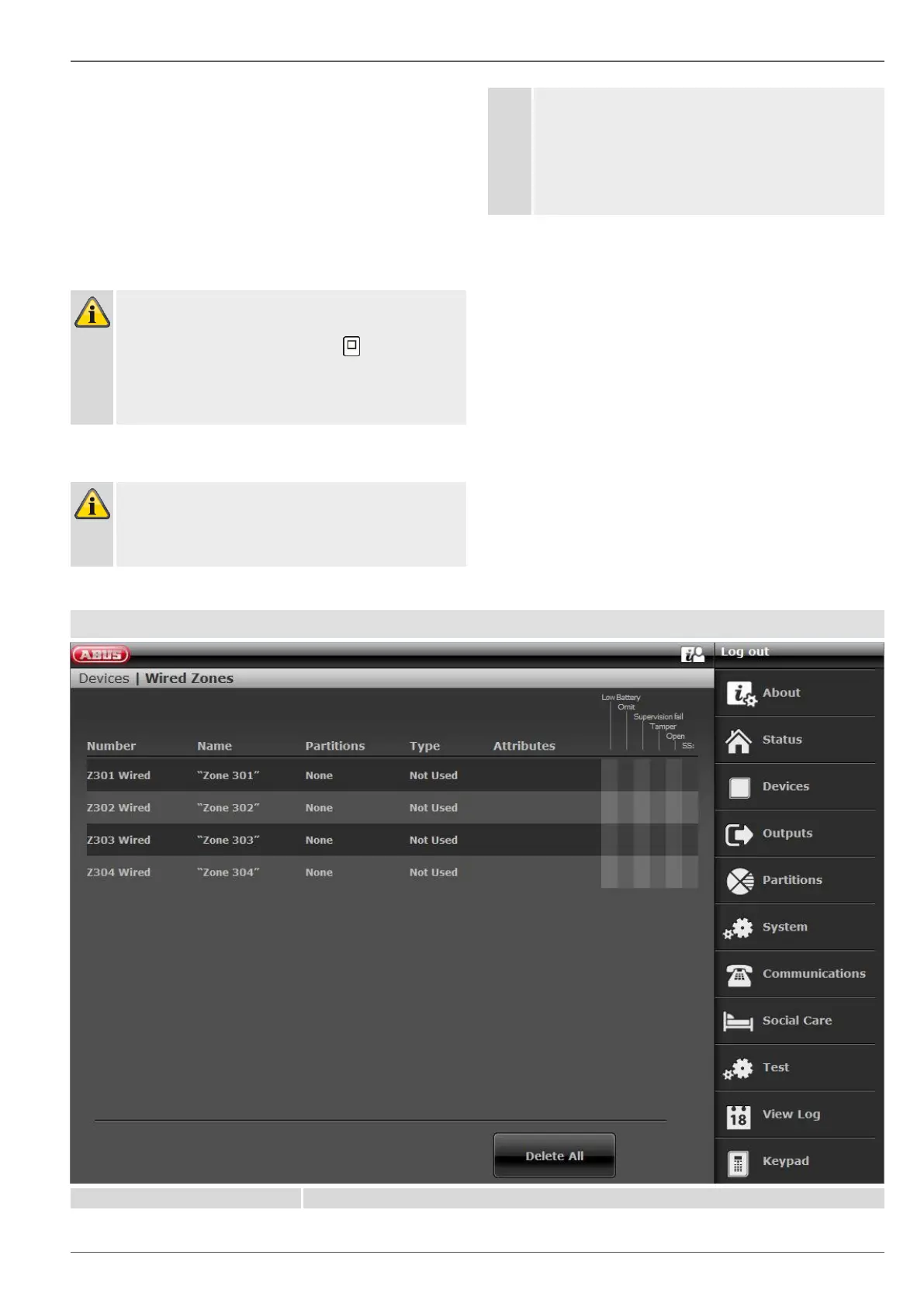
This display shows:
• the zones in which the detector has been taught
in
• the zone type configured for this detector
• the partition this detector monitors
• the additional zone attributes that are available.
In addition, “RSSI:” (received signal strength) is dis-
played. To have good communication, this value
should be higher than 3.
Note
If a detector has been successfully taught in, the
alarm panel displays the symbol next to the
zone number.
For a taught-in zone with a WAM (WAM function 3
sender receiver), "w2" is displayed, for example.
Note
In rare cases, the message Detector is already
used may appear on the display when you are
teaching in a detector, after you have received
confirmation of the teach-in process, because the
detector sends its signal more than once.
In this case the message can be ignored.
This detector may already be taught in another
zone.
Deleting detectors or detector + zone information
Select the zone in which the detector is registered.
Select:
• Delete Detector ID when you only wish to de-
lete the detector
• Default Zone when you wish to delete the de-
tector and the zone information.
Confirm the selection with Next.
Confirm the security prompt with Yes to delete the
detector/zone or Back if you are not sure.
Clear all
Confirm the selection with Next.
Confirm the security prompt with Yes to delete the
detector/zone or Back if you are not sure.
Wired Zones


 To Next Page