EasyManua.ls Logo

Abus TVAC16000B - Viewing Recordings; Playback and Navigation Controls; Deleting Individual Recordings

Abus TVAC16000B
139 pages
Print Icon
To Next Page IconTo Next Page
To Previous Page IconTo Previous Page
Loading...
17
English
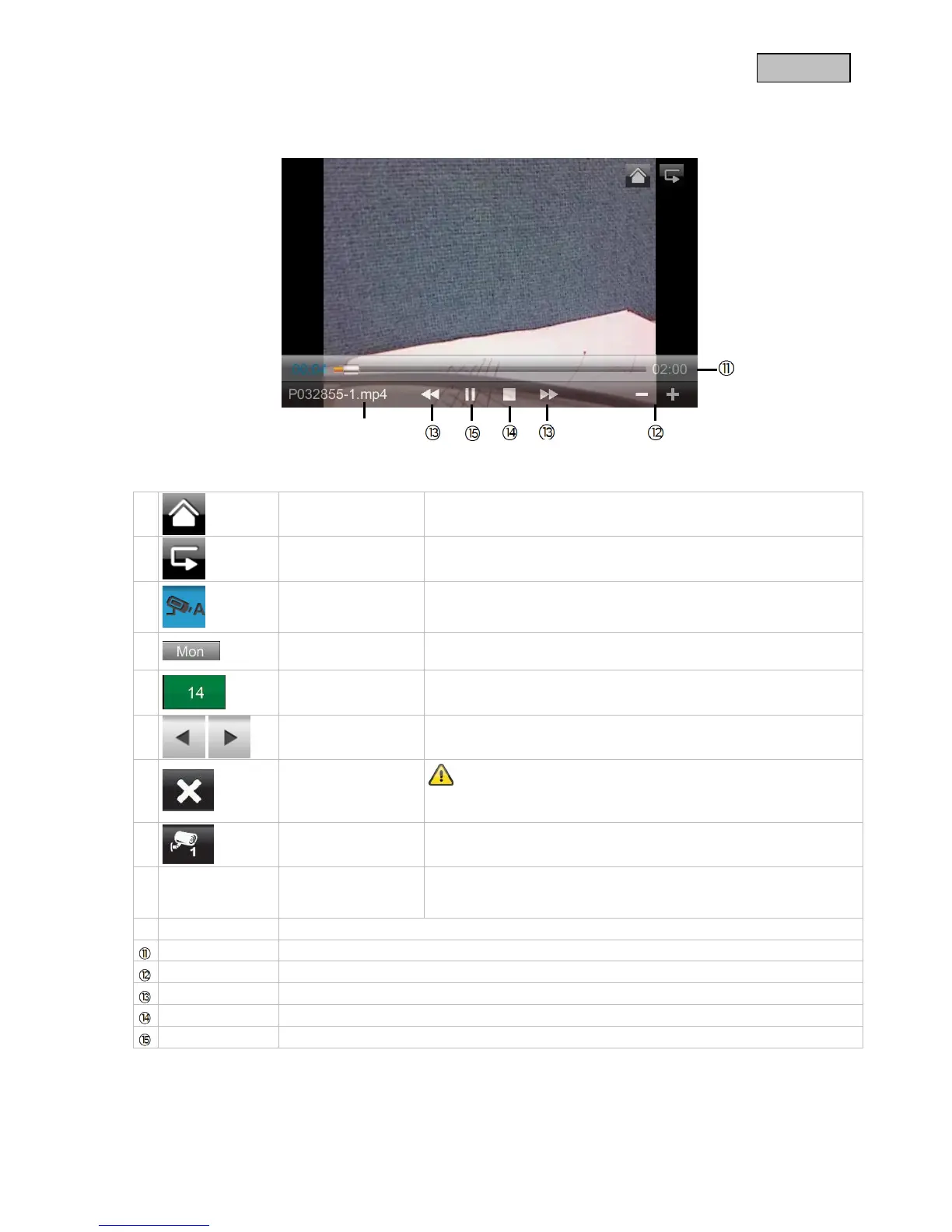
7.3.2 Viewing recordings
Press the file name to view the recording.
Explanation of symbols
Live view
Change to live view
Back
Back to the main menu
Camera
Select one of the numbered cameras to view the recordings.
Select the camera with “A” to view the recordings of all the
cameras.
Weekday
Here you see the weekday
Day
A field with a green background means that a recording is
available on this day. Press it to go to the “List of recordings”.
Change month
Press the arrow buttons to change between months.
Delete file
Important:
Please note that the recording is deleted immediately. There is no
need to confirm beforehand.
Camera
Shows you the recording of the particular camera.
A105859-1.mp4
Recording file
A=AM
10:58:59 = time
1 = Camera 1
10-10-2012
Day of recording
02:00
Duration of the recording
- / +
-/+ volume control
 / 
Next / Previous recording
Stop
/ II
Play / Pause

Table of Contents

Related product manuals