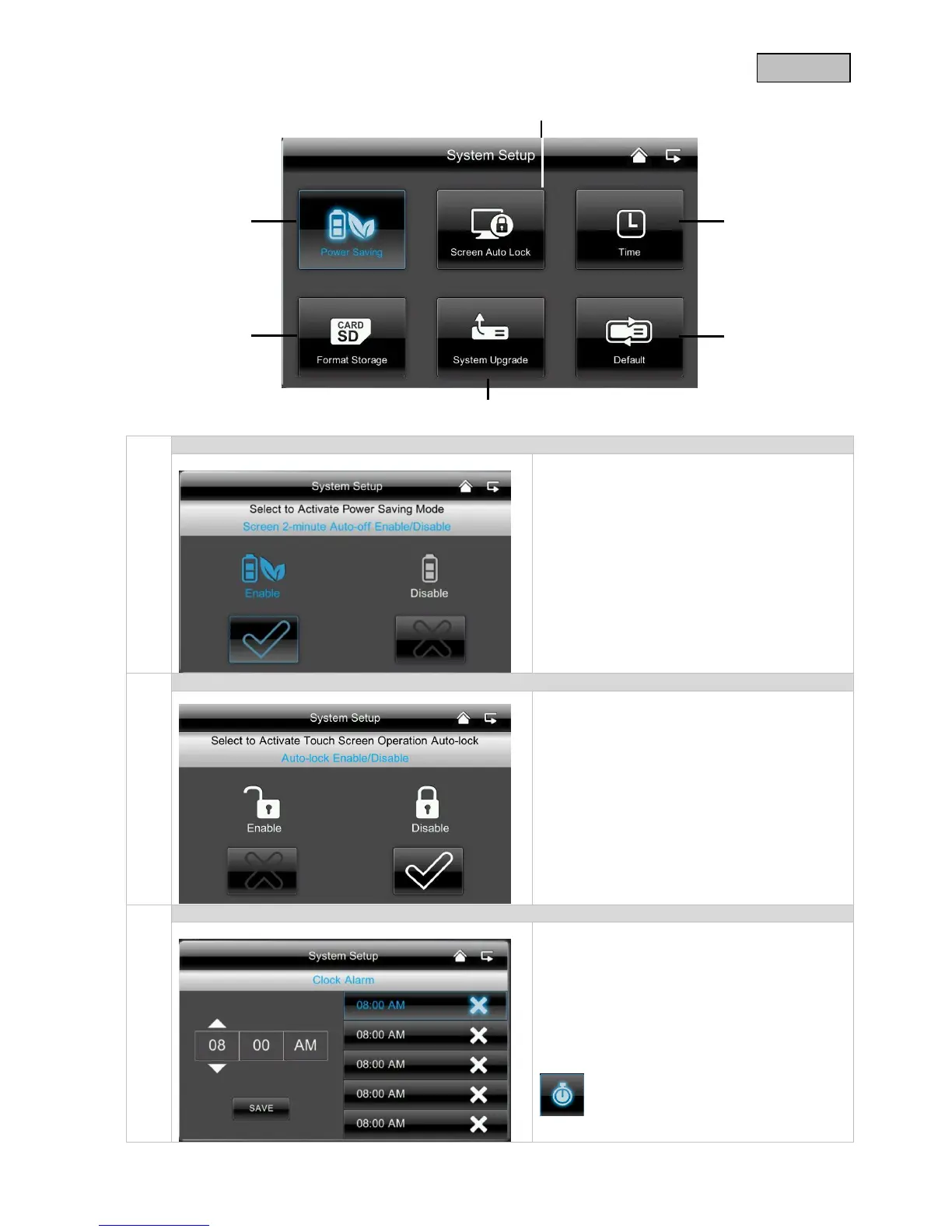
Here you can activate or deactivate the
automatic screen switch-off after 2 minutes.
If the energy saving mode is activated, your
battery lasts roughly half an hour longer.
If the automatic lock is activated, the monitor
no longer responds to the touch function after
a few minutes. Press the “Power” button to
switch on the monitor again.
Setting the time // alarm
Enter the required time at which you want to
be reminded.
Press “Save” and press on the time in the
right-hand field, √ appears.
The system then sounds at the time saved and
the following symbol appears.
Press on “OK” to stop the alarm.



 To Next Page